Best WordPress Image Optimizer Plugins

Optimizing the images on your WordPress site is very important to reducing page load time and speeding up your site. There are various image optimization plugins for WordPress that can help you reduce the size of images. You can find some of the best WordPress image optimization plugins here.
1. Image Optimizer by WP Fastest Cache
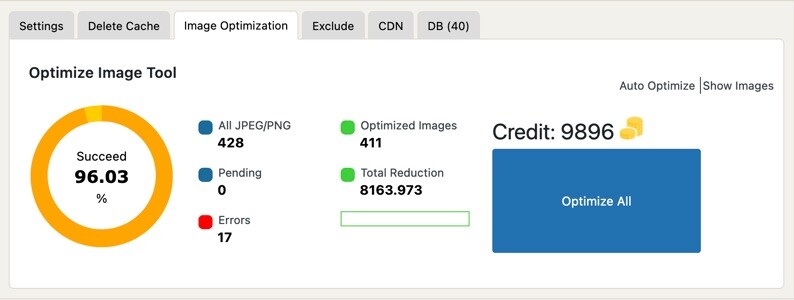
You can automatically optimize your images with the image optimization plugin available in the Premium version of the WP Fastest Cache plugin. Images are optimized on the closest one of our servers located in 18 different locations. Our plugin optimizes images in both PNG and JPEG formats and also automatically converts images to WebP format.
2. Smush

Smush is one of the leading image optimization plugins. Optimizes, resizes and compresses images. It also converts images to WebP format, which is a must for Google.
3. EWWW Image Optimizer
EWWW Image Optimizer automatically optimizes images as they are uploaded. It can also optimize your existing media library. It supports a variety of image formats and lets you choose between lossy and lossless compression.
4. Optimus
Optimus was developed by KeyCDN, a successful CDN company. Optimus plugin has 3 different versions: Optimus (Free), Optimus HQ (Premium) and Optimus HQ PRO (Premium). While you can optimize images with the free version, you need to purchase the paid version to convert images to webp format.
5. Imagify
Developed by the same team behind WP Rocket, Imagify is another popular image optimization plugin. Imagify offers users a choice of three compression levels: normal, aggressive, and ultra. It allows you to bulk optimize existing images and automatically optimize new images as they are uploaded.
6. TinyPNG
TinyPNG is another popular image optimization plugin. Don’t pay attention to the name TinyPNG. It also optimizes images in JPEG format. It automatically optimize new images on upload. Even though its design is not beautiful, it can be among your options as a successful plugin.