Utf-8 Character Encoding Problem

by admin

utf-8-character-problem

HTML files are typically served as text/html. The character encoding (or ‘charset’) of this file is UTF-8. If the page is not served as utf-8, there occurs character encoding problem.
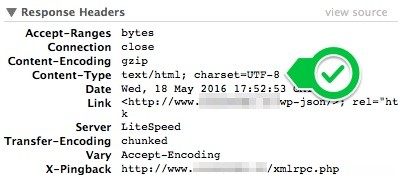
utf-8

If the page is cached, the page may not be called as utf-8.
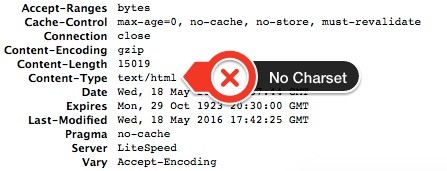
no-charset

Solution

WPFC adds charset rule automatically but in some servers <FilesMatch> does not work so you need to try <LocationMatch> as below.

You need to add the following rule into htaccess to serve the files with the extension .html as UTF-8.


    AddDefaultCharset UTF-8

Internal Server Error (500)

If you get Internal Server Error (500), you need to remove <LocationMatch> and add only the following rule.

AddDefaultCharset UTF-8

Related articles

How to Move the Menu Item Under the Setting Menu

The menu item of WP Fastest Cache is added to the top level menu by default so you can reach…

Placeholder Image
Clearing Cache After Deleting Post/Page

When a post or a page is deleted, some cache files are cleared instead of all the cache files being…

How to Enable Gzip Compression in WordPress

Used by more than half of all websites, Gzip Compression remains popular today.

Ready to get started?

Purchase your first license and see why 1,500,000+ websites globally around the world trust us.