Cache Url with QueryString

WP Fastest Cache does not create cache by default if a url contains a query string.
Enable Cache for URLs with Query Strings
If you want to enable cache system for the urls which contain querystring, you need to add the following line after <?php which exists at the top of wp-config.php file.
define('WPFC_CACHE_QUERYSTRING', true);
Google Analytics Parameters
Google Analytics allows adding campaign parameters to the destination URLs to collect information about the overall efficacy of the campaigns.
If a url contains any google analytics parameters such as utm_source, utm_medium, utm_campaign, utm_term, utm_content, the url is served via main page cache. You don’t need to do any extra action.
Example
https://www.example.com/mypost/?utm_source=summer-mailer&utm_medium=email&utm_campaign=summer-sale
This url is served via the cache of https://www.example.com/mypost/
How To Disable
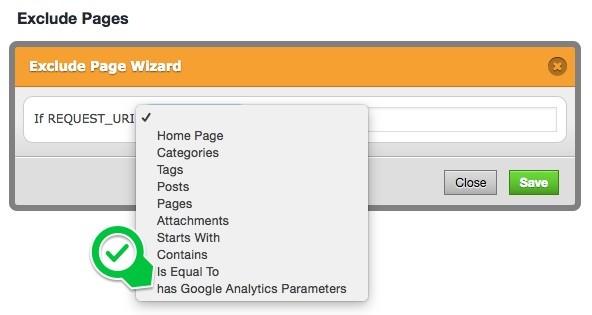
If you want to disable this feature, you can exclude via “exclude” tab as below.