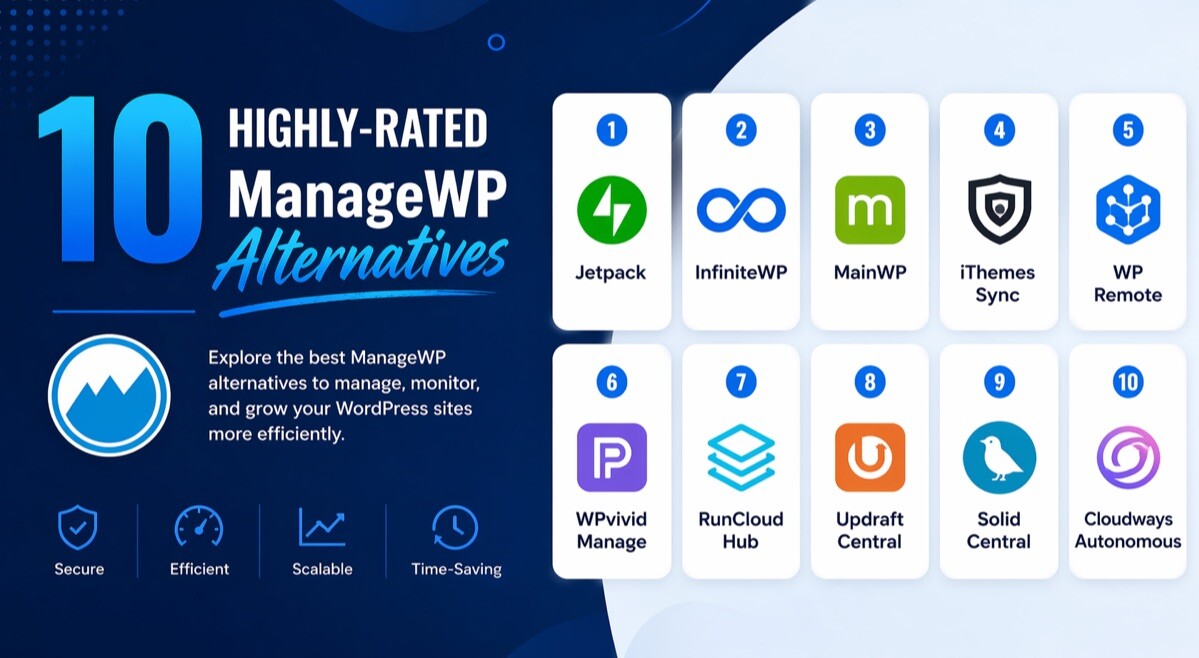
10 Highly-Rated ManageWP Alternatives

If you manage more than one WordPress site, you already know the real problem is not updates alone. It is the constant juggling of backups, security checks, uptime alerts, client reports, login access, staging, and the pressure to fix issues before a client notices them.
That is exactly why so many site owners and agencies are now looking beyond ManageWP. The best ManageWP alternatives do more than centralize admin work. They help you work faster, reduce risk, impress clients, and keep your maintenance workflow under control.
In this guide, you will find 10 strong options, what each one actually does well, where each one falls short, and which tool makes the smartest choice if you want an all-in-one maintenance setup that feels built for real work.
7 Reasons Website Owners Are Seeking ManageWP Alternatives
They want more dependable backup workflows
You cannot afford a backup system that only feels good on paper. Website owners are paying closer attention to restore options, storage limits, retention periods, and how quickly they can roll back after a bad update. That shift makes alternatives with stronger backup visibility and simpler restore workflows look far more practical.
They need safer updates, not just faster updates
Bulk updates save time, but one broken plugin can wipe out that time instantly. More site owners now prefer platforms that include staging, safe update testing, visual checks, or restore points before changes go live. That is a major reason tools with stronger update control are getting more attention.
They want stronger visibility into security problems
You do not want to find out about a vulnerability after the damage is done. Users now expect vulnerability alerts, malware scanning, firewall support, uptime alerts, and activity logs to be part of the workflow rather than scattered across different plugins. The more complete the monitoring stack feels, the more attractive the alternative becomes.
They want cleaner client reporting
Clients rarely care how many clicks you made in a dashboard. They care about what was updated, what was backed up, what was fixed, and whether their site stayed online and secure. That is why maintenance platforms with white-label reports, scheduled reports, and visible proof of work keep winning attention.
They need more than maintenance tools
A lot of agencies are no longer shopping for an update dashboard alone. They want support tickets, team permissions, client portals, time tracking, branded dashboards, and internal accountability in one place. Once you see that broader need, a simple maintenance-only tool starts to feel limited.
They care more about privacy and control
Some users do not want a pure SaaS workflow controlling everything. Self-hosted options still matter because they give you more control over your management stack, your data, and your plugin choices. That privacy-first mindset keeps tools like self-hosted dashboards relevant in a crowded market.
They want pricing that scales more cleanly
As your site count grows, pricing stops being a small detail. Site owners compare flat licenses, self-hosted models, per-site billing, and bundled features much more carefully now because a cheap starting point can become expensive at scale. That pricing pressure is one of the clearest reasons people keep researching ManageWP alternatives.
10 ManageWP Alternatives You Should Start Using Today
The best ManageWP alternatives matter because WordPress maintenance has changed. You are no longer just updating plugins once a week and hoping nothing breaks. You are protecting revenue, client trust, uptime, SEO performance, and your own working hours.
A strong platform helps you see what needs attention, automate routine tasks, and prove your value without making your workflow more complicated. Some tools lean heavily into staging, some focus on agency reporting, some give you self-hosted control, and some combine maintenance with support operations.
If you want the list that deserves your attention first, start with WP Managify. It is the most rounded option here for teams that want backups, monitoring, white-label reporting, centralized maintenance, and a cleaner day-to-day workflow without forcing you into a fragmented stack.
1. WP Managify
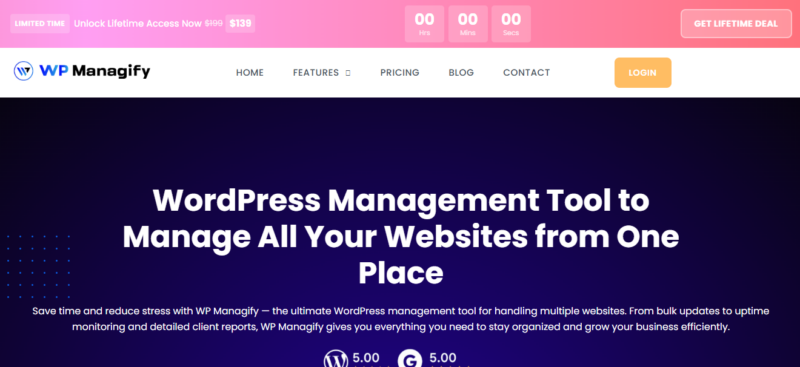
WP Managify stands out because it gives you the kind of multi-site workflow most agencies actually need in one place. You get centralized updates, backups, uptime monitoring, vulnerability scanning, activity logs, staging support, one-click login, and white-label reporting. It feels built for maintenance teams that need speed, visibility, and presentable client-facing output without turning every task into a manual process.
You can manage multiple WordPress sites from one dashboard and cut down the usual tab-heavy routine. The combination of backups, uptime checks, and vulnerability monitoring means you are not relying on separate tools just to stay informed. That creates a smoother workflow when you are responsible for many sites at once.
Its reporting features make a real difference if you work with clients. White-label reports and scheduled reporting help you show maintenance value in a way clients can understand without forcing you to build hand-made summaries every month. That alone can save hours while making your service look more polished.
WP Managify also earns attention because it is practical, not flashy for the sake of it. The staging environment, custom notifications, activity logs, and one-click login are the kind of features that reduce friction every single week. When a tool helps you work faster and look more organized, it becomes much easier to justify keeping it at the center of your maintenance stack.
WP Managify Key Features
- Central dashboard for managing many WordPress sites without bouncing between separate admin panels.
- Automated backups with instant backup support for safer maintenance routines.
- Real-time uptime monitoring with fast checks on higher plans.
- Vulnerability scanning for outdated plugins, risks, and suspicious activity.
- White-label reports that help you present maintenance work professionally.
- Activity logs for transparent change tracking across websites.
- Staging environment to test changes before pushing them live.
- One-click login for faster access to connected sites.
WP Managify Downsides
The first downside is that the platform is newer and less battle-worn than older names in the category. Some buyers will naturally want a longer public track record before moving their whole maintenance operation over, but that hesitation is usually outweighed by the feature balance and clean workflow.
Price: Starter starts at $29 per month for 50 websites, Business starts at $49 per month for 100 websites, and Enterprise starts at $99 per month for unlimited websites, with yearly billing savings available.
Why choose WP Managify?
If you want the strongest all-round alternative on this list, WP Managify is the one that makes the most sense. It gives you the maintenance essentials, the client-facing polish, and the workflow shortcuts that turn routine site care into something far easier to run.
It is the best fit if you want one platform that feels agency-ready from day one. Instead of patching together separate tools for uptime, reports, backups, and access, you can keep the important parts of your workflow in one place and move faster with less admin drag.
2. MainWP

MainWP is one of the clearest choices if you value control more than convenience. It is self-hosted, open source, and built to let you manage unlimited websites from your own dashboard instead of relying entirely on a SaaS platform. That makes it especially appealing when privacy, ownership, and flexibility matter more to you than a slick hosted interface.
MainWP also gives you a generous starting point. The free version covers essential maintenance tasks, while Pro adds 30+ extensions and priority support for users who want a broader stack. That makes it attractive if you want a lower-cost entry path without giving up expansion options.
The catch is that freedom comes with more responsibility. You will likely spend more time setting things up, choosing extensions, and maintaining the dashboard itself than you would with a fully hosted service. If you prefer a cleaner out-of-the-box experience, MainWP can feel more technical than comfortable.
MainWP Key Features
- Self-hosted dashboard for more control over your management environment.
- Open-source approach for users who value transparency and flexibility.
- Manage unlimited websites even on the free Essentials plan.
- Pro version includes 30+ premium add-ons and future add-ons.
- Core maintenance coverage for updates and daily management tasks.
MainWP Downsides
MainWP asks more from you on setup and ongoing maintenance. The interface is functional, but it is not the easiest option for users who want a friction-free start. You also need to think more carefully about hosting your own dashboard, security, and extension choices. Those are real deal breakers if you want a more hands-off platform.
Price: Essentials is free. MainWP Pro is $29 monthly or $199 yearly.
3. InstaWP
InstaWP is different from the typical maintenance dashboard because it shines brightest when staging, testing, building, and launching WordPress sites are part of your normal workflow. It combines instant WordPress environments with connected site management, making it a smart choice for developers, freelancers, and agencies that touch sites constantly. If you care about speed between idea, test, and deployment, it earns attention quickly.
InstaWP also brings in site management value through connected sites. Its documentation states that unlimited live websites can be connected and managed from one dashboard at no cost, while advanced connected-site capabilities add monitoring, vulnerability and performance scanning, and centralized configuration control. That gives it more practical depth than people often expect at first glance.
Where it loses some people is focus. If you mainly want a maintenance dashboard and do not care about instant site creation or staging-heavy workflows, InstaWP can feel broader than necessary. It is excellent for builders, but not every site owner needs that kind of development-first toolbox.
InstaWP Key Features
- Instant WordPress environments for testing and client builds.
- Connected sites can be managed from one dashboard.
- Advanced connected-site tools include monitoring and vulnerability scanning.
- Site plans include backups, CDN, Shield, and management tools.
- Pay-as-you-go billing makes usage more flexible.
InstaWP Downsides
The product can feel more developer-centric than maintenance-centric. Pricing is also split across connected-site features and hosted site plans, which can make the buying path less simple than a standard all-in-one care dashboard. And if you do not need staging or rapid site creation, some of its strongest strengths will go underused. Those are serious drawbacks for users who just want straightforward maintenance.
Price: Connected sites can be managed for free; hosted site plans shown on the pricing page start at $2 per month, with higher plans such as Starter at $5 and Plus at $9 per month.
4. Solid Central
Solid Central is aimed at users who want straightforward centralized WordPress management with reporting and monitoring built around the SolidWP ecosystem. It is especially useful if you already use Solid products and want one dashboard to handle updates, uptime, speed checks, and client reporting. In that context, it feels tidy and purposeful.
Another plus is how it handles the client experience. You can control which menu items clients see, hide settings they do not need, and use reports to reinforce the value of your maintenance service. That makes it more useful for agencies than a simple update-only tool.
Its biggest weakness is ecosystem dependence. Some of the most useful controls and integrations tie back to Solid Security, Solid Backups, and related tooling, which makes the platform more compelling if you are already inside that ecosystem than if you are comparing from scratch. That narrowness can be a deal breaker for buyers who want a more neutral platform.
Solid Central Key Features
- Batch updates for WordPress core, themes, and plugins.
- Uptime and performance monitoring across connected sites.
- Scheduled customizable reports for individual or grouped sites.
- Client dashboard control for cleaner handoff and access management.
- Integrations with Solid Security, Solid Backups, Analytics, and Search Console.
Solid Central Downsides
It is not the best fit if you want a broad independent platform with rich built-in features outside the Solid ecosystem. Local environments are not supported, advanced value often depends on companion Solid products, and pricing starts to matter once your site count grows. It also feels more operations-focused than innovation-focused compared with newer tools. Those limitations will push some buyers elsewhere.
Price: Solid Central Pro starts at $6.99 per month for 5 sites, or $69 per year for 5 sites.
5. Glow
Glow takes a different route from most ManageWP alternatives because it combines maintenance, support tickets, reporting, and team collaboration in one dashboard. That makes it especially attractive for agencies that do not just maintain sites, but also handle ongoing client communication and internal workload management. If your maintenance business runs like a service desk, Glow is easy to understand.
What makes Glow feel different is everything around the maintenance work. Shared inbox support tickets, email and dashboard replies, time tracking, monthly time allowances, client portals, branded dashboards, and unlimited team seats all push it beyond a simple WordPress utility. It is built to support an agency business model, not just site admin tasks.
The downside is that this broader scope is not for everyone. If you only want pure maintenance tooling, the support and client-service layer may feel like extra complexity, and the per-site model can become a budgeting question as your portfolio expands. That can be a deal breaker if your workflow is small or highly technical rather than agency-facing.
Glow Key Features
- Support tickets and WordPress maintenance in one platform.
- Unlimited team seats with roles and permissions.
- Branded client dashboards and automated white-label reports.
- Uptime, performance, and vulnerability monitoring.
- Time tracking, budgets, and reseller mode for agency workflows.
Glow Downsides
Glow is excellent for agencies, but it is not the leanest option for solo users who just want updates and backups. The platform’s broader service-desk approach can feel heavier than necessary, and you will get the most value only if you actually use tickets, reporting, team workflows, and branded portals. If not, you may end up paying for a business layer you do not need. That makes it less universal than some alternatives.
Price: The first website is free, and additional sites are priced at $1.95 per site per month.
6. Plesk WordPress Toolkit
Plesk WordPress Toolkit is a strong option when your hosting stack already runs through Plesk and you want WordPress management built directly into that environment. Instead of adding a separate dashboard layer, it lets you handle installation, staging, security hardening, maintenance mode, backups, and command-line access where your hosting work already happens. That native feel is its biggest advantage.
For agencies and developers on Plesk, that can be a very efficient setup. You are not constantly jumping between hosting panels and WordPress management tools because the workflow is already part of the server management layer. That can feel refreshingly direct.
The problem is that it is not a universal answer. It makes the most sense inside Plesk, remote management is still presented as beta on the feature page, and pricing depends on the Plesk edition plus any Deluxe licensing. For buyers outside that ecosystem, it is more awkward than attractive.
Plesk WordPress Toolkit Key Features
- Built into Plesk for tighter hosting and WordPress workflow control.
- Staging, cloning, and restore points for safer changes.
- One-click hardening and security scanning.
- WP-CLI, debug management, and maintenance mode controls.
- Smart Updates and Smart PHP Updates in Deluxe.
Plesk WordPress Toolkit Downsides
This is not the best choice if you are not already in the Plesk world. The licensing structure is less straightforward than most SaaS alternatives, some premium value sits behind Deluxe, and the appeal drops sharply if you want a cleaner standalone multi-site dashboard. It is powerful, but also more infrastructure-dependent than the other tools here. That alone will rule it out for many users.
Price: WP Toolkit is included with Plesk Web Pro and Web Host editions, while Web Admin includes WP Toolkit SE. Plesk Web Pro pricing shown starts at €18.29 per month on VPS plans, and Deluxe requires a separate license.
7. Jetpack Manage
Jetpack Manage works best if you already trust Jetpack and want site management wrapped around its broader security and backup ecosystem. It lets you monitor multiple sites, watch security and performance, and respond to issues from one place. For users who already run Jetpack products, the learning curve is small.
Jetpack also does a good job with restores and incident visibility. Real-time backups, one-click restores, activity logs, and alerts help you recover quickly when something goes wrong. That matters a lot if you are maintaining revenue-generating sites.
Still, Jetpack is not perfect as a true ManageWP replacement for every user. Some advanced features sit behind paid Jetpack plans, multisite support is limited on the security side, and the broader product stack can feel more like a suite of services than a purpose-built agency maintenance dashboard. That will put off users who want simpler, more focused control.
Jetpack Manage Key Features
- Central dashboard for monitoring multiple WordPress sites.
- Real-time backups and one-click restores through Jetpack Security.
- Firewall, malware scanning, and spam protection.
- Activity logs and downtime monitoring.
- Good fit for users already inside the Jetpack ecosystem.
Jetpack Manage Downsides
Jetpack can become expensive once you need the better security layers across multiple sites. It also does not currently support WordPress multisite on Jetpack Security, and some agencies find the product mix less elegant than a dedicated care-plan dashboard. If you want white-label reporting and a more agency-centric experience, it may feel off target. Those are meaningful deal breakers depending on your use case.
Price: Jetpack Manage is free to start, while Jetpack Security is listed at €8.95 per month for the first year when billed yearly, with renewals at full price.
8. CMS Commander
CMS Commander is one of the older names in this space, and it still appeals to users who want a practical way to manage many WordPress sites without paying premium agency-platform prices. It covers centralized management and includes bulk-oriented features that can save time if your workflow is content-heavy. For some users, that simplicity is still enough.
CMS Commander also offers bulk plugin installation and a set of management features aimed at users handling many websites. On top of that, it includes an unusual automatic content angle, giving access to external content sources for content optimization and creation workflows. That is distinctive, though not every user will care about it.
The issue is that it feels dated next to newer tools. The interface, positioning, and feature mix do not feel as modern or as agency-focused as stronger competitors, and it lacks the cleaner monitoring and reporting feel many buyers now expect. If you want a contemporary maintenance experience, that will be hard to ignore.
CMS Commander Key Features
- Centralized multi-site WordPress management.
- Bulk plugin installation and bulk-oriented workflows.
- Competitive per-site pricing tiers.
- Documentation and long-running product presence.
- Automatic content tools for selected publishing workflows.
CMS Commander Downsides
This tool feels older, less polished, and less complete than the best current alternatives. It is also not the strongest option for white-label agency reporting, deeper security visibility, or modern client-facing workflows. And if you do not need its content-oriented extras, much of its uniqueness disappears. Those gaps make it harder to recommend as a first choice today.
Price: Plans shown start at $8 per month for 5 websites, with 10 websites at $12 per month and 20 websites at $16 per month.
9. InfiniteWP
InfiniteWP remains interesting because it gives you a self-hosted path with a long history in multi-site WordPress management. It focuses on one-click admin access, updates, backups, staging, malware scanning, uptime monitoring, and client reporting. If you like the idea of keeping the command center under your own control, it still deserves a look.
It also offers several licensing tiers, from starter limits to agency and enterprise plans. That gives you room to scale if your site portfolio grows and you prefer annual licensing over ongoing per-site monthly billing. For some buyers, that pricing model feels easier to plan around.
The downsides are familiar to most self-hosted tools. Setup and maintenance are your problem, the interface does not feel as modern as newer SaaS options, and support response times vary by plan. If you want a cleaner hosted experience with fewer moving parts, InfiniteWP will feel less convenient than top hosted competitors.
InfiniteWP Key Features
- Self-hosted dashboard for managing many WordPress sites.
- One-click admin access and one-click updates.
- Scheduled backups with cloud backup destinations.
- Staging, migration, malware scanning, and uptime monitoring.
- Client reporting and multi-user capability on higher tiers.
InfiniteWP Downsides
InfiniteWP is not the easiest option for users who want simplicity first. The self-hosted model adds technical overhead, the experience feels less modern than newer agency platforms, and premium value is tied to annual licenses rather than a very clean entry point. Support speed also depends on your tier. For some users, that adds too much friction.
Price: The base panel is free. Premium plans shown include Starter at $147 per year for 10 sites, Developer at $247 per year for 20 sites, Freelancer at $347 per year for 50 sites, and Agency at $447 per year for unlimited sites.
10. WP Remote
WP Remote is one of the most complete traditional alternatives if your focus is maintenance, safe updates, backups, monitoring, and security. It is built around reducing update risk while keeping visibility high, which is exactly what many agencies want from a modern replacement. If you want a tool that takes site care seriously, it earns its place here easily.
WP Remote also handles reporting and site oversight well enough to support client work. Features like Update Lens, whitelabeled reports, and monitoring help you show work while keeping an eye on risk. That makes it appealing if you want more than a simple update button.
The downside is that its strongest capabilities live behind paid plans and per-site pricing. If you manage a large number of sites, you will want to watch the numbers closely, and some users may prefer a platform with broader built-in agency operations or flatter pricing. That makes it powerful, but not automatically the best value for every setup.
WP Remote Key Features
- Daily automated backups with one-click restore.
- Safe updates and visual regression checks.
- Malware scanning, firewall, and vulnerability alerts.
- Whitelabeled reports and Update Lens.
- Monitoring and API access for growing teams.
WP Remote Downsides
WP Remote is strong, but it is less all-in-one on the agency operations side than something like Glow, and less balanced for bundled site counts than WP Managify. Per-site pricing can climb as you grow, and some buyers will want broader collaboration or support-ticket tooling built in. That keeps it from being the easiest universal recommendation.
Price: The Essential plan is listed at $1.99 per month per site, or $19.99 per year per site.
Final thoughts
If you want the shortest path to a better maintenance workflow, do not choose based on name recognition alone. Choose based on how you actually work. If you mainly care about self-hosting, MainWP or InfiniteWP may suit you. If you want staging-first workflows, InstaWP makes more sense. If you want support and maintenance together, Glow is the standout.
But if you want the most balanced option for agencies and serious site managers, WP Managify is the strongest recommendation in this list. It gives you the central dashboard, backups, monitoring, vulnerability scanning, staging support, one-click login, and white-label reporting that make everyday maintenance faster and easier to run. More importantly, it gives you those features in a package that feels focused on real WordPress operations rather than pieced together from separate tools.