
AffiliatePress Review 2025: Complete Walkthrough

Nowadays, affiliate marketing is one of the fastest growing and most profitable marketing models, expected to hit $37.3 billion in 2025-26. But managing affiliate marketing programs is sure profitable yet time consuming.
Managing affiliates, payouts, and commissions is nearly impossible without a proper affiliate marketing system to automate your day to day tasks.
That’s why I did what everyone else would have done. I am using WordPress to create a website, so I started going through every single affiliate plugin and came across multiple popular choices. Still, those plugins lack the features I long for, such as flexibility, easy affiliate management, price, advanced commission structures, and so on. Then I came across AffiliatePress.
AffiliatePress is one of the most powerful plugins around here with a robust set of conversion focused features. At first, I thought this would be the same as others, yet what surprised me the most was how much it has to offer for affiliate marketing.
So, in this review blog, we’ll be testing AffiliatePress to see exactly how it stands out from the rest by going through its:
- Features
- Easy setup and installation
- Uses
- Price or Cost, and many more.
So without further ado, let’s find out if AffiliatePress is truly Worth it in 2025.
What is AffiliatePress?
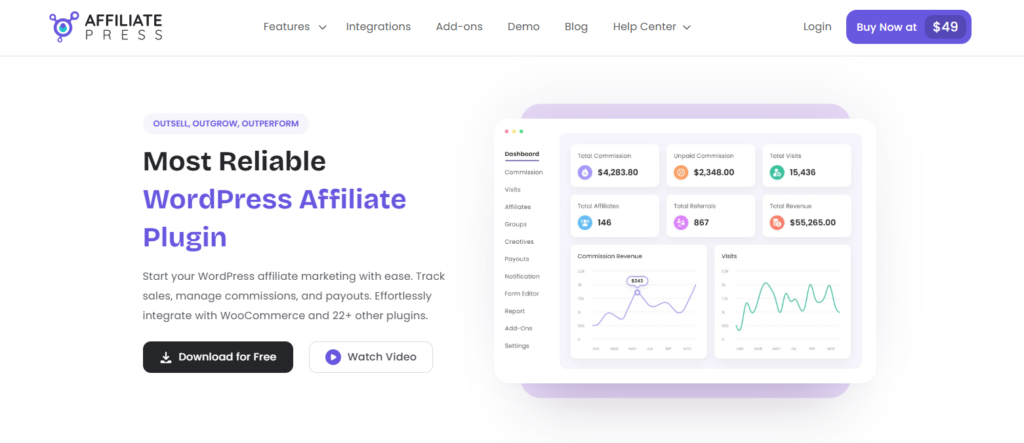
AffiliatePress is not just another affiliate plugin. It’s designed to completely change the way you launch and manage your affiliate marketing programs.
It is packed with conversion focused smart features such as real time commission tracking, smart fraud detection, unique QR codes and coupons, customizable affiliate sign up and so more.
Whether you are a store owner, course creator, or membership site admin, AffiliatePress lets you track sales, manage your commissions, and automate payout effortlessly, all in one place.
Moreover, you don’t need any extra plugin with AffiliatePress. It smoothly connects with all WooCommerce and 23+ other popular plugins. It also gives you full control over your commission structures and payouts to grow your affiliate program.
Exploring the Key Features of AffiliatePress
Now, it’s time to understand the key features of AffiliatePress and see if it’s actually worth it.
1. Multiple Commission Types and Rules
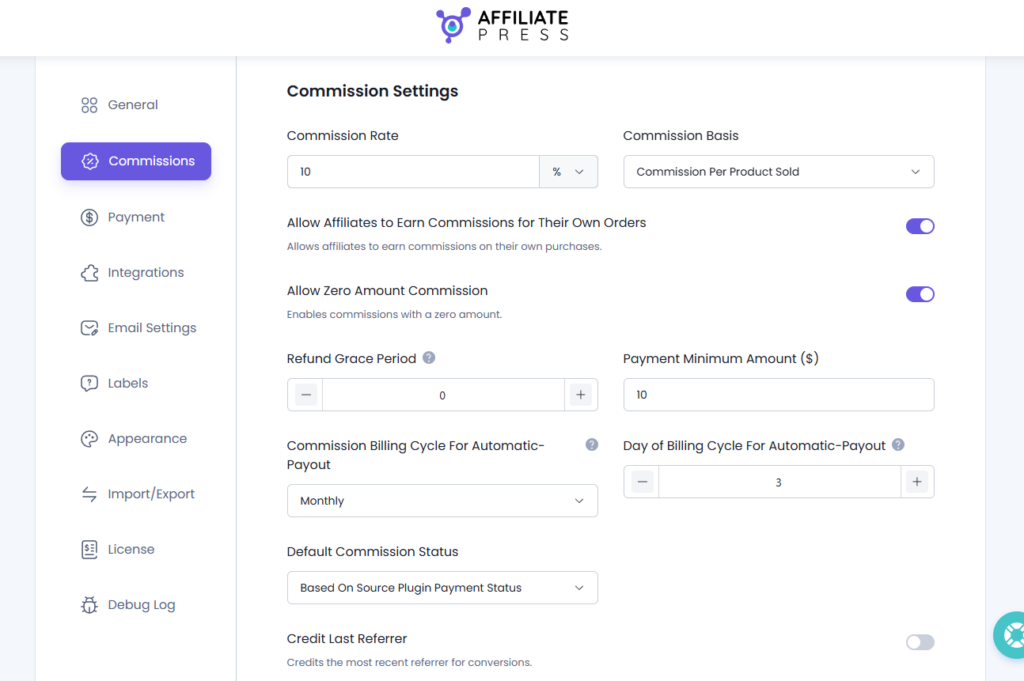
With AffiliatePress, you can create different commission structures and rates the way you want for your business.
You can also set custom rates as per each product, category, or performance. Its flexible structure comes with multiple commission structures to fit your business’s goal, such as
- Product wise commission
- Multi level commission
- Tiered based commission
- Recurring commission
- Lifetime commission
- Group wise affiliate commission
Moreover, you can set up performance bonuses and rewards for affiliates who reach a certain number of sales milestones. AffiliatePress also lets you set a signup bonus as a welcome reward for your affiliates.
2. Advanced Payout
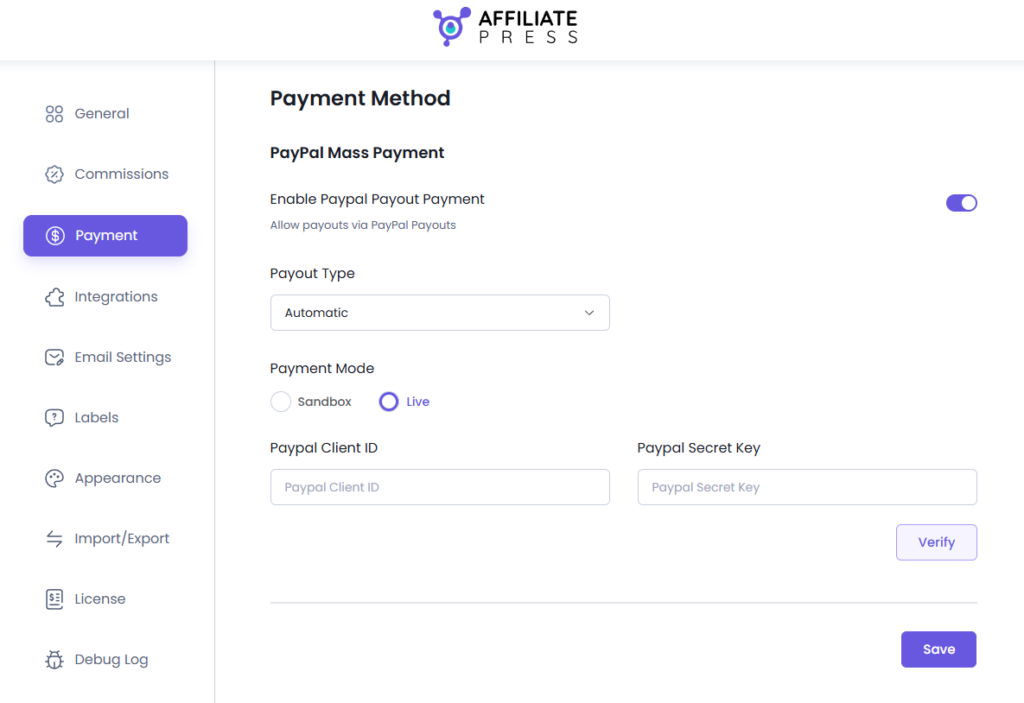
This is what I like the most. AffiliatePress allows you to easily manage payouts with either manual or scheduled options.
Just with one click, it processes all affiliate commissions immediately and accurately, leaving no room for errors. AffiliatePress automates your payouts using the most popular and secure payment gateways, PayPal and Stripe, without leaving your WordPress dashboard.
3. Real time Tracking and Reporting
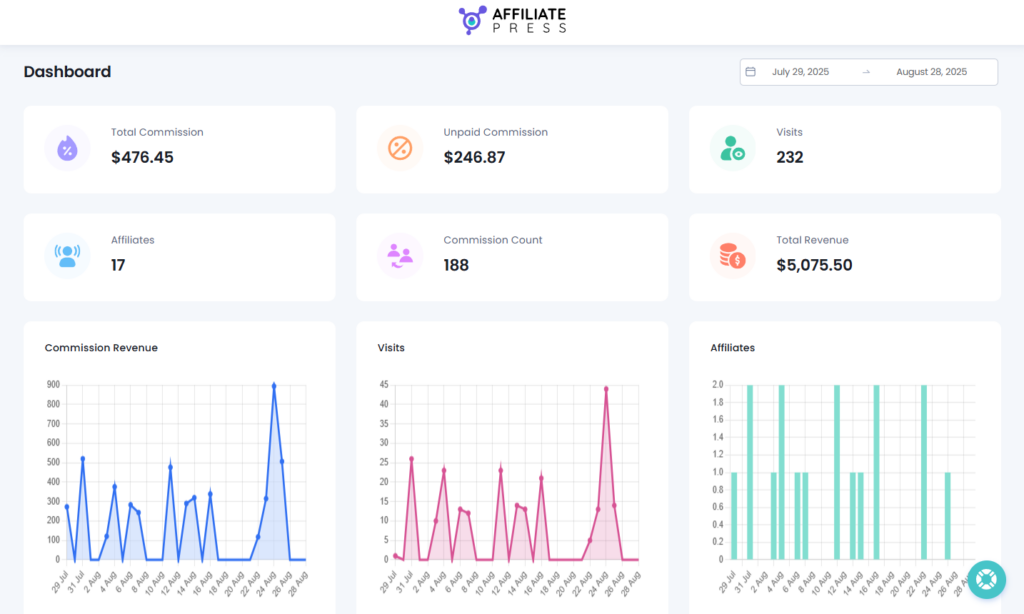
AffiliatePress again surprised us with its advanced, real time, and accurate tracking and reporting. You can easily track conversions with detailed reports on sales, clicks, referrals, and commission payouts with full affiliate statistics.
4. Powerful Integrations
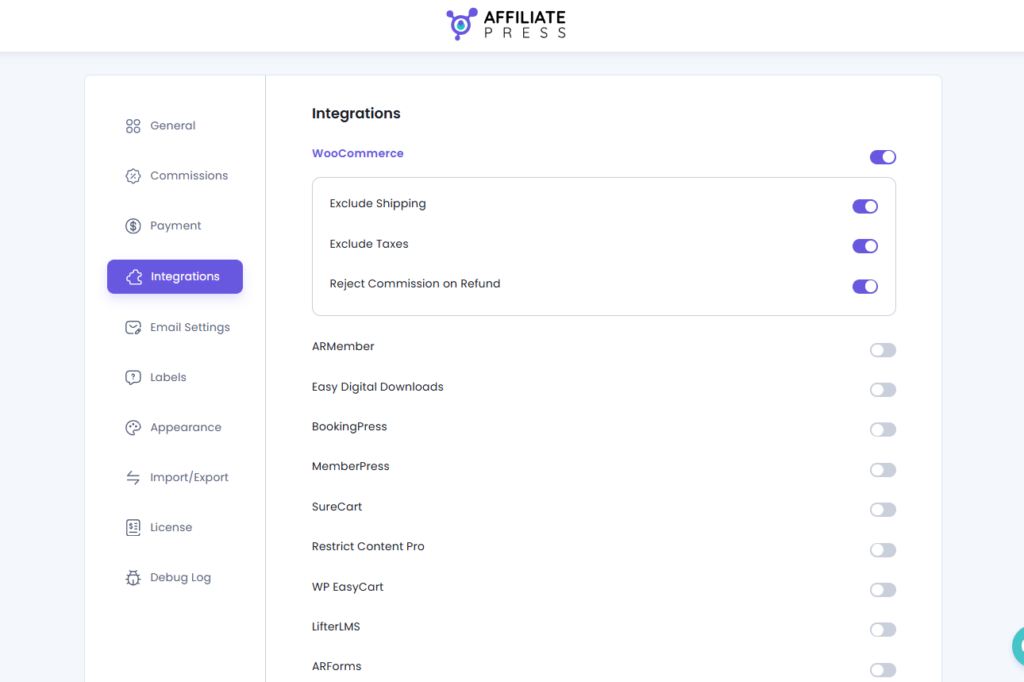
AffiliatePress seamlessly integrates with WooCommerce and 23+ popular plugins, including EDD, MemberPress, ARMember, Paid Memberships Pro, LearnDash, WPForms, BookingPress, and more, to automate your workflow.
If you are running a WooCommerce online store, you can easily track and manage your affiliate sales. Plus, you can decide whether to add or remove shipping charges and tax while calculating commissions for the final payout.
5. Unlimited Creatives
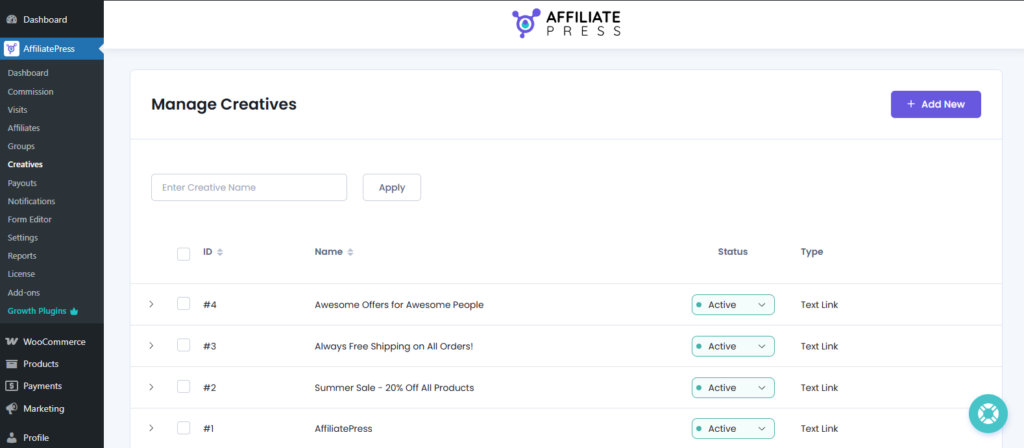
AffiliatePress gives endless creative options to your affiliates and boosts your sales and conversions. Creative options such as text links, images, banners, and HTML creatives help your affiliates to promote and sell your products more easily.
6. Smart Fraud Detection
To manage your affiliate program securely, you sure need to keep a tab on all suspicious activities to prevent spam. AffiliatePress includes a built-in fraud detection feature for running your affiliate marketing program in a safe and secure way.
It automatically monitors and flags any kinds of suspicious activities by adding multiple levels of security to make sure your commission payouts are calculated accurately and reach the authentic affiliates only.
7. Easy Affiliates Management
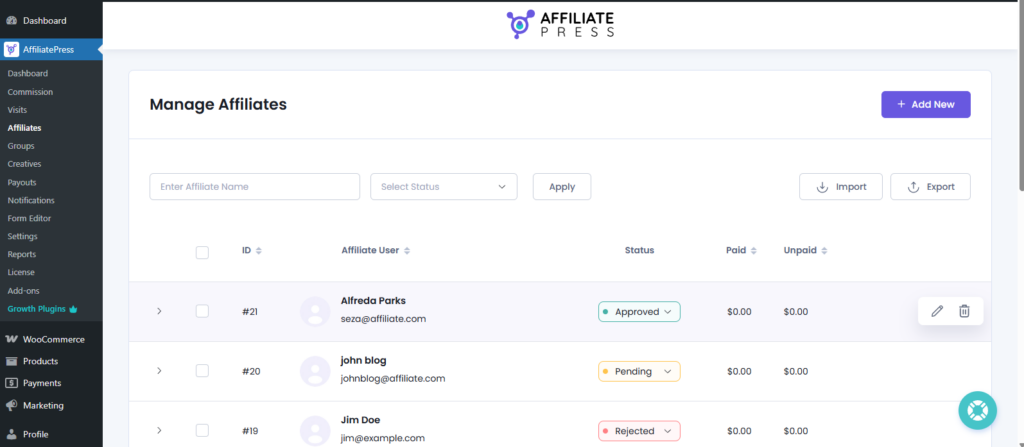
AffiliatePress allows the admin to approve or reject applications, edit profiles, assign custom commissions to affiliates, and track traffic and referrals directly from your WordPress dashboard.
Furthermore, it comes with a friendly user interface. Thus, managing your affiliate marketing program becomes super easy.
It also offers a robust set of features to create your own affiliate signup form with custom fields. Also, you can send full personalized emails to your affiliates and website managers automatically for various scenarios such as payouts, welcome messages, and so more.
8. Unique QR and Coupon Codes
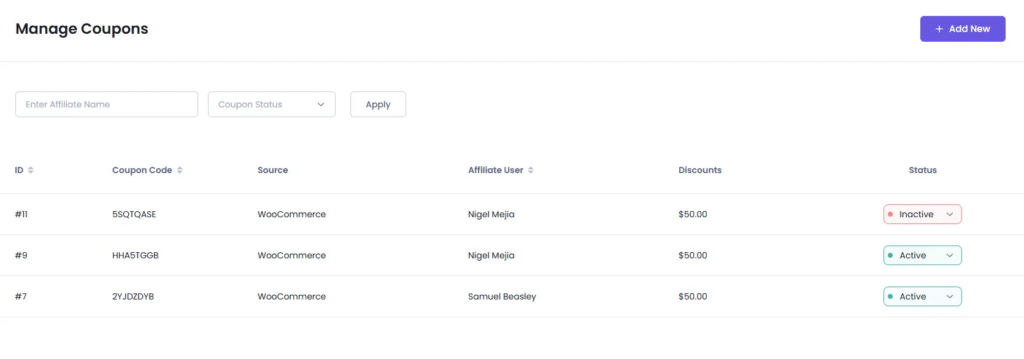
AffiliatePress automatically generates unique QR and coupon codes for your affiliates to boost your sales. Furthermore, this is awesome for promoting your products or services at events and offline activities.
Moreover, you can also offer personalized coupon codes to affiliates and help them promote your products through their videos, podcasts, and livestreams. You can easily track all referrals made by those unique coupon codes and QR codes in real time.
Installing and Setting Up AffiliatePress
Now that we know AffiliatePress offers a lot more than we need for running a successful affiliate program. So the next concern we all have is,” How easy is it to set up? Will it take days? Hours? Minutes?”
The answer is: just a few seconds!
Sounds unbelievably awesome, right? Why not see it for yourself! Here’s a simple four step guide for installing, activating and setting up AffiliatePress.
Step 1: Install the Plugin
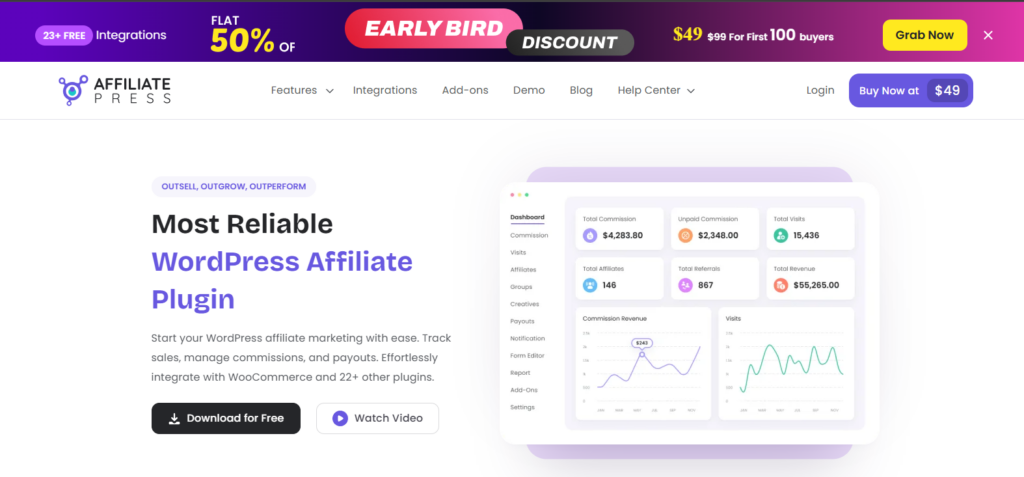
Go to the official website of AffiliatePress. There you can download and explore the features. To download the free version of the plugin, click on the “Download for Free” button.
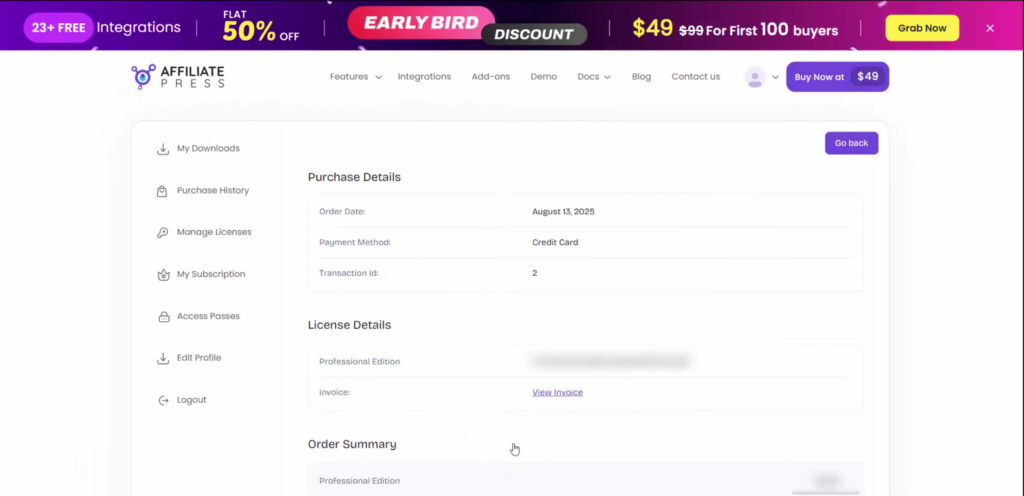
After selecting the package you want to purchase, simply enter your details and purchase it. Now you’ll be redirected to a purchase detail page.
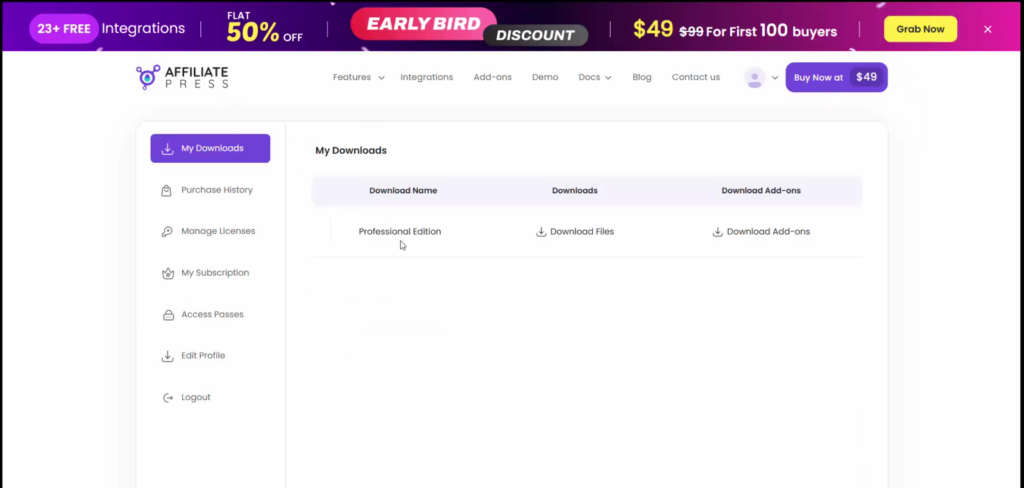
Go straight to “My downloads” and download the zip file of your AffiliatePress.
In your WordPress dashboard, go to Plugins > Add New > Upload Plugin, then upload the .zip file.
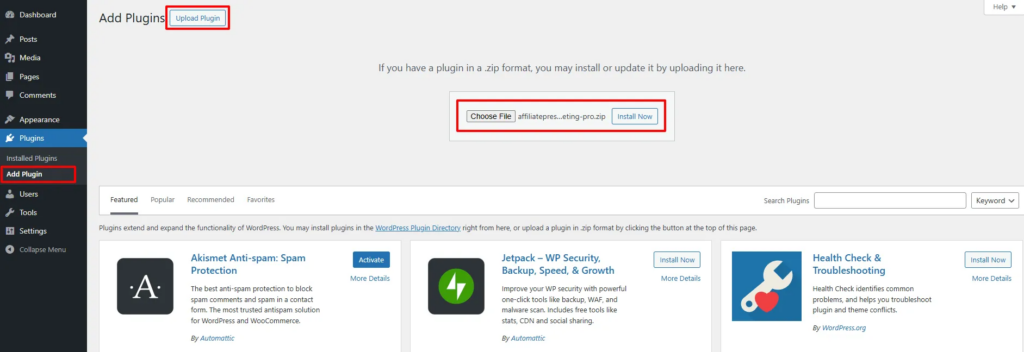
Next, hit Install Now and then Activate.
Step 2: Activate Your License
Now, go back or log in to your AffiliatePress account. From here, you can get your license key from the “Manage License” tab.
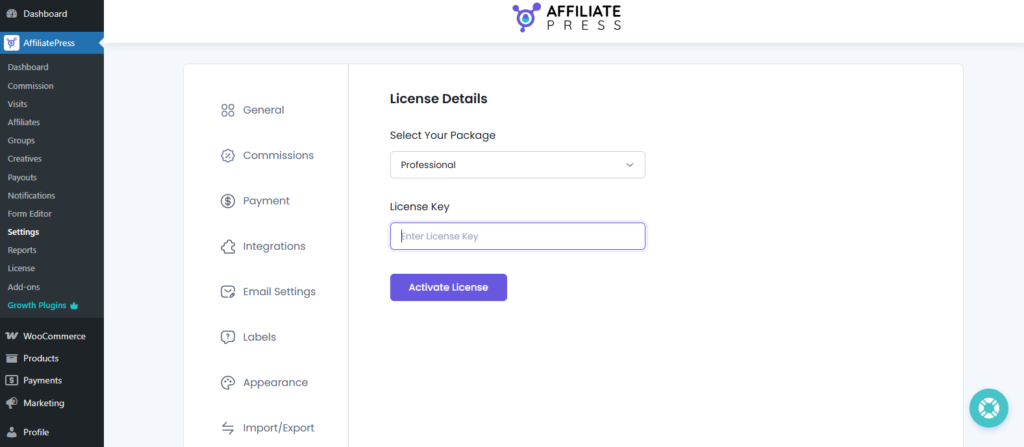
Inside your WordPress dashboard, navigate to AffiliatePress > Settings > License. Select your package and paste your key, then click “Activate” to unlock all premium features and updates.
Step 3: Run the Setup Wizard
Once activated, AffiliatePress launches its smart setup wizard by itself. From here, the process is smooth due to its smart setup wizard that sets everything up for your affiliate marketing program.
You just have to enter all the details that the plugin asks.
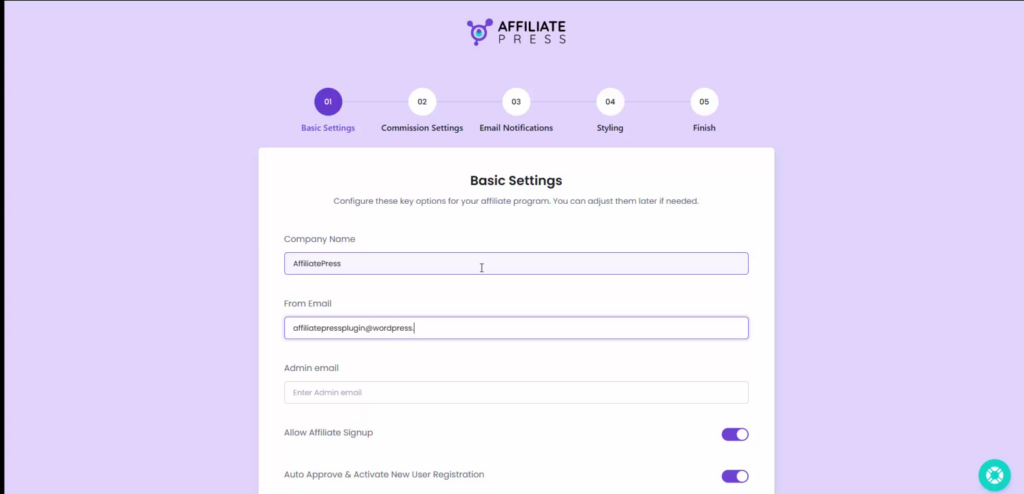
Here, you’ll configure the basic settings like:
- Firstly, set up the basic details, choose your default currency, and payout method.
- Next, you can set up commission rules and email notifications.
- Lastly, customize your affiliate signup form, styling and so more.
Now save your settings and you’re good to go.
Step 4: Explore the AffiliatePress Settings
Congratulations! Now everything is set, so it’s time to explore your AffiliatePress dashboard and its features.
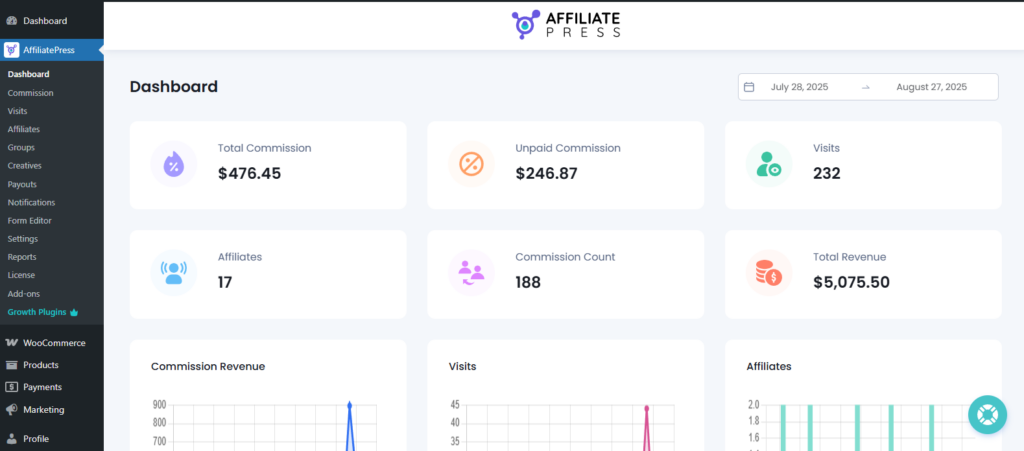
From here, you can manage and monitor your commissions, visits, affiliates, payouts, notifications, forms, and so much more than you can imagine to run your affiliate marketing program effortlessly.
How to Use AffiliatePress?
Well, now that we have finally installed and activated AffiliatePress. Let me give you a quick walkthrough of all its tabs, panels, and features.
1. Dashboard
It gives you a quick overview of your affiliate program performance. Here you can see active affiliates, recent referrals, pending payouts, performance stats, and so much more at a single glance. The interface is also easy to navigate, and if you scroll down, you can see the list of your most valuable affiliates, latest affiliate registrations, and recent commissions.
2. Commissions
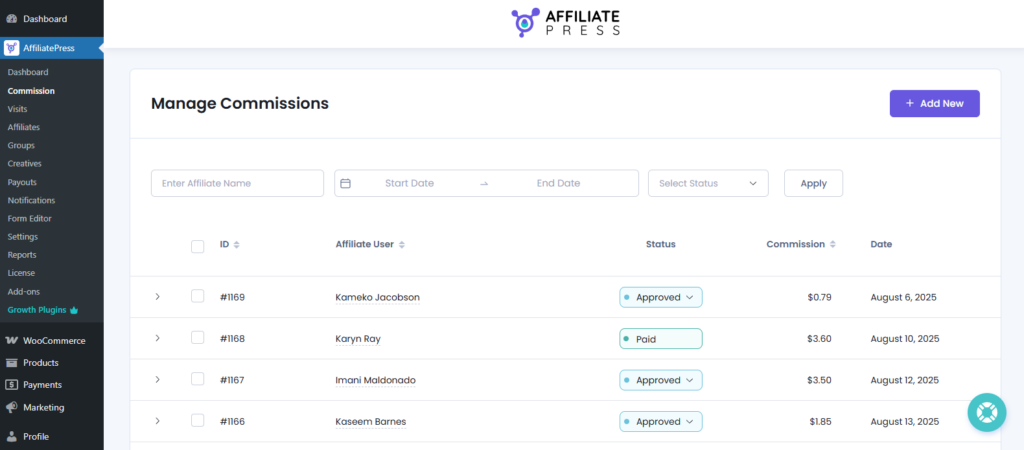
From here, you can manage all the commissions earned by affiliates effortlessly. You can also change the commission’s status to pending, approved, or rejected. Moreover, you can even add commissions manually from here just by clicking on “Add New”.
3. Visits
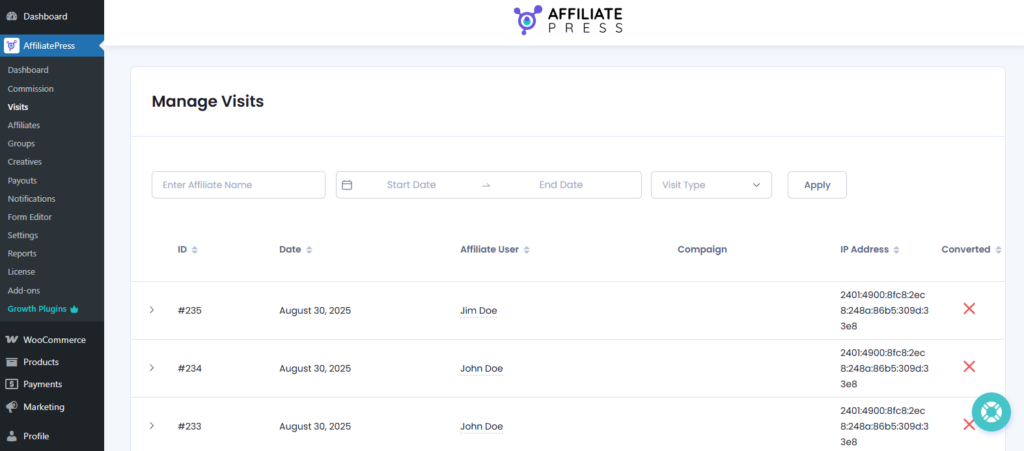
In the same way, this allows tracking the number of visits from a panel. You can track affiliate links and filter them by date range and visit type, like whether it is a converted visit or not.
4. Affiliates
Here, you can see the list of all your registered affiliates. Moreover, you can also approve, reject, or block affiliates and assign them to different programs.
5. Group
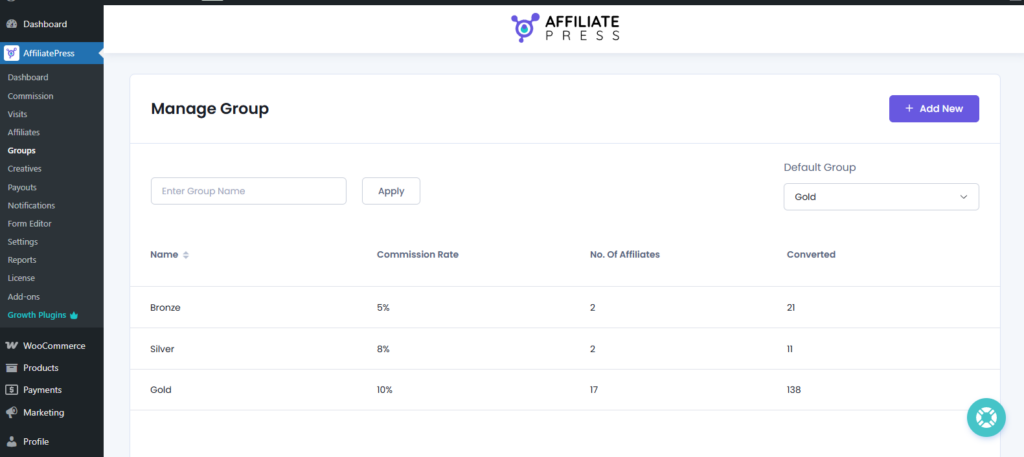
From this panel, you can group affiliates together in different groups, such as beginner, premium, VIP. Now you can set specific commission rules for each group. If you see more potential in a group, you can set more commission for them, and if the affiliates are just newbies, then set low commission rates.
6. Creatives
Upload and manage banners, images, and creatives for your affiliates so they can be used for the promotion of your products and sales.
7. Payouts
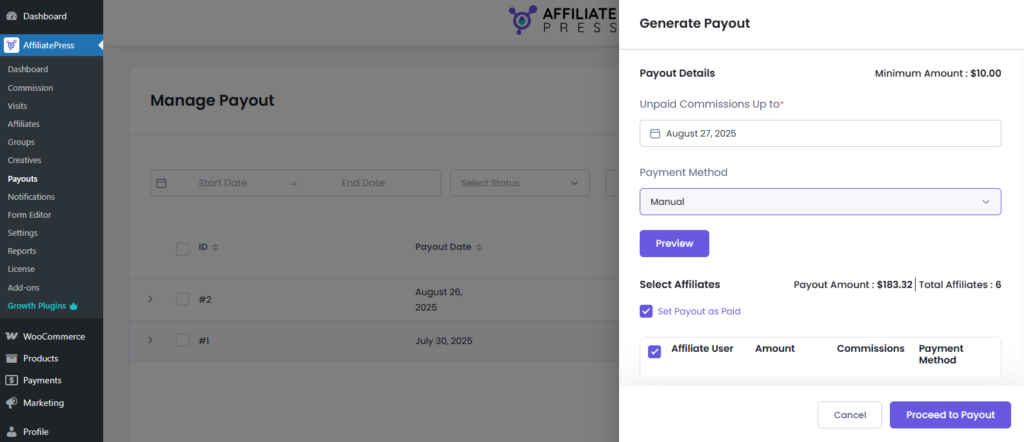
Here comes the most important panel of AffiliatePress for any business. Now process your affiliate payouts easily from here. You can simply view pending payouts, pay via manual payment method or via PayPal/Stripe, and track payout history.
8. Notifications
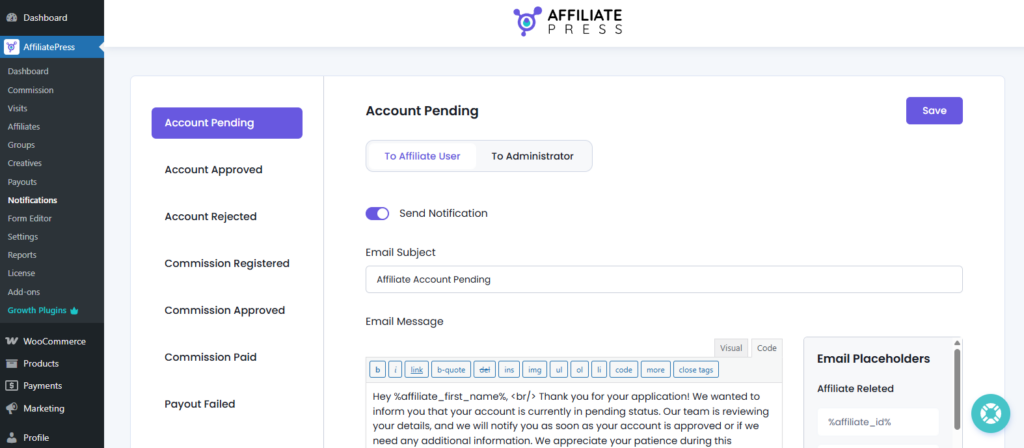
You can set up and send automated notifications for affiliates and admin from here for all kinds of scenarios, such as account pending, account approved, and more.
9. Form Editor
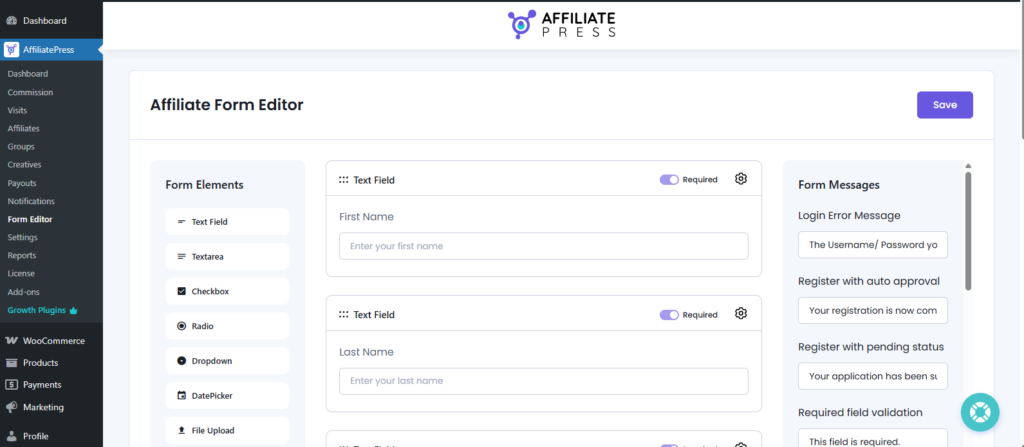
Customize your affiliate registration form with fields, styling, and branding with AffiliatePress’s form editor. No need for any extra form builder plugin. Just use AffiliatePress and create your own affiliate sign up form with advanced features like file upload, date picker, dropdown, and more.
10. Reports
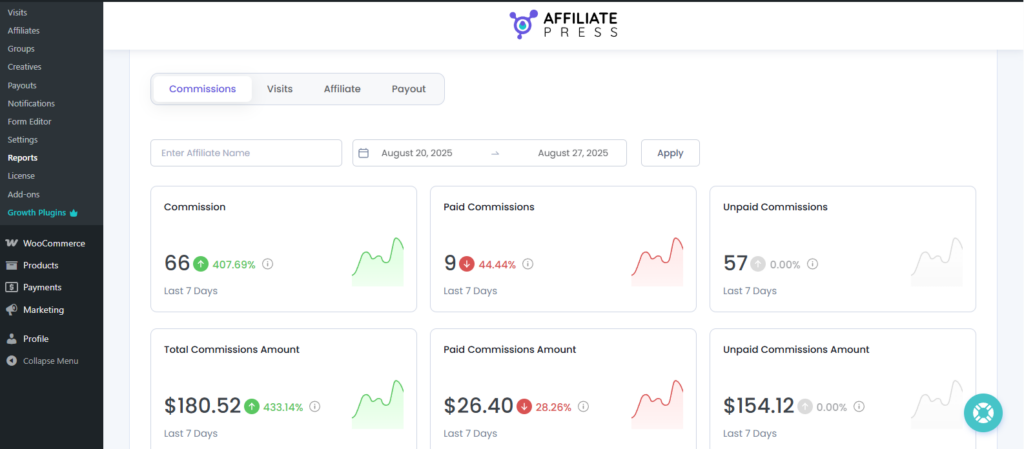
Get detailed analytics and reports on commissions, visits, affiliates, and payout with simple to understand graphs. Moreover, with real time tracking, you can plan your next affiliate marketing strategy more efficiently and smartly.
AffiliatePress Pricing
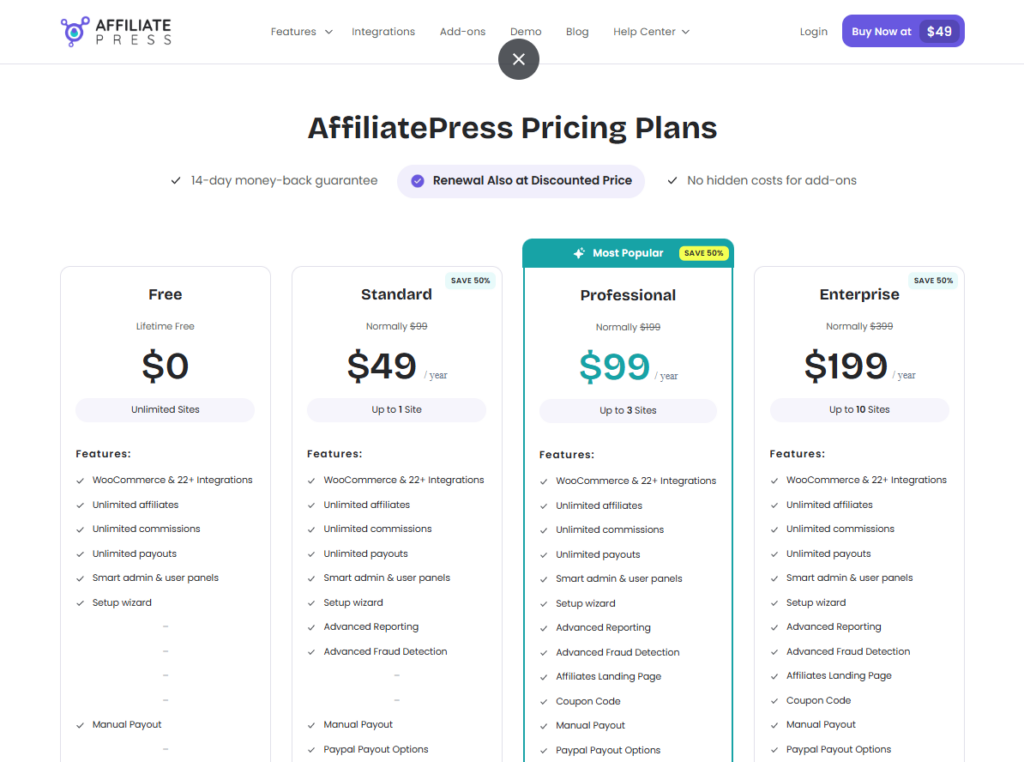
AffiliatePress offers flexible pricing tiers so there’s something for everyone. Whether you are a freelancer, small startup business, or a large scale enterprise, it has all kinds of plans for all types and sizes of business.
| Plan | Price | Sites | Key Features |
| Free | $0 Lifetime Free | Unlimited Sites | WooCommerce & 23+ Integrations, Unlimited affiliates/commissions/payouts, Smart admin & user panels, Setup wizard, Manual payouts, Default sitewide commission |
| Standard | $49/year | 1 Site | All Free features + Advanced Reporting, Fraud Detection, PayPal payouts, User specific & product wise commissions, Performance & signup bonuses |
| Professional | $99/year | Up to 3 Sites | All Standard features + Affiliates landing page, Coupon codes, Stripe payouts, Multi level & tiered commissions, Recurring commissions |
| Enterprise | $199/year | Up to 10 Sites | All Professional features, built for agencies/businesses needing multiple sites with advanced commission structures |
All plans come with a 14 days money back guarantee! For any reason, if you have trouble or don’t think the product is right for you, your money will be back to you with no questions asked.
The pricing may change in the future, so check their pricing page for the latest update.
Pros & Cons of AffiliatePress
Pros:
- Affordable pricing and money worth plans along with a free version.
- Even on the free plan, you’re not restricted, as it comes with unlimited affiliates and commissions.
- Easy affiliate management for both affiliate managers and affiliates.
- Advanced commission structures with product wise, tiered, and recurring commissions, and more smart and flexible commission structures.
- Works smoothly with WooCommerce and other 23+ powerful integrations.
Cons:
- No live chat support yet, it offers ticket support for paid users.
- Does not offer a lifetime license.
Who Should Use AffiliatePress?
AffiliatePress is a powerful and reliable WordPress affiliate plugin. So, no matter whether you are a WooCommerce online store owner, membership site admin, or a course creator, AffiliatePress has a lot to offer for growing your revenue, boosting your sales, and managing your affiliate marketing program.
It can help you build, automate, and scale your business through referrals with its conversion-focused advanced features.
Moreover, it comes with multiple pricing plans, multiple integrations, and multiple add-ons to fit every business’s needs. So it doesn’t matter whether you are a freelancer, a small startup, or an enterprise, AffiliatePress has everything for everyone.
Is AffiliatePress Worth It in 2025?
AffiliatePress stands out as a reliable WordPress affiliate plugin that manages your affiliate marketing program effortlessly.
Just install, activate, and let its wizard setup guide you through everything at once. It comes with a friendly and easy to navigate user interface for both admin and affiliates. With its advanced features and multiple smart commission structures, it steals the spotlight even in the saturated WordPress market.
Plus, it smoothly integrates with WooCommerce and 23+ other popular plugins in just a few seconds. So if you are looking for a modern, budget-friendly, and powerful WordPress affiliate marketing plugin, AffiliatePress is sure worth it!
Frequently Asked Questions:
Is AffiliatePress beginner friendly?
Yes, AffiliatePress is beginner friendly and super easy to use and set up for both Affiliates and Affiliate managers.
Does AffiliatePress work with WooCommerce?
Yes, AffiliatePress works and connects smoothly with WooCommerce. You easily track and manage all your affiliate sales in real time. Moreover, you can also set shipping and tax amounts while calculating commissions for the final payout.
Does it slow down WordPress sites?
No, AffiliatePress doesn’t slow down your WordPress sites. It is a lightweight and powerful plugin, created by the makers of BookingPress. Thus, it is one of the most reliable and trustworthy WordPress affiliate plugins.
