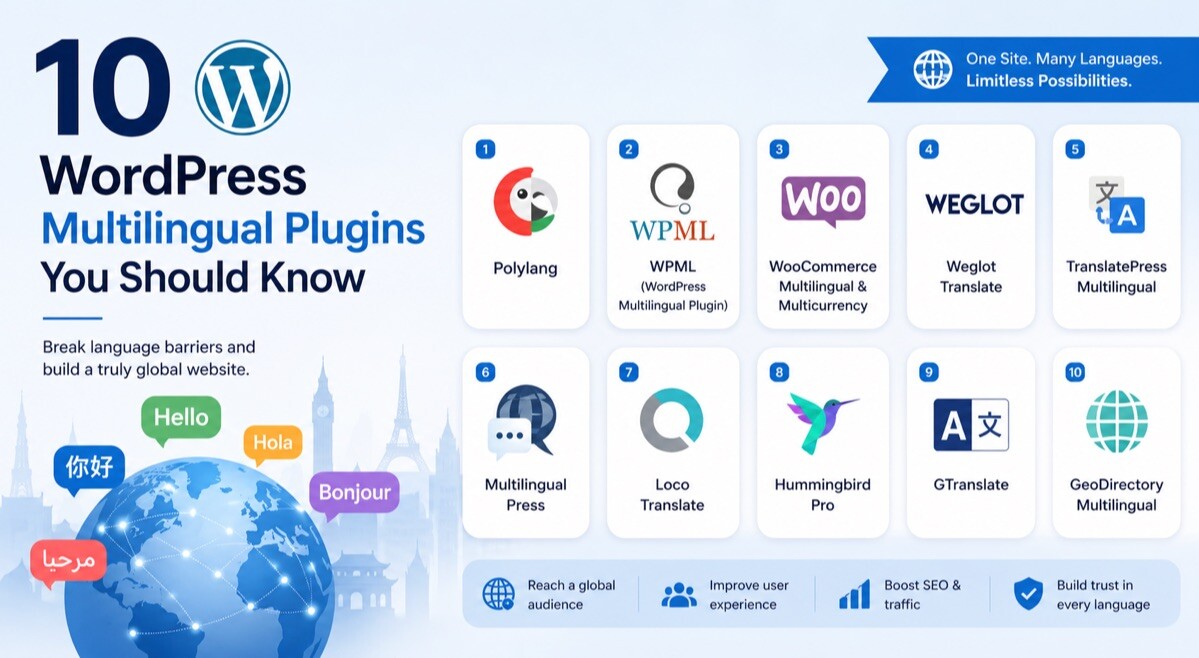
10 WordPress Multilingual Plugins You Should Know

If you’ve ever tried to grow your website beyond one language, you already know how quickly things get complicated. That’s where WordPress multilingual plugins come in—and honestly, they can completely change how you scale your site.
But here’s the catch: not all plugins are built the same. Some focus on automation, others on precision, and a few quietly outperform everything else without much noise.
Choosing the right one isn’t just about translating content. It’s about speed, SEO, user experience, and how smoothly your workflow runs day to day.
In this guide, you’ll discover tools that don’t just translate—they help you grow globally with confidence. And one of them? It might become your go-to much faster than you expect.
What Are WordPress Multilingual Plugins?
WordPress multilingual plugins are tools that let you translate your website content into multiple languages directly in your WordPress environment. Instead of creating separate websites, you manage everything from a single dashboard. This keeps your workflow organized and efficient.
These plugins can translate pages, posts, menus, widgets, and even complex elements such as forms and WooCommerce products. Some rely on automatic translation engines, while others give you full manual control. The best options combine both approaches for flexibility.
They also help maintain your website structure across languages. This includes handling URLs, metadata, and language switching features. Without this, your multilingual setup would quickly become messy.
Another key role is SEO optimization. Strong plugins generate language-specific URLs and correctly implement hreflang tags. This ensures your translated pages rank properly in search engines.
Most modern plugins also integrate with themes and page builders. This means your design stays consistent across all languages. You don’t have to rebuild layouts for every version.
Ultimately, these tools help you reach a wider audience without multiplying your workload. You stay in control as you expand globally. That’s what makes them essential for serious website growth.
6 Factors To Consider When Choosing WordPress Multilingual Plugins
Translation Accuracy and Editing Control
You need a plugin that lets you refine translations rather than relying entirely on automation. Automatic translation is fast, but it often lacks tone and context. That’s where manual editing becomes essential.
When you can edit translations directly, your content feels natural to your audience. This builds trust and improves engagement. It also ensures your brand voice remains consistent across languages.
SEO Capabilities
Without proper SEO support, your translated pages won’t perform well in search engines. A good plugin should generate SEO-friendly URLs and support metadata translation. It should also handle hreflang tags automatically.
This ensures search engines understand your multilingual structure. It also helps each language version rank independently. That’s critical for global visibility.
Ease of Use
If a plugin is difficult to use, it will slow you down and increase errors. A clean interface and intuitive workflow make a big difference. You should be able to translate content without confusion.
Front-end editors are especially helpful. They allow you to see changes in real time. This makes the entire process faster and more accurate.
Performance Impact
Some multilingual plugins can slow down your website if they’re not optimized. This affects both user experience and SEO rankings. Speed should always remain a priority.
Look for plugins that use efficient loading systems or cloud-based processing. This helps maintain performance even with multiple languages. A fast site always wins.
Compatibility
Your plugin must work with your theme, page builder, and other essential tools. Compatibility issues can break layouts or cause functionality problems. This becomes frustrating quickly.
If you run an eCommerce store, WooCommerce support is crucial. You need smooth translation for products, checkout, and customer interactions. A compatible plugin saves time and effort.
Scalability
As your site grows, your translation needs will expand. You want a plugin that can handle multiple languages without becoming complex. Scalability ensures long-term usability.
Features like translation management and team collaboration are important here. They help you maintain consistency across content. A scalable tool grows with you.
10 WordPress Multilingual Plugins to Consider
When you start exploring WordPress multilingual plugins, you’ll quickly notice that each one takes a different approach. Some focus on automation, others prioritize control, and a few balance both perfectly.
The real difference comes down to how they fit into your workflow. Whether you’re running a personal blog or managing multiple client sites, the right plugin can save you hours every week.
Below, you’ll find ten plugins worth your attention. The first one stands out for its balance of performance, control, and usability—so pay close attention.
1. WTranslator
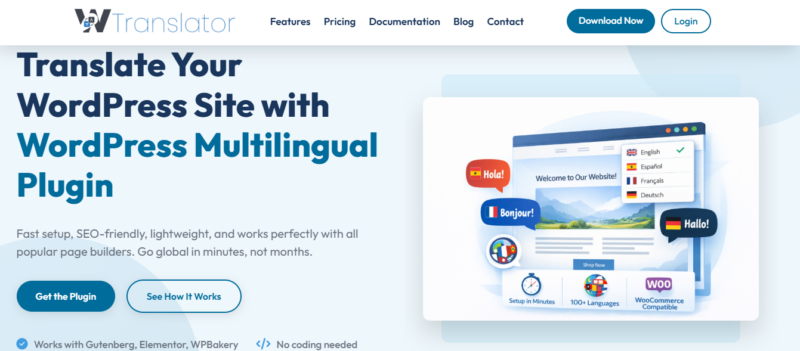
WTranslator gives you a clean balance between automation and control, which is exactly what most users struggle to find. It lets you translate your site visually while maintaining full control over every detail. This makes it ideal for both beginners and growing agencies.
You can translate directly from the front end while seeing real-time changes. This reduces guesswork and significantly speeds up your workflow. It also ensures accuracy across all pages.
Its built-in SEO features help your translated content rank properly. You can easily control URLs, metadata, and structure. This gives your multilingual strategy a strong advantage.
WTranslator Highlighted Features:
• Visual front-end editor with live translation preview
• Hybrid translation combining automation and manual editing
• SEO-friendly URLs with full metadata control
• Built-in hreflang tag management
• Seamless integration with major themes and plugins
• Optimized performance for fast page loading
• Centralized dashboard for managing multiple languages
What I Like About WTranslator
• Very easy to use even if you’re new
• Strong SEO features that improve rankings
• Fast performance without slowing your site
• Flexible translation control for accuracy
• Clean interface that reduces confusion
• Works well for both small and large projects
WTranslator Limitations:
• Smaller ecosystem compared to older tools
• Some advanced settings take time to explore
2. TranslatePress

TranslatePress focuses on simplicity and real-time editing. You can translate your entire site directly from the front end without switching screens. This improves speed and clarity.
It supports both manual and automatic translation. You can use Google Translate for quick results, then refine manually. This gives you flexibility.
It also integrates well with WooCommerce and SEO plugins. That makes it a strong option for online stores.
TranslatePress Highlighted Features:
• Front-end visual editor
• Google Translate integration
• SEO-friendly URLs
• WooCommerce compatibility
• Dynamic content translation
What I Like About TranslatePress
• Easy to use interface
• Flexible translation options
• Good for beginners
• Strong WooCommerce support
TranslatePress Limitations:
• Limited free version
• Add-ons increase cost
• Can slow down large sites
3. WPGlobus
WPGlobus keeps things simple by focusing on manual translation within WordPress. You manage all translations directly in the editor. This gives you full control.
It works well for smaller websites where precision matters. You don’t rely on external APIs. Everything stays within your system.
However, it requires more effort compared to automated tools. This can slow down larger projects.
WPGlobus Highlighted Features:
• Native WordPress editor integration
• SEO-friendly URLs
• Supports custom post types
• Lightweight setup
What I Like About WPGlobus
• Full control over translations
• No external dependencies
• Simple setup
• Good for small projects
WPGlobus Limitations:
• No automation
• Time-consuming workflow
• Limited scalability
• Not ideal for large sites
4. Bogo
Bogo is a minimal plugin that sticks closely to WordPress core features. It’s lightweight and stable. This makes it reliable for simple multilingual setups.
You can create translations without complex configurations. It works quietly in the background. That’s its biggest strength.
But it lacks advanced features. You won’t find automation or SEO tools here.
Bogo Highlighted Features:
• Lightweight performance
• Uses WordPress core features
• Simple language setup
• Stable system
What I Like About Bogo
• Extremely lightweight
• Easy to install
• Reliable performance
• No unnecessary complexity
Bogo Limitations:
• No SEO tools
• No automation
• Limited flexibility
• Basic functionality only
5. Weglot
Weglot is known for its speed and automation. It can translate your entire site within minutes. This makes it one of the fastest solutions available.
It uses a cloud-based system with a separate dashboard. This allows team collaboration. You can edit translations easily.
However, it operates on a subscription model. Costs can increase as your site grows.
Weglot Highlighted Features:
• Automatic translation
• Cloud-based dashboard
• SEO optimization tools
• Supports many languages
What I Like About Weglot
• Very fast setup
• Strong automation
• Good SEO features
• Easy to manage
Weglot Limitations:
• Expensive pricing
• External dependency
• Limited free features
• Costs scale quickly
6. GTranslate
GTranslate relies on Google Translate for automatic translations. It supports a wide range of languages. This makes it accessible.
You can install it quickly and start translating immediately. It requires minimal setup. That’s ideal for beginners.
However, translation quality can vary. It’s not always accurate for professional content.
GTranslate Highlighted Features:
• Google Translate integration
• Supports many languages
• Automatic translation
• Easy setup
What I Like About GTranslate
• Fast implementation
• Wide language coverage
• Beginner-friendly
• Minimal effort required
GTranslate Limitations:
• Lower accuracy
• Weak SEO features
• Limited customization
• Not ideal for business sites
7. Polylang
Polylang gives you full control over manual translations. You can easily manage content across languages. This ensures accuracy.
It supports custom post types and integrates with many themes. That makes it flexible. It also performs well.
However, advanced features require the premium version. This can limit free users.
Polylang Highlighted Features:
• Manual translation system
• SEO-friendly URLs
• Custom post type support
• Lightweight design
What I Like About Polylang
• Good control over content
• Reliable performance
• Flexible setup
• Wide compatibility
Polylang Limitations:
• No automation
• Requires manual work
• Premium features locked
• Limited guidance
8. MultilingualPress
MultilingualPress uses a multisite approach. Each language runs as a separate site. This improves performance.
It connects sites while keeping them independent. This allows better control. It’s ideal for large projects.
However, the setup is more complex. It’s better suited for advanced users.
MultilingualPress Highlighted Features:
• Multisite architecture
• High performance
• Scalable system
• Independent sites
What I Like About MultilingualPress
• Excellent speed
• Scales well
• Clean structure
• Flexible control
MultilingualPress Limitations:
• Complex setup
• Requires technical skills
• Not beginner-friendly
• Higher maintenance
9. WPML
WPML is a complete multilingual solution. It supports both manual and automatic translation. This makes it versatile.
It works with most themes and plugins. You can translate everything. That includes WooCommerce.
However, it has a learning curve. It also requires a paid license.
WPML Highlighted Features:
• Full translation management
• SEO integration
• WooCommerce support
• Automatic and manual translation
What I Like About WPML
• Feature-rich
• Strong SEO
• Reliable
• Great for large sites
WPML Limitations:
• Complex interface
• Paid tool
• Learning curve
• Can feel heavy
10. Loco Translate
Loco Translate is focused on translating themes and plugins. It works directly in WordPress. This makes it convenient.
You can edit translation files easily. No external tools are needed. That simplifies the process.
However, it’s not a full multilingual solution. It works best alongside other plugins.
Loco Translate Highlighted Features:
• Theme and plugin translation
• Built-in editor
• No external tools
• Simple interface
What I Like About Loco Translate
• Easy to use
• Lightweight
• Useful for developers
• Direct editing
Loco Translate Limitations:
• Not a full solution
• Limited SEO features
• No automation
• Technical knowledge needed
How to Choose the Right Multilingual Plugin
Choosing the right multilingual plugin isn’t just about features—it’s about how well the tool fits your website, your workflow, and your growth goals. A wrong choice can slow you down, while the right one can quietly transform how you scale globally. That’s why you need to look beyond surface-level features and focus on what truly matters.
Below are four key factors you should carefully evaluate before making your decision.
How big is your website?
The size of your website plays a major role in determining which multilingual plugin will work best for you. A small blog with a few pages has very different needs compared to a large eCommerce store or a content-heavy platform. Choosing a plugin without considering scale can lead to performance issues or unnecessary complexity.
If your website is relatively small, you can get away with simpler plugins that focus on manual translation and lightweight performance. These tools are easier to manage and won’t overwhelm you with features you don’t need. They also keep your workflow clean and straightforward.
However, if your website is large or growing fast, you need a plugin that can handle volume without slowing down. Features like bulk translation, automation, and efficient content management become essential. A scalable solution ensures you won’t need to switch tools later.
How much are you willing to spend on a WordPress multilingual translator?
Budget is often the deciding factor, but it’s important to think beyond just the initial cost. Some plugins may appear free but require paid add-ons to unlock essential features. Others operate on subscription models that increase as your site grows.
If you’re working with a limited budget, you might lean toward free or freemium plugins. These can work well for smaller projects or testing multilingual functionality. However, they often come with limitations in SEO, automation, or scalability.
On the other hand, investing in a premium plugin can save you time and frustration in the long run. Paid tools usually offer better support, more advanced features, and smoother workflows. When you factor in efficiency and performance, the cost often justifies itself.
Do you prefer automatic or manual translation?
This is one of the most important decisions you’ll make when choosing a multilingual plugin. Automatic translation offers speed and convenience, allowing you to translate large amounts of content quickly. However, it often lacks the nuance and accuracy needed for high-quality content.
Manual translation, on the other hand, gives you full control over tone, context, and clarity. This is especially important if your brand voice matters or if you’re targeting a professional audience. The downside is that it requires more time and effort.
Many modern plugins offer a hybrid approach, combining automation with manual editing. This gives you the best of both worlds—speed and accuracy. It’s often the smartest choice if you want efficiency without sacrificing quality.
Is multilingual SEO important to you?
If your goal is to reach a global audience through search engines, multilingual SEO should be a top priority. A good plugin should generate SEO-friendly URLs, translate metadata, and handle hreflang tags properly. Without these, your translated content may never rank.
SEO-focused plugins allow you to optimize each language version individually. This means you can tailor keywords, titles, and descriptions for different regions. It gives you a competitive edge in international markets.
Ignoring SEO can limit your growth, even if your translations are perfect. You might have great content, but if it’s not visible, it won’t drive results. That’s why choosing a plugin with strong SEO capabilities is essential for long-term success.
Conclusion
WordPress multilingual plugins are essential tools if you want to grow your website beyond a single language and reach a global audience effectively. They simplify the entire translation process while helping you maintain control over content, design, and SEO performance across multiple languages.
By choosing the right plugin, you can improve user experience, boost search visibility, and create a seamless browsing journey for visitors from different regions. The key is to focus on what aligns with your website’s size, goals, and workflow. Whether you prefer automation, manual control, or a hybrid approach, the right solution will support long-term growth.
Ultimately, investing in the right multilingual plugin is not just about translation—it is about building a scalable, accessible, and globally competitive website that continues to grow with your audience.
FAQs
What is a multilingual plugin in WordPress?
A multilingual plugin in WordPress allows you to translate your website into multiple languages without creating separate sites. It helps you manage content, menus, and metadata across languages while maintaining structure, improving user experience, and expanding your global reach effectively.
Why should you use a multilingual plugin for your website?
Using a multilingual plugin helps you reach a wider audience by making your content accessible in different languages. It improves user experience, increases engagement, and supports international SEO, which can drive more traffic and conversions from diverse global markets.
How do multilingual plugins affect SEO performance?
Multilingual plugins improve SEO by creating language-specific URLs, adding hreflang tags, and enabling translated metadata. These features help search engines understand your content structure, ensuring each language version ranks properly and reaches the right audience in different regions.
What is the difference between automatic and manual translation plugins?
Automatic translation plugins use AI or services like Google Translate to quickly convert content, while manual plugins require human input for accuracy. Hybrid plugins combine both methods, offering speed while allowing refinements for better clarity and brand consistency.
Are free multilingual plugins good enough for WordPress websites?
Free multilingual plugins can work well for small websites or basic needs, but they often lack advanced features like SEO optimization, automation, and scalability. For growing websites, premium plugins provide better performance, flexibility, and long-term value.
How do you choose the best multilingual plugin for your website?
Choosing the best plugin depends on your website size, budget, translation needs, and SEO goals. You should evaluate features like ease of use, compatibility, performance, and scalability to ensure the plugin aligns with your long-term growth strategy.
Can multilingual plugins slow down your website?
Yes, some multilingual plugins can affect website performance if they are not optimized properly. Choosing a lightweight or well-coded plugin with efficient loading and caching ensures your website remains fast, which is essential for user experience and SEO rankings.
Do multilingual plugins work with all WordPress themes?
Most modern multilingual plugins are designed to work with popular WordPress themes and page builders. However, compatibility can vary, so it’s important to choose a plugin that supports your specific theme and ensures consistent design across all languages.
Is WooCommerce compatible with multilingual plugins?
Many multilingual plugins offer WooCommerce compatibility, allowing you to translate products, checkout pages, and customer interactions. This is essential for running a multilingual online store, ensuring customers can shop comfortably in their preferred language.
How many languages can you add with a multilingual plugin?
The number of languages you can add depends on the plugin you choose. Some plugins support unlimited languages, while others may have limits based on pricing plans. It’s important to choose a plugin that can scale as your audience grows.
What are hreflang tags and why are they important?
Hreflang tags are HTML attributes that tell search engines which language and region a page targets. They help prevent duplicate content issues and ensure the correct version of your website appears in search results for different audiences worldwide.
Can you edit translations after using automatic translation?
Yes, most multilingual plugins let you manually edit automatic translations. This is important because machine translations may lack context or accuracy, and editing ensures your content aligns with your brand voice and delivers a better user experience.
Do multilingual plugins support translating images and media?
Many advanced multilingual plugins support translating image alt text, captions, and other media elements. This improves accessibility and SEO while ensuring all aspects of your content are optimized for different languages and audiences.
Is it better to use one multilingual plugin or multiple plugins?
It’s always better to use a single reliable multilingual plugin rather than combining multiple tools. Using several plugins can create conflicts, slow down your website, and complicate your workflow, making it harder to manage translations efficiently.
How do multilingual plugins help with global website growth?
Multilingual plugins enable you to reach new audiences by making your content accessible in different languages. They improve user engagement, increase traffic, and support international SEO, helping your website grow beyond local markets and compete globally.