6 Best WordPress POS plugin for WooCommerce in 2026

If you sell in a physical shop and online through WooCommerce, you’ve probably run into the same problem twice: someone buys the last of an item in-store, and a day later your website still shows it in stock. A customer orders it, you have to refund them, and now you’re apologizing over email instead of running your register.
A WordPress POS plugin fixes that by connecting your till directly to your WooCommerce inventory. One sale, in-store or online, updates the same stock count.
Methodology
The plugins below were compared on: WooCommerce integration depth, HPOS compatibility, offline capability, where your data is stored, hardware support, payment integrations, registers and cashiers, multi-location features, reporting, pricing, documentation, and how long each product has been on the market. This comparison is based on published documentation and pricing pages rather than hands-on testing of every plugin.
Quick comparison
| # | Plugin | Free version | Paid price | Offline level | HPOS | Data ownership | Native apps | Terminals | Multi-location | Unlimited registers |
|---|---|---|---|---|---|---|---|---|---|---|
| 1 | Posoria | Yes (Lite) | $89–$219/yr¹ | Pro only¹ | Yes | Self-hosted | No (browser) | Pro only¹ | Yes | Yes |
| 2 | Oliver POS | Yes | Not consistently published² | Sales yes, refunds/lookups no³ | Not confirmed | Cloud | iOS, Android | Yes | Yes | Not confirmed |
| 3 | wePOS | Yes | $99–$199/yr (promo)⁴ | No⁵ | Not confirmed | Self-hosted | No (browser) | Manual entry only | Yes (paid) | Yes (paid) |
| 4 | FooSales | 7-day trial | $19–$38/mo per store⁶ | Yes | Not confirmed | Cloud sync | iOS, Android | Plus plan only⁶ | Per-store license | Limited by plan |
| 5 | YITH POS | No | $179.99/yr | No⁷ | Not confirmed | Self-hosted | No (browser) | Not confirmed | Yes | Yes |
| 6 | WCPOS | Yes | $129/yr or $399 lifetime⁸ | Browsing/cart yes, checkout needs reconnect⁸ | Not confirmed | Self-hosted | Windows, macOS, iOS, Android (beta) | Pro only | Pro only | Not confirmed |
What to look for in a WooCommerce POS plugin
WooCommerce integration. Whether the plugin writes directly into your WooCommerce database or connects through an external API. Both approaches can work well; the practical difference is where your data lives and whether the plugin depends on a third party’s servers staying up.
HPOS compatibility. WooCommerce moved to High Performance Order Storage as its default order system. A plugin that hasn’t been updated for it can cause sync errors on current WooCommerce installs. Worth confirming directly with the vendor before buying, since this changes over time as plugins get updated.
Offline mode. Support varies a lot and the details matter: some plugins keep selling and sync later, some only let you browse the catalog offline without completing a sale, and some need a connection for the entire process. Confirm exactly what “offline” means for a given plugin before relying on it.
Hardware support. Barcode scanners, receipt printers, card terminals. Not every plugin supports all three, and support sometimes depends on which pricing tier you’re on.
Multi-location and multi-cashier. If you run more than one register or shop, check whether that’s included at your price point or requires an upgrade.
Software pricing vs. payment-processing fees. These are two separate costs. A plugin’s license fee (flat annual, monthly subscription, or free) is what you pay the plugin maker. Separately, Stripe, Square, or whatever payment processor you use will charge their own per-transaction fees regardless of which POS plugin you use. A “no transaction fee” claim from a plugin usually means no additional fee on top of your processor’s standard rate, not that card processing itself is free.
1. Posoria
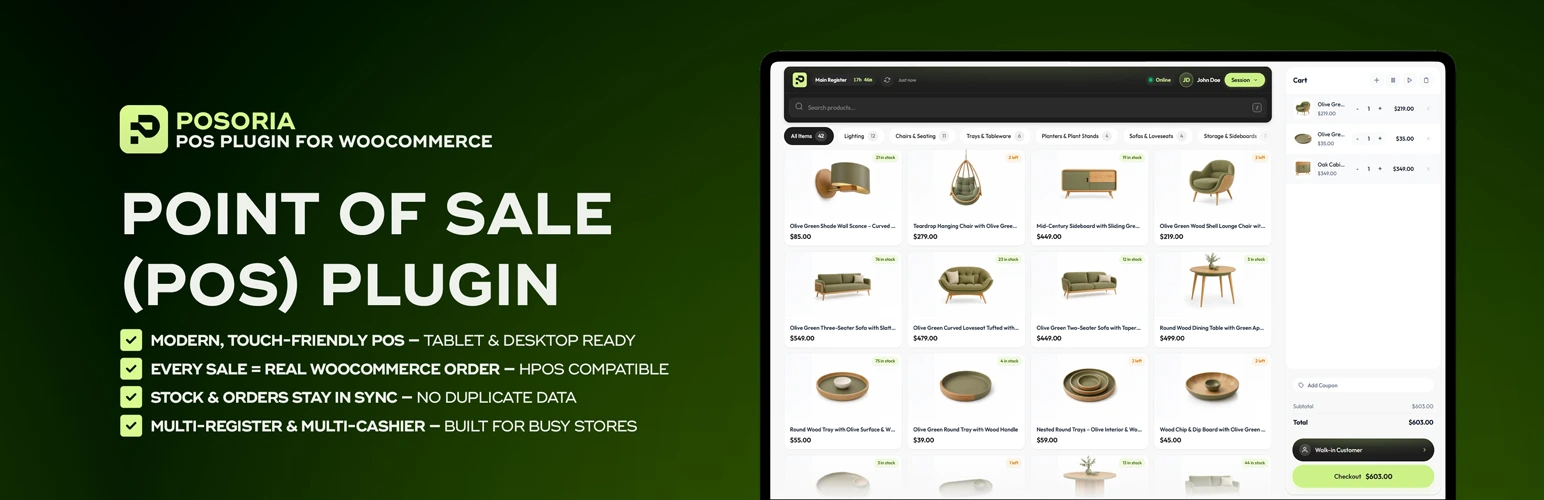
Posoria.com is a self-hosted WooCommerce POS, meaning it installs inside WordPress and writes directly to your store’s own database. It ships as two separate plugins: Posoria Lite, free on WordPress.org, and Posoria Pro, sold at posoria.com for $89/year (Starter), $149/year (Business), or $219/year (Agency), with no added transaction fee from Posoria itself (your payment processor’s normal fees still apply).
What’s in Lite (free): a touch-friendly POS screen, cash payments with automatic change calculation, manual card payments (recorded without a connected terminal), coupon codes at checkout, hold-and-recall sales, on-the-fly custom products, cash in/cash out tracking, multiple registers and cashiers, a dedicated cashier login, and an end-of-shift Z-Report with cash count. Every sale is a real WooCommerce order and it’s HPOS-compatible.
What’s Pro only: offline sync, mid-shift X-Reports, Stripe Terminal and Square Terminal integration, thermal receipt printing, a customer CRM, returns and refunds, PDF invoicing, advanced reporting, and suppliers/purchase orders.
Pros:
- Self-hosted, writes directly to your WooCommerce database, HPOS-compatible
- Free Lite version has no order limit, trial timer, or license key
- Pro adds a genuinely complete back office: offline sync, X/Z reporting, invoicing, and terminal hardware in one plugin
- Flat annual pricing on Pro, no per-transaction cut from Posoria
Cons:
- Newer to the market than every other plugin on this list — first released in 2026, with WordPress.org showing fewer than 10 active installs at time of writing, so there isn’t a long public review history yet
- Offline mode, card terminals, and invoicing all require the paid Pro plugin; the free Lite version doesn’t include them
Best for: store owners who want a self-hosted POS with a genuinely capable Pro tier, and who are comfortable trying a newer, actively developed product over one with a longer track record.
2. Oliver POS
Oliver POS is a cloud-based, WooCommerce-native system. Its own listing describes the core checkout flow as working offline, with sales caching locally and syncing once you’re reconnected; refunds, customer lookups, and live stock checks require a live connection since they touch live WooCommerce data directly. It supports iPad and Android apps alongside the browser version, and hardware can be bought directly through Oliver POS.
We were not able to find a consistent, current pricing structure across multiple sources at the time of writing — third-party listings show conflicting numbers. Check oliverpos.com directly for current plans before deciding.

Pros:
- WooCommerce-native, deep two-way sync
- Core checkout works offline
- iOS and Android apps, hardware sold directly
Cons:
- Refunds and customer lookups require an internet connection
- Current pricing isn’t consistently documented across sources; verify directly with Oliver POS
Best for: stores that want a WooCommerce-native cloud POS and mostly-reliable internet.
3. wePOS
wePOS, built by weDevs, is a self-hosted plugin aimed at small stores. It does not support offline mode — independent review sources and a long-standing feature request on its GitHub confirm the plugin needs a live connection to process a sale. Card payments in the free version are recorded manually rather than run through an integrated terminal.
Pricing on wePOS’s official site currently shows promotional rates: Starter $99/year (regularly $199), Professional $124/year (regularly $249), and Business $199/year (regularly $399), each adding more sites, outlets, and cashiers.
Pros:
- Fast, simple checkout interface
- Self-hosted, writes directly to WooCommerce
- Free tier available with no monthly platform fee
Cons:
- No offline mode, confirmed
- Card payments recorded manually rather than through an integrated terminal
Best for: small stores with reliable internet, on a tight budget.
4. FooSales
FooSales is a cross-platform POS with dedicated iPad and Android apps, aimed at markets, pop-ups, and mobile sales as much as a fixed counter. Pricing is $19/month for Core or $38/month for Plus, billed annually per store. Stripe and Square integrations require the Plus plan; if you use a different card reader, payments can still be processed but need to be entered manually at checkout. A separate FooSales listing also exists on the WooCommerce Marketplace for running the web app on your own domain.
Pros:
- Dedicated iPad and Android apps, built for mobile selling
- Genuine offline support with sync on reconnect
- Invoicing included on all plans
Cons:
- Monthly subscription per store rather than a flat license
- Stripe/Square integration requires the higher Plus tier
Best for: mobile or event-based selling where a tablet app matters more than a fixed till.
5. YITH Point of Sale
YITH’s POS extension is a flat annual license at $179.99/year, running on desktop, tablet, and iPad, with multi-cashier and multi-register support and real-time stock sync. YITH’s own FAQ states plainly that the plugin doesn’t include an offline feature; their suggested workaround is running it on a local server, which doesn’t help if your internet connection itself is the problem.
Pros:
- Unlimited stores and registers on one license
- Flat annual pricing, no per-transaction cut
- Strong per-terminal reporting
Cons:
- No offline mode, confirmed directly by YITH
- Steeper learning curve than some lighter competitors
Best for: stores running multiple registers on stable internet.
6. WCPOS
WCPOS is a free, self-hosted, GPL-licensed plugin with over 5,000 active WordPress.org installations. Its documentation describes offline product browsing and cart building during a connection drop, but checkout itself requires reconnecting first. Pro pricing is $129/year or $399 as a one-time lifetime license, and adds multi-store support, additional payment gateways, end-of-day reconciliation, and card reader integration.
Pros:
- Free tier is a genuinely complete till: unlimited products, orders, and customers, no transaction fees
- Established install base for a free plugin
- Runs as browser, desktop, or mobile app
Cons:
- Full offline checkout requires reconnecting before completing a sale
- Multi-store support and card terminals require the paid Pro tier
Best for: budget-conscious stores that want a free till with a credible upgrade path.
Which one should you actually pick
If you want the most complete back office in one self-hosted plugin and are open to a newer product: Posoria Pro bundles offline sync, X/Z reporting, invoicing, and terminal hardware support in a way none of the other five plugins fully match at this price point. It’s genuinely the newest product here, so weigh that against its feature set for your own situation.
If you’re selling at markets, pop-ups, or events: FooSales’ dedicated tablet apps are built for that specifically.
If you’re running multiple fixed registers and want the lowest per-location cost: YITH’s unlimited stores and registers under one flat license is hard to beat, as long as your internet is reliable.
If your budget is zero and you want a plugin with an established track record: WCPOS’s free tier and 5,000+ installs make it the safer, more tested starting point.
If you’re not sure yet: think about which two things matter most to your store — offline reliability, cost model, hardware, or track record — and use the comparison table above to filter from there.
FAQ
Does WooCommerce have a built-in POS system? As of 2026, WooCommerce offers an official free POS mode inside its own mobile app, using WooPayments or Stripe for payments. It’s currently limited to select countries (including the US, UK, Canada, and Australia), requires an internet connection, and doesn’t yet support receipt printing, cash drawer integration, offline mode, or multi-location selling. For stores that need those, one of the six dedicated plugins above is still the better fit.
Is there a free WooCommerce POS plugin? Yes. Posoria Lite, wePOS, and WCPOS all have free tiers. Each free tier is more limited than its paid version, so check what’s actually included before relying on one long-term.
Do WooCommerce POS plugins work without internet? It varies significantly and the details matter. FooSales and Posoria Pro support genuine offline sales. Oliver POS keeps the core checkout working offline but needs a connection for refunds and lookups. WCPOS supports offline browsing but requires reconnecting to complete checkout. wePOS and YITH POS have no offline mode. Always confirm current behavior directly with the vendor before going live.
What is HPOS, and does it matter for a POS plugin? HPOS (High Performance Order Storage) is WooCommerce’s modern order storage system. A plugin that hasn’t been updated for it can cause sync errors on current installs. Confirm HPOS compatibility directly with each vendor, since this changes as plugins get updated.
Do these plugins support barcode scanners and card terminals? Support varies by plugin and often by pricing tier. Confirm hardware compatibility with your specific model directly with the vendor before buying.