How Indie Game Developers Can Create Full OSTs with AI Music

Making a game soundtrack used to mean one of two things: licensing stock music that sounds like everyone else’s, or hiring a composer you couldn’t afford. For most indie developers working alone or in small teams, neither option felt right. That’s changed. AI Song is a free AI music generation suite that lets you build a complete, royalty-free original soundtrack — track by track — without any musical background.
I. Build Your Entire OST Without Writing a Single Note
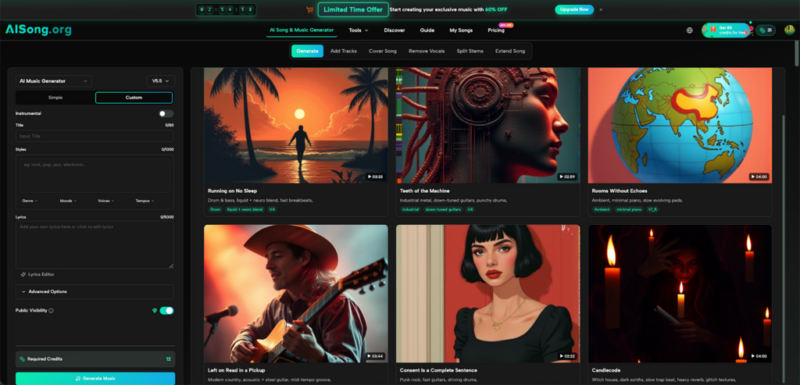
The moment you open AI Song, the workflow makes sense. There are two modes: Simple and Custom. Simple mode takes a plain-text description and turns it into a full track. Custom mode gives you control over title, style tags, mood, tempo, vocal type, and full lyrics — everything a game composer would normally map out before touching an instrument.
You describe what you need. The AI Music Generator handles arrangement, instrumentation, harmony, and mixing automatically. Output comes in high-fidelity MP3, with professional mastering applied. No plugins required, no DAW setup, no audio engineering knowledge.
For a small game with five or six scenes — a title screen, an overworld, a dungeon, a boss fight, a credits roll — you can have rough drafts of every track done in an afternoon.
II. Matching Music to Game Scenes That Actually Work
Dungeon and Boss Tracks
For tense, high-stakes moments, use the Style field to combine genre tags like dark ambient, orchestral, and percussion-heavy. The Moods dropdown includes options that map directly to gameplay states: aggressive, suspenseful, melancholic. Layering two or three mood descriptors in the same generation gives you something that shifts emotionally the way good game music should.
Exploration and Overworld Music
Exploration tracks need to loop cleanly and stay interesting without pulling attention away from gameplay. Describe a longer, open-ended feel in the prompt — “gentle folk melody, loopable, warm acoustic guitar, unhurried pace” — and the AI Song Generator produces tracks that sit naturally in the background. The Extend Song feature lets you add verses or bridges after the fact, so you can stretch a 90-second draft into a full three-minute loop.
Title Screen and Credits
These tracks carry the emotional weight of first and last impressions. Custom mode gives you the most control here: set the tempo precisely, choose a voice style that fits the game’s tone, and paste in lyrics if you want something sung. The Text/Lyrics to Music feature converts written words into a complete composition — useful for credit roll songs where you want a specific emotional note to land.
III. Lyrics and Vocal Tracks: Writing vs. Generating
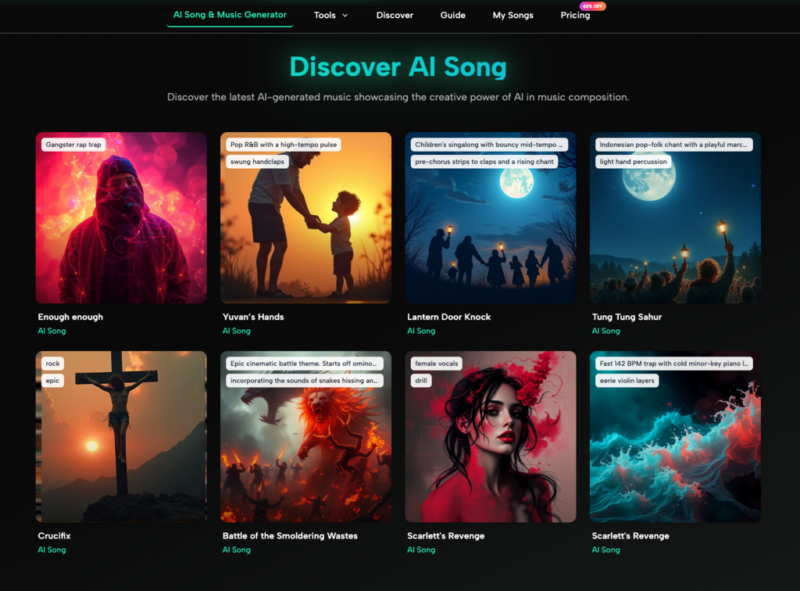
Not every OST needs vocals, but when it does, AI Song handles both sides of the process. The built-in AI Lyrics Generator writes verses, choruses, and bridges from a style prompt. It supports multiple languages, so if your game has a theme song in a specific language or draws from a regional musical tradition, that’s covered.
If you already have lyrics — even rough ones — paste them directly into the Lyrics field in Custom mode. The tool matches melody and vocal style to what you’ve written rather than generating from scratch. The result is a full vocal track with instrumentation, harmonies, and professional mixing included.
For developers who want a theme song but have never written a lyric in their life, this closes a gap that used to require hiring a separate vocalist and songwriter entirely.
IV. Keeping Consistency Across an Entire Soundtrack
One challenge with any multi-track OST is consistency — the music needs to feel like it belongs to the same game, not a random playlist. The Style field in Custom mode is your main tool for this. Keep a shared set of genre and instrument tags that you use across every track. If your game is a pixel-art RPG, you might always include chiptune, orchestral blend, retro in the style field, then vary the mood tags per scene.
The Extend Song feature also helps here: once you have a main theme you’re happy with, you can extend it in different directions — a slower version for sad moments, a stripped-down version for quiet scenes — rather than starting from scratch each time. Everything stays anchored to the same musical DNA.
V. From Raw Track to Game-Ready Audio
Format Conversion
Game engines like Unity and Godot work best with specific audio formats. AI Song’s built-in MP3 to WAV converter handles the conversion with lossless quality — no third-party software needed. WAV files integrate cleanly into most engines and maintain audio fidelity at 44.1kHz, which is what the platform outputs by default.
Stripping Vocals When You Need Instrumentals
Sometimes you’ll generate a track with vocals that works perfectly as a score — except you need an instrumental version. The Vocal Remover tool extracts clean instrumental tracks from any audio file with high precision. This is particularly useful when you’ve found a generated vocal track whose melody and arrangement are exactly right, but the game scene doesn’t call for singing.
VI. Copyright and Commercial Use
Every track generated through AI Song is 100% royalty-free. You own your creations outright — no licensing fees, no DMCA exposure, no attribution requirements. That applies to commercial use as well: game releases, trailer videos, store page assets, and streaming platform uploads are all covered. There are no hidden restrictions on distribution or resale.
This matters because indie games often find their audience over years, not weeks. A soundtrack you build today can travel with your game through every platform it reaches, without any legal complications down the road.
Conclusion
A game’s music is one of the few things players carry with them after they stop playing. It’s what makes a title screen feel like the start of something, or a credits roll feel like an ending worth sitting through. Indie developers have always known this — the constraint was never creativity, it was access.
That access exists now. Build the soundtrack your game deserves. Start with a single scene, generate a draft, and listen to what comes back. The tools are ready when you are.
