
7 Best WordPress Appointment Booking Plugins for Service Businesses (2026)

What happens when a customer visits your website after business hours and wants to book an appointment – right now?
The answer is obvious. If there’s no online scheduling option available, they will just leave and book with a competitor instead. In the flip scenarios, if you had a WordPress booking system, that customer might have booked already and would be in your store by now.
A WordPress appointment booking plugin makes it easy for customers to book appointments whenever it’s convenient for them. So no more revenue loss and empty calendar because of fixed business hours or on-hold phone calls.
From calendar management and automated reminders to payment collection and staff scheduling, the WordPress booking plugin gives you complete control over your service business, be it a salon, spa, clinic, gym, rental store, or house service.
Not all booking plugins are built the same. Thus we reviewed the top WordPress appointment scheduling plugins and compared them side by side.
Let’s dive into the list!
Quick Comparison of the Best WordPress Booking Appointment Plugins
In a hurry? No worries! Here are the top WordPress appointment booking plugins at a glance.
| Rank | Plugin | Best For | Free Version | Starting Price |
| 1 | BookingPress | All service businesses. | ✅ | $89/year |
| 2 | FluentBooking | Consultants, coaches, agencies. | ✅ | $79/year |
| 3 | MotoPress Appointment Booking | Multi-staff businesses. | ✅ | $49/year |
| 4 | WooCommerce Bookings | WooCommerce stores. | ❌ | $124.50/year |
| 5 | BirchPress Scheduler | Small service businesses. | ❌ | $99/year |
| 6 | Booking Calendar | Reservation-based businesses. | ✅ | $41.87/one time |
| 7 | Appointment Hour Booking | Hourly service providers. | ✅ | €6.99/month |
7 Best WordPress Appointment Booking Plugins for Service Businesses
1. BookingPress
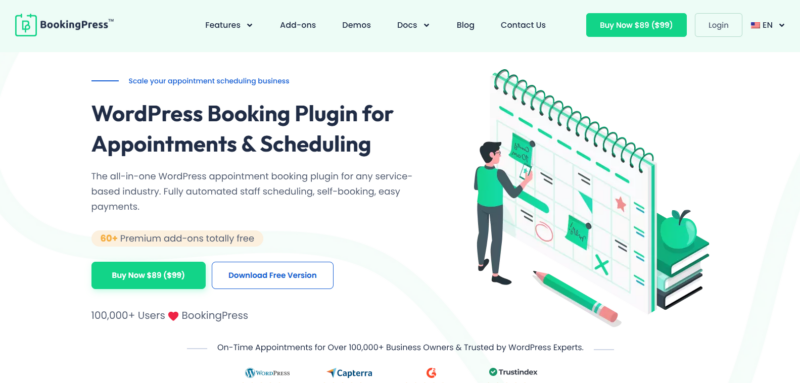
If you’re looking for a complete WordPress appointment booking plugin that balances ease of use with advanced scheduling features, BookingPress deserves a spot at the top of your list.
Designed for all service based businesses, BookingPress automates your customer’s complete booking journey as well as lets you manage your service business appointment with zero effort.
No matter whether you’re running a salon, fitness studio, consulting business, medical practice or repair service, the plugin offers a smooth booking experience for both customers, staff members and admin.
What makes BookingPress shine out in the crowd is its flexibility. You can manage endless staff members, multiple locations, create custom services, sync calendars, accept online payments via 20+ payment gateways and automate appointment reminders via Email, SMS, WhatsApp and Telegram – no need to deal with any complicated setup nor tech hassle.
Standout Features:
- User friendly booking wizard
- Staff and service management
- Two way sync with Google, Apple and Outlook Calendars
- On-site and online payments, full or deposit
- Automated email and SMS notifications
- Advanced staff management
- Recurring appointments and group appointments
- Multi location support
Pros
- 60+ premium addons at zero extra cost.
- Beginner friendly interface.
- Best-fit for businesses of all sizes.
- Flexible scheduling options.
Cons
- Some advanced features need premium plans.
Pricing
- Free version available.
- Premium plans start from $89/year.
2. FluentBooking
FluentBooking focuses on simplifying appointment scheduling while offering a modern user experience. It’s particularly attractive for consultants, coaches, agencies, freelancers, and businesses that rely heavily on meetings and client consultations.
Instead of overwhelming users with complex settings, FluentBooking emphasizes fast setup and streamlined scheduling workflows. Customers can choose available time slots, receive confirmations, and connect appointments with popular calendar applications.
For businesses already using other Fluent ecosystem products, FluentBooking can fit naturally into existing workflows and automation processes.
Standout Features
- One click meeting scheduling
- Google Calendar integration
- Team scheduling options
- Automated booking confirmations
- Time zone detection
- Buffer time management
- Workflow automation support
Pros
- Clean and modern interface.
- Quick setup process.
- Excellent calendar integrations.
- Great for consultants and agencies.
- Easy customer booking experience.
Cons
- Less focused on complex service businesses.
- Fewer industry specific booking features than some competitors.
Pricing
- Free version available.
- Premium plans start from $79/year.
3. MotoPress Appointment Booking
MotoPress Appointment Booking is built for businesses that need to manage multiple employees, services, and schedules without investing in expensive booking software.
The plugin offers a practical balance between functionality and affordability. Businesses can create detailed service catalogs, define employee availability, and accept bookings directly from their WordPress website.
Its flexible scheduling capabilities make it particularly useful for clinics, beauty businesses, educational services, trainers and appointment based professionals.
Standout Features
- Employee schedule management
- Unlimited services and bookings
- Google Calendar synchronization
- Online payment support
- Automated notifications
- Multiple booking rules
- Flexible appointment durations
Pros
- Strong scheduling controls.
- Good value for money.
- Suitable for multi staff businesses.
- Easy service management.
Cons
- Interface may feel less modern.
- Some advanced customizations need additional configuration.
Pricing
- Free version available.
- Premium plans start from $49/year.
4. WooCommerce Bookings
For businesses already selling products or services through WooCommerce, WooCommerce Bookings can be a natural extension of the existing store.
WooCommerce business owners can turn products into bookable services, appointments, rentals, or reservations. This creates a centralized management experience inside WordPress.
It’s particularly useful for equipment rentals, workshops, classes, consultations, tours and businesses that already depend on WooCommerce.
Standout Features
- Deep WooCommerce integration
- Bookable products and services
- Resource management
- Customer self booking
- Dynamic availability settings
- Payment processing through WooCommerce
Pros
- Good for existing WooCommerce users.
- Flexible booking configurations.
- Leverages WooCommerce ecosystem.
- Strong payment support.
Cons
- Requires WooCommerce.
- Learning curve can be steeper for beginners.
Pricing
- No free version available.
- Premium plan starts from $124.50/Year.
5. BirchPress Scheduler
BirchPress Scheduler has been around for years and remains a reliable option for businesses that need straightforward appointment scheduling without excessive complexity.
The plugin focuses on essential booking functionality, including staff scheduling, customer management, and calendar synchronization. While it may not have the flashiest interface, it delivers dependable performance for many appointment-based businesses.
For small and medium-sized service providers, BirchPress can provide the scheduling tools needed without introducing unnecessary features.
Standout Features
- Appointment scheduling system
- Staff availability management
- Google Calendar integration
- Email notifications
- Online payment support
- Customer booking management
Pros
- Established and reliable solution.
- Easy appointment management.
- Suitable for smaller businesses.
- Smooth calendar synchronization.
Cons
- Interface feels somewhat dated.
- Fewer modern automation features.
Pricing
- No free version available.
- Premium plans starts from $99/Year.
6. Booking Calendar
Booking Calendar is one of the longest-running booking plugins in the WordPress ecosystem. Its popularity comes largely from its simplicity and flexibility.
The plugin allows customers to view availability and submit booking requests through a calendar interface. Businesses can manage reservations from the WordPress dashboard while controlling available dates, time slots and booking rules.
It’s especially suitable for businesses that need reservation style bookings rather than highly advanced appointment automation.
Standout Features
- Visual booking calendar.
- Availability management.
- Flexible booking forms.
- Multiple booking modes.
- Seasonal and custom availability rules.
- Reservation management tools.
Pros
- Mature and trusted plugin.
- Free version available.
- Flexible booking configurations.
- Easy availability management.
Cons
- Interface can feel technical.
- Advanced features need paid plans.
Pricing
- Free version available.
- Premium plans start from $41.87/one time.
7. Appointment Hour Booking
Appointment Hour Booking is a practical solution for businesses that charge based on appointment duration or require customized scheduling rules.
The plugin lets customers select dates, available time slots, and appointment lengths directly through the booking interface. It also includes pricing calculation features that can be useful for service providers offering hourly services.
This makes it a fantastic option for consultants, trainers, instructors, maintenance providers and other professionals who bill by time.
Standout Features
- Time slot scheduling
- Hourly appointment management
- Pricing calculation tools
- Custom booking forms
- Email notifications
- Availability controls
Pros
- Good for hourly services.
- Flexible appointment durations.
- Easy booking workflow.
- Free version available.
Cons
- Interface feels basic compared to modern plugins.
- Limited advanced automation features.
Pricing
- Free version available.
- Premium plans available start €6.99/month.
How to Choose the Right WordPress Booking Appointment Plugin
The right WordPress appointment booking plugin can:
- Save hours of work
- Improve customer satisfaction
- help you accept bookings around the clock.
But, every service business has different needs. Thus it’s worth evaluating a few key factors before making a decision.
Match the Plugin to Your Business Model
Start by considering how your business works.
A solo consultant will only need simple appointment scheduling. But salons, clinics, fitness centers and agencies mostly go for staff management, service categories and advanced scheduling rules.
Pick a plugin that supports your current workflow, but also make sure it gives you room to grow as your business grows.
Look for Flexible Scheduling Features
A good booking plugin should make appointment management easy for both customers and staff.
Thus go for a plugin with useful features such as:
- Custom working hours.
- Multiple service options.
- Staff availability management.
- Buffer times between appointments.
- Recurring bookings.
- Holiday and blackout date settings.
The more scheduling flexibility you have, the easier it becomes to manage appointments!
Check Calendar Sync Capabilities
Calendar synchronization keeps your bookings organized across multiple platforms.
Plugins that integrate with Google Calendar, Outlook Calendar and Apple Calendar can easily automatically update appointments, so your staff member stays on the same page, always.
Evaluate Automation Tools
Automation can lower day to day administrative tasks.
Make sure to pick a WordPress appointment booking plugin that got features such as:
- Instant booking confirmations.
- Appointment reminders.
- Follow up notifications.
- Booking status updates.
- Customer emails and SMS alerts.
It improves your customer’s appointment experience while lowering your no-show rate – hitting two targets with one shot.
Review Payment Options
Many service businesses benefit from collecting payments or deposits, so make sure to check whether your WordPress booking plugin supports popular payment gateways or not.
Also make sure it offers a smooth checkout experience to all clients.
Prioritize Ease of Use
No matter which WordPress plugin you pick, always pick the one that is easy to use.
After all, a booking system should be easy for all customers, staff members and admin.
Complicated setup processes can slow implementation, while confusing booking forms may discourage customers from completing appointments. Plugins with intuitive dashboards and clean booking interfaces often deliver better long-term results.
Consider Scalability and Integrations
As your business grows, your booking software should grow with it.
Features worth considering are:
- Multiple staff accounts.
- Multi-location support.
- Marketing integrations.
- CRM integrations.
- Reporting and analytics.
- Additional customization options.
Having these capabilities available can prevent the need for a platform change later.
Final Thoughts
Customers expect quick and convenient online booking experiences, so, why not give them?
Getting a WordPress appointment booking plugin helps you meet those expectations while also keeping your scheduling organized.
No matter whether you need simple, free appointment scheduling or advanced features such as staff management, online payments and automated reminders, we have a solution on this list for every type of service business.
But if you are still wondering which is the best appointment booking plugin for WordPress?
The answer always depends on your business type, tech knowledge and budget. But a one-size-fits-all appointment management solution is BookingPress.
Striking a perfect balance of user friendliness and robust set of 60+ premium addons, this plugin gives everything you ever need.
So no need to think twice. Get your right-fit plugin today and spend less time coordinating appointments, more time serving customers.
