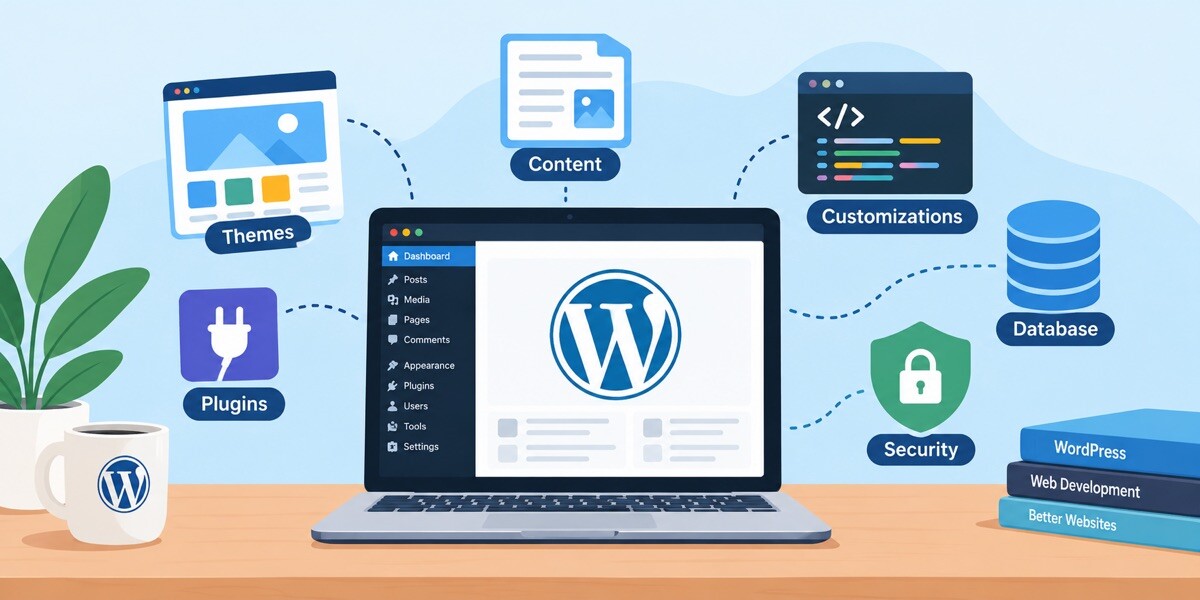
Before You Hit Publish: A Simple WordPress Checklist for Content That Sounds Human and Loads Fast

I’ll start with something I keep noticing. People treat WordPress speed and WordPress writing as two separate jobs. Speed lives on a plugin settings page, writing lives in the editor, and nobody connects the two.
Readers do, though. They don’t care which bucket a problem came from. A page that drags feels bad. A page that loads fast but says nothing new feels just as bad, only a few seconds later.
And now that plenty of us use AI tools for at least part of the drafting, it’s easy to publish faster than we can properly check. Hence this checklist. It takes around fifteen minutes and covers the words first, then the speed.
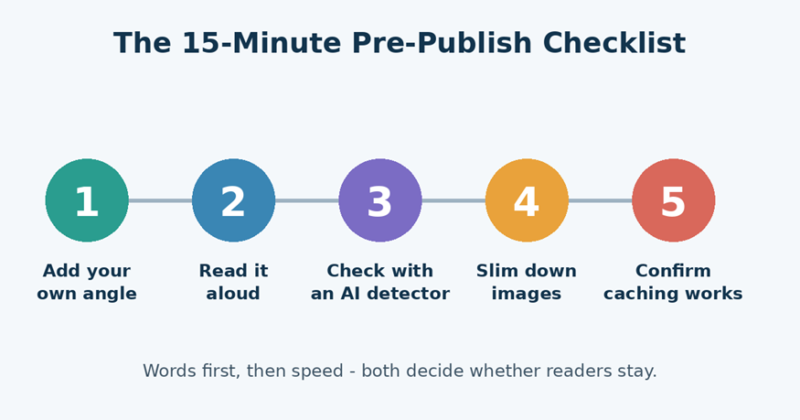
Figure 1: The five checks to run before you publish.
Speed and Writing Are the Same Problem
Think about the last page you closed without reading. Maybe it crawled. Maybe the first paragraph sounded like ten other articles you’d already seen. Either way, you left, and the site lost you.
• Slow pages lose people before they read a word.
• Generic pages lose them right after.
• Search engines say they favor helpful, people-first content, and a page that’s pleasant to use fits that goal nicely.
A caching plugin handles a big chunk of the speed side once it’s set up. The writing side stays with you, so let’s start there.
Give the Post a Reason to Exist
Maybe you use an AI assistant for outlines, or maybe you type every word yourself. Either way, I’d pause before hitting Publish and ask one thing: what does this post say that the others don’t?
• Drop in an example from your own site, a client job, or a test you ran yourself.
• Own up to one mistake, and what you’d change next time.
• Delete any paragraph that could sit on a thousand other blogs without anyone noticing.
Small things, honestly. But they’re what readers actually remember.
Read It Out Loud
This sounds too simple to work, and it works anyway. If you stumble over a sentence, your reader will too. I listen for three things:
• Several sentences in a row that are the same length.
• Stock openers like “In today’s fast-paced digital world.”
• Paragraphs that wrap things up without saying anything specific.

Figure 2: The same idea written two ways.
After I’ve fixed those, I paste the draft into an AI detector as a second opinion. The sentence-level highlights point to lines that read as predictable, which beats guessing which ones to rework. A few things are worth knowing before you trust the number:
• It’s a hint, not a verdict. The tool’s own guidance says a score shouldn’t be the only thing behind an important decision.
• Feed it enough text. Short snippets give shaky results. Passages over 300 words are more reliable.
• False alarms happen. Formulaic writing, like definitions or templated copy, can score higher than expected even when a person wrote it.
• Be upfront about AI help. If it played a part, follow your site’s or client’s disclosure rules. The aim is a post that sounds like a person who cares, not one that dodges a tool.
Check the Facts, Then Check Originality
Drafts pick up small errors, whether a machine helped or not. A wrong version number or an outdated setting name can chip away at a tutorial’s credibility fast.
• Check every number, date, and product claim against the source.
• Link to sources where readers might want more.
• Run a plagiarism check if you did heavy research.
One more thing. An AI check and a plagiarism check answer different questions. A text can be original and machine-written, or copied with no AI involved at all. Using both gives you the full picture.
Images Are Usually the Heavy Part
Images are often the heaviest thing on a blog post, so there’s usually easy speed hiding here.
• Resize to the size you actually display. A 4000-pixel photo in an 800-pixel column is wasted weight.
• Try WebP. It usually gives smaller files than JPG or PNG at similar quality, and WP Fastest Cache Premium can convert images for you.
• Lazy load anything below the fold.
• Write real alt text.
• Credit your sources, and only use images you’re allowed to use.
Then Let the Cache Do Its Work
Without caching, WordPress runs PHP and hits the database every time someone opens a page. A caching plugin saves a ready-made static copy instead, so most visitors get that quick version.
Figure 3: A simplified view of how caching shortens the trip.
It works quietly, which is exactly why a quick check after publishing is worth the minute.
• Open the live post in a private window.
• If you switched on minify or combine options, scan for broken layouts or missing scripts.
• Edited a live post? Make sure the new version shows up. If it doesn’t, clear the cache and look at your clear-on-update settings.
• Check mobile. Most of your readers are probably there.
• Run the URL through PageSpeed Insights.
Slip-Ups I’d Watch For
Even careful bloggers repeat the same few mistakes.
• Publishing straight from the draft. Step away for ten minutes first. Awkward lines show up fast with fresh eyes.
• Chasing a perfect score. Rewriting every sentence to please a tool usually makes the article worse. Fix what sounds flat and move on.
• Uploading full-size photos. Resize first, upload second.
• Testing only on office Wi-Fi. Try mobile data too. Problems hide on fast connections.
• Ignoring older posts. Your best articles deserve a yearly refresh: new screenshots, working links, a fresh example.
If you only fix one of these, fix the first.
The Checklist in One Place
Copy this into your notes and run through it before each post goes live:
• Is there at least one original example or opinion?
• Did I read it out loud and rewrite the awkward lines?
• Did I review the draft with an AI checker and treat the result as a hint?
• Are the facts, numbers, and links verified?
• Are images resized, compressed, and credited?
• Does the live page load properly, on desktop and mobile?
Key Takeaways
• Speed and writing quality both decide whether readers trust your site.
• A personal example or opinion is the quickest way to make a post feel human.
• Use detection scores as editing clues, never as the final word.
• Light images and working caching protect your load times.
• Fifteen minutes before publishing beats a big cleanup later.
Wrapping Up
You don’t need a huge workflow to publish content people enjoy. A few small habits you actually repeat will do more than any elaborate system. Say something specific, make sure it sounds like you, keep the images light, and let your cache handle the heavy lifting.
Try this on your next three posts. My guess is you’ll trip over the same two or three weak spots each time, and once you know them, fixing them gets a lot quicker.