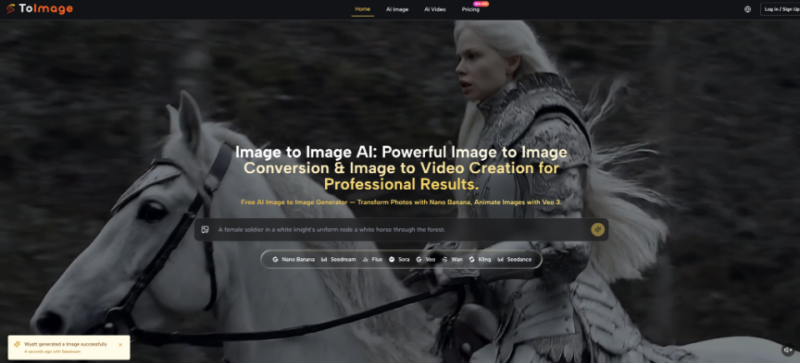
How Indie Game Studios Turn Concept Sketches Into Production-Ready Assets Faster With ToImage AI

The game development landscape in 2026 is defined by an explosion of indie titles, with over 50 new games launching daily across major platforms. For small studios and solo developers, the bottleneck is rarely the idea or the code. It is the visual asset pipeline. A single character can need dozens of concept variations before the art direction settles, and every additional iteration on a creature, environment, or item costs hours of skilled artist time that a tight budget cannot easily absorb. That is where Image to Image enters the conversation for game creators, not as a replacement for artists but as a rapid iteration partner that shortens the distance between a rough sketch and a polished in-engine mockup.
I spent time testing the platform specifically through the lens of a hypothetical indie project: a character for a stylized action-adventure game. The goal was to see whether Toimage AI could take one concept sketch and generate enough high-quality visual directions to inform art decisions, create placeholder assets, and even serve as base material for final production, all within a workflow that a small team could realistically sustain.
The Asset Multiplier That Small Studios Actually Need
A typical indie character pipeline starts with rough sketches, moves to refined line art, then to color keys, and finally to rendered turnarounds or in-game sprites. Each step traditionally requires a human hand, and when the director says “try it in a cyberpunk mood and also a watercolor storybook style,” the cost multiplies. Most AI art tools offer text-to-image generation, but that forces the team to describe the character from words, losing the exact silhouette and pose that the sketch already established. An image-to-image approach preserves that anchor and simply transforms the treatment, which aligns far better with how game art direction actually works.
The test I ran was designed to stress this alignment: start with a scribbled character sketch, push it through multiple style directions, evaluate which outputs could serve as concept reference, which could become production base layers, and which would fail under closer inspection. Throughout the process, I tracked time, output quality, and how much human correction each result demanded.
From One Sketch to a Multi-Style Character Exploration
The Starting Asset and the Art Direction Brief
I uploaded a rough pencil sketch of a character in light armor holding a staff. The lines were loose, the face only suggested, and the background was a few scratchy indications of a forest. The brief was to generate variations in four styles that a game team might genuinely need: a semi-realistic render for a cinematic pitch, a cel-shaded look for a stylized 3D reference, a pixel art version for a potential 2D build, and a painterly illustration for key art mockups. Each needed to preserve the character’s silhouette, staff angle, and general costume reading.
Style Testing: What Survived the Transformation
Semi-Realistic Cinematic Render
Using Nano Banana Pro, I prompted for realistic armor materials, volumetric forest lighting, and a cinematic composition through AI Image to Image. The output translated the loose armor shapes into convincing leather and metal textures with appropriate specular highlights. The staff gained wood grain and a subtle glow at its tip where the sketch had only a circle. The face, however, was where the model made choices that would need feedback. It inferred plausible features but did not capture the specific angularity implied in the original sketch. For a pitch document, the image worked immediately. For a final character reference sheet, a concept artist would need to paint over the face area with more deliberate direction.
Cel-Shaded Stylized Reference
A prompt for flat colors, clean ink lines, and cel shading produced a result that felt remarkably close to what a 3D team would want as a style guide. The armor plates separated into clear color blocks, the silhouette read perfectly, and the forest background simplified into a graphic pattern. This output was the most directly usable of the batch. With minor line cleanup, it could serve as a front-facing character concept for a stylized game.
Pixel Art Conversion
Pixel art is notoriously difficult for AI because it requires deliberate grid-based placement, not just low resolution. Prompting for 16-bit pixel art with limited palette produced a downscaled, blocky version of the character that captured the essence but generated some color banding and irregular pixel clusters when inspected at full zoom. It would function as a proof of concept or a starting point for a pixel artist but would not be ready for sprite sheet production without substantial manual cleanup. This was the most challenging style test, and the result was consistent with the current limits of general-purpose image-to-image models.
Painterly Key Art Mockup
I prompted for an oil painting style with dynamic brushstrokes, dramatic sky, and hero lighting. The output translated the forest into expressive daubs and gave the character a heightened, mythic quality. The armor detail softened appropriately for a painterly treatment, and the composition held. For a Kickstarter key art placeholder or a mood discussion with a publisher, the image was more than sufficient.
What the Character Exploration Delivered
| Style Direction | Production Readiness | Manual Correction Needed | Best Application |
| Semi-Realistic Cinematic | Medium, face needs artist overpaint | 20% area refinement, mostly facial structure | Pitch decks, mood boards, early 3D reference |
| Cel-Shaded Reference | High, close to final concept | Light line cleanup and color adjustment | Character style guide, modeling reference sheet |
| Pixel Art Conversion | Low, base only | Significant grid-level pixel cleanup | Rapid prototype, pixel art style exploration |
| Painterly Key Art | Medium-high, mood and composition hold | Minor detail consistency | Marketing mockup, publisher discussions |
This test underscores a practical rule for game teams: Toimage AI excels at turning a sketch into an art direction conversation. It does not eliminate the need for an artist’s final decisions, but it compresses the exploration phase from days to minutes and generates material that makes those decisions far more concrete.
The Four Steps That Game Artists Can Adopt Immediately
Step 1: Upload the Concept Sketch at the Best Available Resolution
Why Sketch Quality Still Matters as Input
The process begins by dragging a sketch file into the platform. The 10MB size limit easily accommodates high-resolution scans, and accepting PNG, JPG, and GIF covers most digital sketching apps. Clean, confident lines give the model more to interpret, while very faint or smudged sketches introduce noise. I recommend artists treat the upload as they would a scan for their own reference: clear enough to communicate the design.
Step 2: Write Style Briefs That Speak the Game Art Language
Choosing the Model and Phrasing the Prompt
After upload, I selected Nano Banana Pro for the higher detail tier and wrote prompts that used terms familiar to game artists: specular maps, cel shading, rim light, 16-bit palette, painterly impasto. Vague prompts like “make it look cool” produced generic outputs. Specific art-direction terms steered the model reliably. The platform’s model selector sits visibly in the interface, and I found myself switching to Nano Banana for more painterly looseness and Flux Kontext when I needed very strict layout preservation for UI or item sheets.
Step 3: Review and Sort Outputs Into Usable, Needs-Work, and Discard
Building a Rapid Feedback Loop Without an Art Director
Each generation appeared in seconds, not hours. I reviewed results by comparing against the sketch in a side-by-side mental check: silhouette, proportions, material reading, style match. Useful outputs went into a folder. Close outputs prompted a quick prompt tweak and regeneration. Failures were abandoned. The discipline of sorting quickly prevented the infinite iteration trap.
Step 4: Export Watermark-Free for Direct Engine Import or Artist Handoff
Commercial Rights and the Practicality of Free Assets
All exports are watermark-free, and the platform grants full commercial rights across all plan tiers. For an indie team, this means that an output deemed good enough can go straight into Unreal Engine, Unity, or a pitch deck without licensing delays. This detail is operationally significant and changes how a team can use AI-generated concept material.
Where the Pipeline Still Demands Human Hands
The most consistent limitation I encountered was facial specificity. The platform can generate a face, but it cannot read the exact facial design intention from a rough sketch unless that sketch already renders the face in clear detail. For characters where the face is the entire brand identity, an artist will still need to provide a detailed face sheet or paint over the AI output.
Complex props and interlocking elements also occasionally warped. A staff with a intricate crystal cage at its tip generated some fused geometry in a few outputs. Pixel art conversions remain outside the tool’s reliable comfort zone, although the outputs can serve as mood targets. Finally, the credit cost per generation means that teams need to prompt efficiently. Spraying dozens of uncorrected variations without a clear goal will burn through free or paid credits faster than structured, intentional exploration.

What This Means for Indie Development in Practice
Toimage AI fits into an indie game development pipeline the way a fast concept artist fits onto a team: it takes direction, produces variations at speed, and gives the lead artist raw material to refine rather than a blank canvas. The platform’s focus on image-to-image transformation aligns naturally with how game design evolves from sketch to style to asset. For small studios that need to see ten directions before committing to one, and need all ten by the end of the afternoon, Image to Image AI earns its place as a genuine accelerator rather than a novelty. It does not replace the artist’s eye, but it removes the hours of rendering that stand between the sketch and the decision.