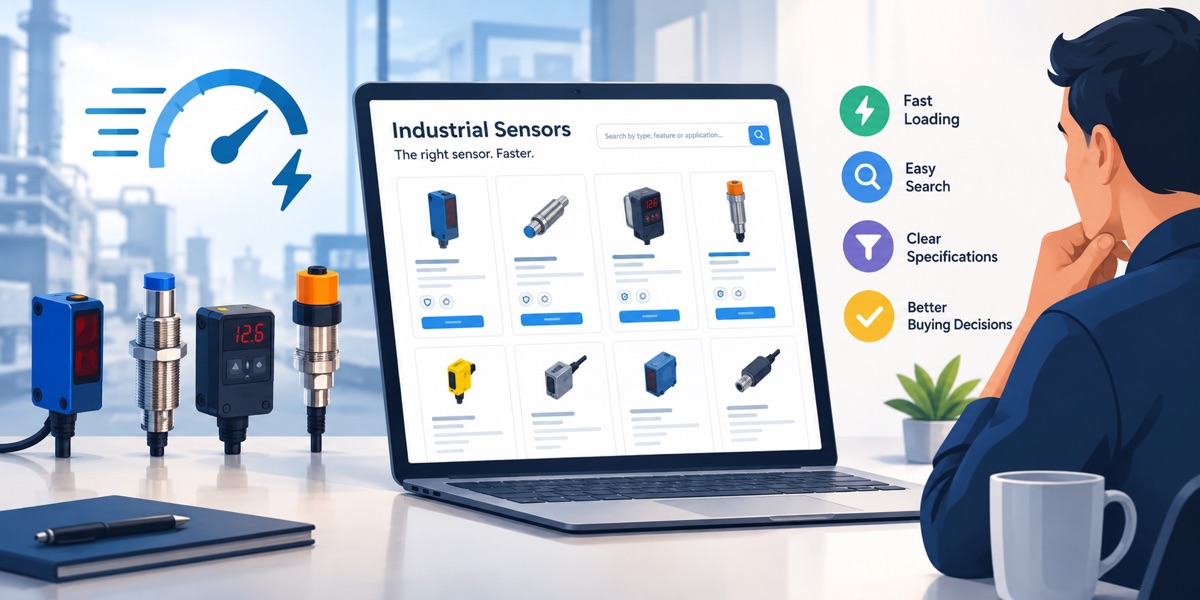
How to Build a Fast, Buyer-Friendly Industrial Sensor Catalogue

A buyer looking for an industrial sensor is rarely shopping by appearance alone. A familiar housing may hide a different output, mounting arrangement or connector. Before requesting a quote, the visitor needs to identify a suitable family, compare the relevant configurations and explain the application to the supplier.
That makes an industrial catalogue a useful test of website design. A page can load quickly yet leave essential information buried in a large PDF. It can also contain excellent technical detail but make the visitor download unnecessary images before the navigation becomes usable. A better catalogue addresses both delivery speed and the decisions buyers need to make.
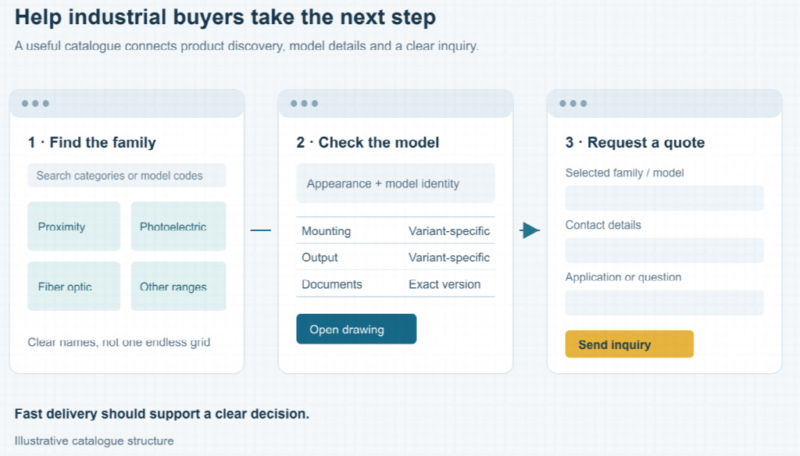 Illustrative catalogue structure: find a family, check the model and request a quote.
Start with the buyer’s route through the catalogue
Sketch a simple journey before choosing a page template: category, product family, configuration details, supporting documents and quotation request. Each step should answer a different question rather than repeat the same promotional introduction.
A category page helps visitors understand which type of device may suit their task. A family page explains the available configurations. A drawing helps establish mechanical fit, while an inquiry form carries the selected model and unresolved questions to the supplier.
The DAIDISIKE industrial sensor catalogue offers a concrete example of the range a manufacturer may need to organize: proximity, photoelectric and other sensing products alongside machine-safety equipment. The design challenge is to make those categories distinguishable, not to treat every device as an interchangeable item in one large grid.
Keep model-level facts in readable page content
A product picture cannot establish electrical compatibility. Place the information needed for an initial comparison in selectable text and structured tables, with clear units and consistent column headings. Keep related choices, such as output and connection type, attached to the configuration they actually describe.
Avoid combining the best figures from several variants into a single specification that no orderable product meets. If the page presents a family range, label it as a range and show how the individual models differ. Downloads can provide deeper detail without becoming the only place where a buyer can identify a part.
On smaller screens, preserve the relationship between a value and its heading. A horizontally scrollable table or a carefully designed stacked layout can work; tiny text squeezed into the viewport usually does not. Check the rendered result with representative model names, not just short placeholder content.

DAIDISIKE compact photoelectric sensor. Product appearance and model-specific information serve different purposes.
Give thumbnails, product views and drawings different jobs
A small category card does not need the same image file as a full-screen product view. Prepare appropriately sized sources and let the browser choose a suitable one through responsive image markup. The point is to avoid transferring a much larger asset than the displayed view needs.
Technical drawings need a different quality check from product photography. Compression that looks acceptable on a housing photograph may make a dimension label unreadable. Inspect fine lines, numbers and connector details at the size customers will use, and retain a clear larger version where necessary.
Use captions and alternative text to explain what an informative image contributes. Do not make important specifications available only as text embedded inside a picture. That makes comparison, copying and accessible presentation unnecessarily difficult.
Prioritize the first view without loading the whole gallery
Load the images needed in the initial viewport normally. Lazy loading is more appropriate for images farther down the page, such as additional gallery items, than for the main image a visitor expects to see immediately.
Reserve image space with the correct dimensions or aspect ratio so that the product title, table and inquiry button do not jump around while assets arrive. This is especially important when several product cards appear together.
Apply the same restraint to optional media. A demonstration video can be useful without requiring a heavy embedded player to initialize on every category card. Give visitors a clear preview and a deliberate way to open the demonstration.
Use selection guides to explain choices, not repeat advertisements
Some questions recur across many product families. A separate guide can explain those choices once, while individual pages retain their own model-specific data.
For example, a proximity sensor selection guide can help visitors work through target material, mounting arrangement and electrical output before comparing ordering codes. The guide supports a decision; it does not replace the selected product’s documentation.
Link to this help where a visitor encounters the choice. A useful label describes the destination, such as a mounting or output comparison, rather than repeating a vague “learn more” beside every paragraph.
Use caching with a plan for product updates
On a WordPress catalogue, page caching can serve a previously generated copy of suitable public pages instead of rebuilding the same response for every visit. That can reduce repeated server work, but it does not make inaccurate or outdated product information useful.
Decide what happens after an editor changes a specification, replaces a drawing or corrects a model name. The relevant cached versions need to be refreshed, and the updated page should be checked as a visitor would see it.
Review forms, logged-in content and customer-specific responses separately from ordinary public catalogue pages. A cached page shell may contain a form, but its submission processing, validation and any personalized response still need appropriate handling. Avoid assuming that one cache setting suits every URL.
Illustrative workflow: public-page delivery, content updates and inquiry processing need separate checks.
Make the quotation request clear and usable
Keep the request form close to the information that prompted it. Carry the product family or selected code into the inquiry where practical, while allowing the buyer to say that the configuration is not yet settled.
Ask for contact information and the application details needed for the next conversation. Use properly associated field labels rather than relying on placeholder text alone. Distinguish required information from optional context and provide a clear outcome after submission, including useful feedback when validation fails.
Test keyboard access and the mobile layout as well as the normal desktop path. A prominent button is not enough if a visitor cannot understand a field or tell whether the request was received.
Test complete tasks, not just the homepage
Give a tester a realistic task: find a product family, compare two variants, open the relevant drawing and prepare an inquiry. Observe where information becomes ambiguous or the interface interrupts the task.
Check representative category and product pages on a mobile-sized screen and a constrained connection, with both a first visit and a repeat visit. After changing images, scripts or cache behavior, repeat the checks on navigation, tables, downloads and forms. Record the conditions so comparisons are meaningful.
A successful industrial catalogue does not merely deliver a page quickly. It helps a buyer move from a broad requirement to an understandable configuration, while keeping the supporting information accessible and current.