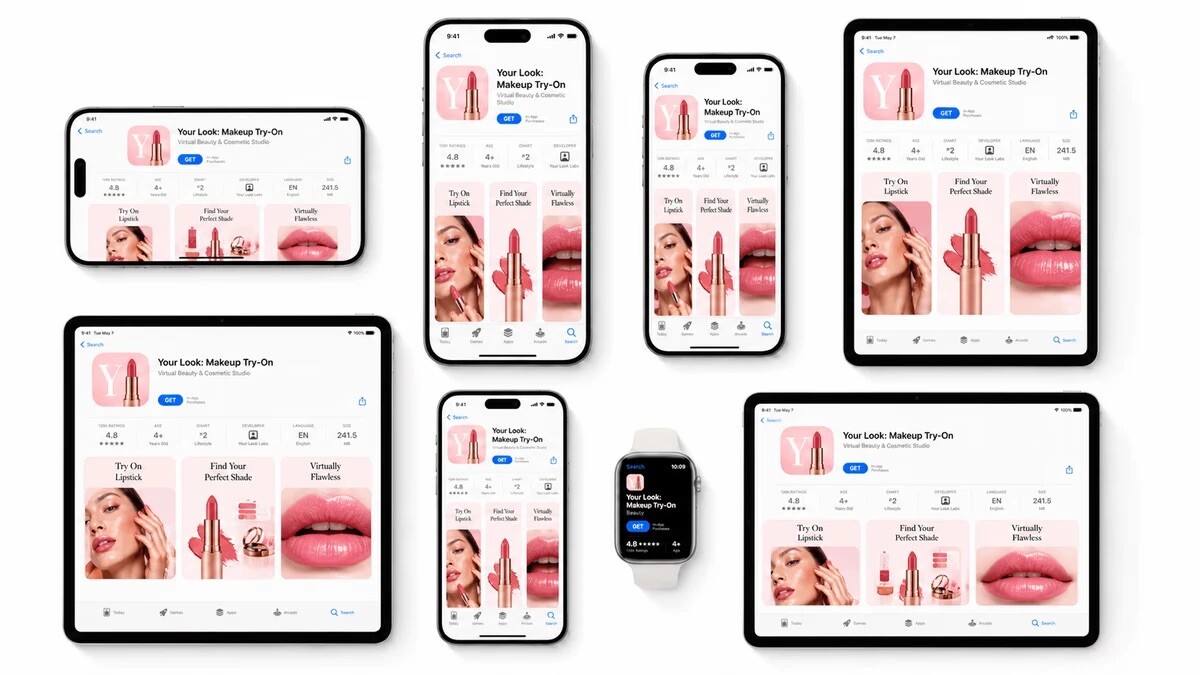
How to Resize App Store Screenshots Without Breaking the Design

Resizing App Store screenshots sounds simple until a team has to do it for a real launch.
A screenshot that looks great in one size can become awkward in another. Captions may wrap badly, device frames can feel too large, spacing can break, and important UI details may become hard to read. For mobile app teams, resizing is not just a file export task. It is a design and production workflow.
Why resizing screenshots is harder than it looks
App store screenshots need to work across different devices, screen ratios, orientations, and listing formats. A layout designed for one iPhone size may not automatically work for another. If the same design is reused without adjustment, the result can feel cramped, stretched, or visually unbalanced.
This becomes more complicated when screenshots include benefit-led captions, device frames, branded backgrounds, multiple app screens, localized text, ASO test variants, and App Store or Google Play formats.
A raw resize can change the entire visual hierarchy. The user may still see the app screen, but the message becomes less clear.
Start with the message, not the dimensions
Before resizing screenshots, teams should decide what each image needs to communicate.
A good app screenshot usually has one clear job. It might explain a core feature, show a key workflow, highlight a user benefit, or build trust.
If the message is clear, resizing decisions become easier. Designers can protect the most important parts of the screenshot: the app screen, headline, caption, and visual focus.
Instead of asking, “How do we fit this into another size?” ask, “What must stay readable and clear in every size?”
Watch for caption and layout problems
Captions are often the first thing to break during resizing.
A short headline may look perfect in one format, then wrap into three lines in another. This can push the phone mockup down, reduce spacing, or make the design feel crowded.
Before exporting, check whether the caption is still readable, the phone frame feels balanced, the app UI is large enough to understand, and the screenshot still tells the same story.
This is especially important when screenshots are localized. Translated captions can be much longer than the original, so designs need enough flexibility to handle text expansion.
Use a repeatable screenshot workflow
Many teams resize screenshots manually in general design tools. That can work for a small launch, but it becomes harder as the app grows.
A simple set of 10 screenshots can quickly turn into dozens or hundreds of files once teams add different sizes, languages, product updates, and ASO variants.
That is why screenshot resizing should be handled as a repeatable workflow, not a one-time export job.
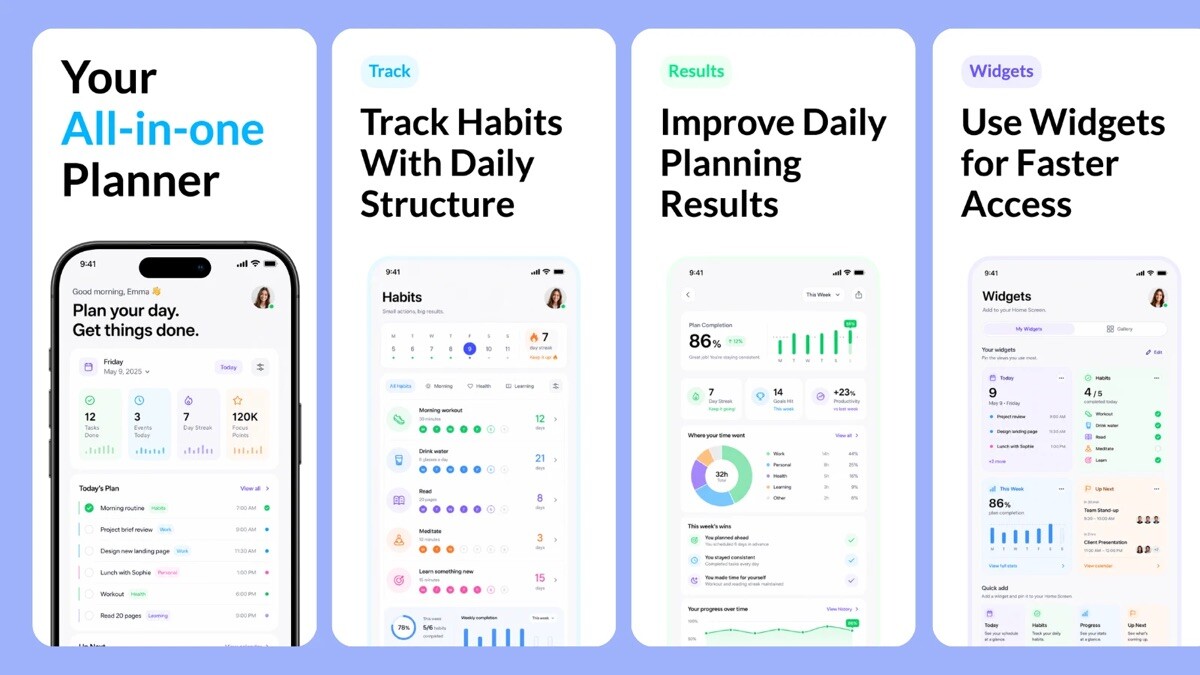
For example, AppScreens helps app teams turn real app screens into polished App Store and Google Play screenshots from one editable project. Teams can use templates, captions, device frames, brand styling, localization, ASO variants, and store-ready exports without rebuilding every design manually.
A purpose-built App Store screenshot generator can also help teams create layouts that adapt across required sizes while keeping captions, app screens, and visual hierarchy intact.
Keep future updates in mind
App screenshots are rarely finished forever. Teams often need to update them when the UI changes, a new feature launches, a new market is added, or an ASO test needs another variant.
This is where AppScreens can be useful beyond the first export. Because projects stay editable, teams can update real app screens, adjust captions, refresh styling, localize new versions, and export the required assets again without starting from scratch.
Final resizing checklist
Before uploading screenshots, review each size carefully.
Check that the UI is accurate, captions are readable, spacing still works, device frames are consistent, localized versions are reviewed, and exports match the store requirements.
Resizing app screenshots is not only about changing dimensions. It is about keeping the design clear, accurate, and persuasive across every format users may see.
