Streamlining WordPress Editorial Workflows Through Automated Image Generation APIs

Managing a high-volume WordPress schedule often reveals a bottleneck in content creation: sourcing, formatting, and optimizing visuals. Editorial teams spend disproportionate time searching for photos, adjusting dimensions, and compressing files to protect page speeds. When output scales, manual media handling becomes unsustainable. It leads to fragmented branding, delayed publishing, and bloated libraries that strain server resources and complicate caching mechanisms.
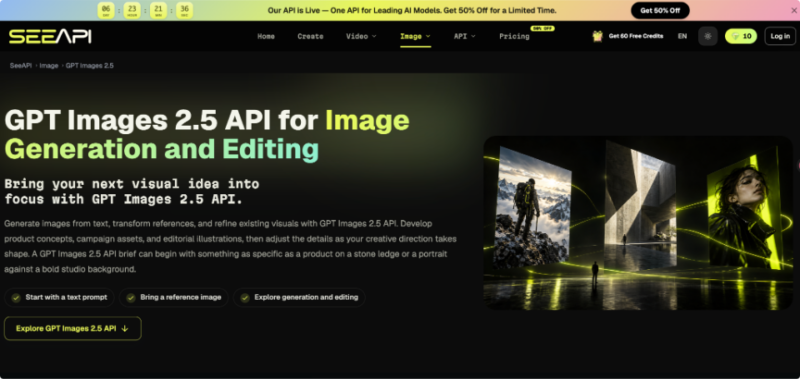
Relying on manual sourcing creates operational drag that prevents teams from functioning efficiently. A scalable approach shifts from manual searching to programmatic generation directly within the CMS. Exploring tools like the ChatGPT Images 2.5 API provides a viable pathway to automate this step, allowing background systems to request tailored visuals based strictly on the article’s topic. This integration shifts the workload away from editors, ensuring written content is instantly paired with correctly sized media.
Identifying Bottlenecks in Manual Media Management
Before implementing automated solutions, auditing the existing workflow is crucial to pinpoint where time is lost. For WordPress administrators, significant delays consistently occur between finalizing a draft and publishing. Authors must exit the writing interface, navigate external repositories, evaluate licensing, and download files locally. This constant context switching disrupts focus and adds unnecessary administrative overhead to the publishing routine.
Furthermore, raw external images are rarely formatted correctly for immediate web delivery. They require local desktop cropping to match strict WordPress theme aspect ratios, followed by aggressive compression. Skipping these steps and uploading massive files directly forces the web server to process images dynamically. This consumes vital PHP memory limits and generates heavy database loads that caching plugins struggle to mitigate.
Finally, managing image metadata remains a consistent failure point in manual workflows. Authors frequently upload images with generic names and entirely neglect to fill out alternative text or caption fields in the attachment screen. This persistent omission harms on-page accessibility standards and degrades visual search engine optimization. An automated pipeline must address these failures by enforcing consistent sizing and metadata.
Designing an Efficient API-Driven Media Pipeline
Transitioning to an automated visual strategy requires a structured pipeline dictating how WordPress communicates with external services. Rather than generating random assets, developers must establish strict rules governing the creation, retrieval, and storage phases.
- Define the Visual Requirements
Establishing mathematical parameters ensures requested media aligns perfectly with established design language. Developers must document exact pixel dimensions for featured images and thumbnail grids. Additionally, a consistent stylistic prompt must be appended to automated requests, ensuring programmatic outputs maintain a cohesive brand identity.
- Configure the Request Triggers
Administrators must determine the exact WordPress action hook initiating the background generation. Hooking into the save_post action fires a request only when an article moves from draft to pending review. This prevents unnecessary external API calls during minor typographical corrections, using the post title as the subject matter.
- Handle Asset Processing
Once the external service returns the asset, the local pipeline must handle the file securely. The script downloads the image temporarily, verifies the file type, and uses native media sideloading to insert it. During ingestion, it automatically assigns the post title as alt text and securely attaches the ID.
Implementing Integration Within WordPress
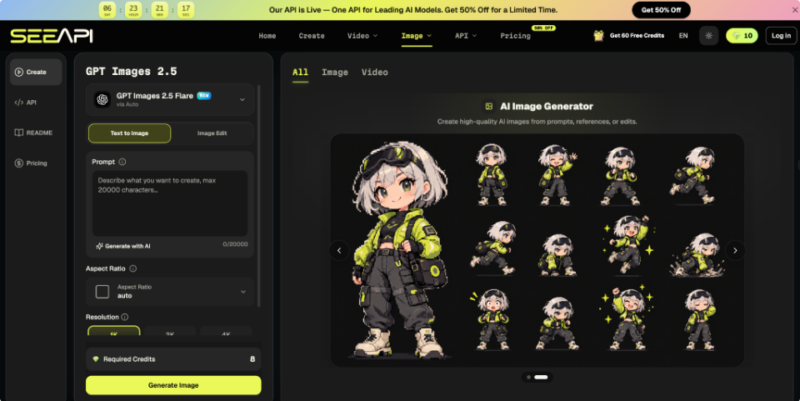
To securely execute this pipeline, developers typically write a custom plugin that manages external communication. When the publishing hook fires, the PHP function constructs a JSON payload containing prompt data and authentication headers. When routing the request through the Image 2.5 API, the payload must define the exact text prompt, desired resolution, and required output format.
The custom plugin must handle the subsequent server response robustly using native remote post functions. If successful, the response contains a direct URL to the generated graphic. The script must fetch this temporary file and permanently move it into the local WordPress media architecture, as external URLs cannot be adequately compressed or served via a content delivery network.
Error handling is equally important during technical implementation. The custom script must anticipate external timeout errors, rate limits, or invalid JSON responses. If generation fails, the function should gracefully abort the attachment process and append a private editorial note to the post edit screen, alerting the author to manually source an image before publication.
Establishing Post-Generation Quality Protocols
Even with an optimized automated pipeline, a manual quality control layer remains necessary before reaching the public cache. The automation should ideally place the post into a scheduled status rather than publishing immediately. This deliberate pause provides a brief operational window to review the paired image, ensuring visual context accurately matches the written content without unexpected visual artifacts.
The media ingestion script must also integrate seamlessly with existing WordPress performance plugins. Once securely attached, it should automatically trigger local compression tools to generate modern formats like WebP. Because the image is hosted locally, the page caching system treats it exactly like a manually uploaded file, fully minifying surrounding HTML and serving the static asset efficiently.
Administrators should periodically audit the media library to monitor physical disk space consumed by automated generation. Implementing a routine cleanup script that deletes unattached variations prevents severe database bloat. By consistently monitoring output quality and server impact, development teams can refine their pipelines to perfectly balance editorial velocity and website performance.
Building a Sustainable Content Creation System
Implementing an automated image generation pipeline fundamentally transforms how publishing teams operate within WordPress. By offloading the repetitive tasks of sourcing, sizing, and attaching featured images to a background script, editorial staff redirect their focus toward writing and deep research. This method eliminates operational friction that slows daily schedules, ensuring properly formatted articles are ready for immediate deployment and caching.
Ultimately, the long-term success of this digital integration relies on precise initial configuration and continuous pipeline refinement. Developers must establish rigid programmatic parameters for file handling, enforce metadata generation, and ensure server assets interact perfectly with existing performance plugins. When configured correctly, this proactive approach accelerates daily workflows while maintaining the technical standards necessary for a fast, accessible digital publication.
