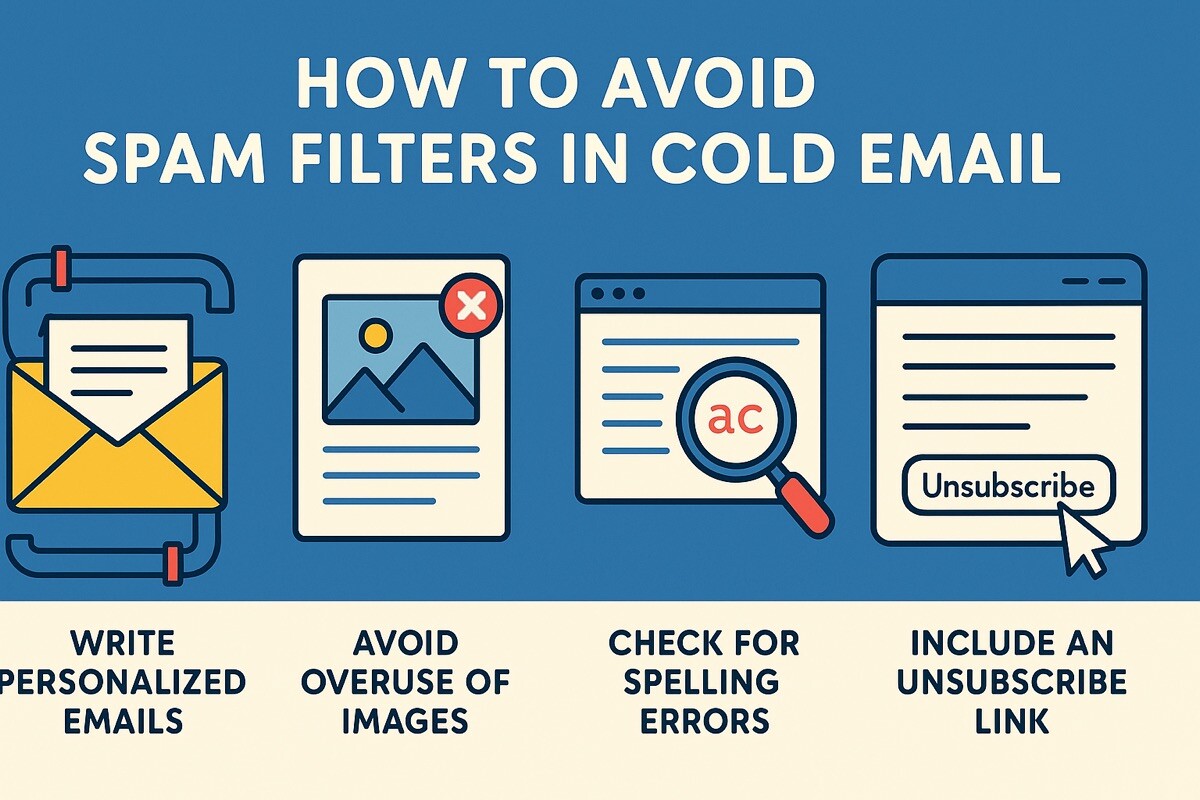
How to Avoid Spam Filters in Cold Email

Imagine this: you’ve spent days crafting the perfect cold email sequence, lined up your leads, and hit “send” with high hopes. Then… silence. No replies, no clicks—just the sound of your campaign crashing into the void. Later, you discover the absolute horror: your emails are buried in spam folders, never even reaching your prospects.
This is the nightmare many face in cold outreach. Spam filters are the silent killers of campaigns, quietly derailing your efforts before they even start.
Want to avoid the same fate? Find out about hacks here: https://salesar.io/blog/b2b-lead-generation-hacks.
Studies show that nearly 20% of legitimate emails never reach the inbox, so if you don’t learn how to avoid spam filters, you’re losing a fifth of your hard work before it even has a chance to make an impact.
Why Emails Get Flagged as Spam
Spam filters don’t mess around. They scan every email like a digital bloodhound, and if they sniff out a problem, your message goes straight to the spam bin. Learning how to avoid spam filters is the difference between getting seen and getting blocked.
Here’s what they’re looking for:
- Spam trigger words. Words like “free,” “urgent,” and “limited time offer” set off alarms. They scream “spam” to filters and make your emails appear to be scams.
- Bad domain reputation. If your domain isn’t properly authenticated with SPF, DKIM, and DMARC records, filters can’t verify you. It’s like showing up to a VIP event without a name tag—no one’s letting you in.
- Low engagement and bad sending behavior. If people aren’t opening your emails, or worse, they’re marking you as spam, your sender score tanks. Filters see you as a bad apple and block you.
- Messy formatting. Emails crammed with images, broken code, or no plain text version? They look suspicious. Keep it clean: simple design, readable text, and no unnecessary fluff.
Understanding these triggers is crucial if you want to avoid spam filters and get your emails in front of the intended recipients.
Warm Up Your Domain and Email Address
Starting a cold email campaign with a brand-new domain is like showing up to a crowded club without an invite—nobody trusts you, and the bouncers (spam filters) will show you the door. If you want your emails to land in inboxes, you need to build a reputation. That’s where warming up your domain comes in.
- Start small. Send just a few emails per day to real, active accounts (friends, colleagues, test addresses).
- Gradually increase volume. Bump it up by 5-10 emails every day over a few weeks.
- Get replies. Ask your contacts to respond, mark your emails as necessary, and avoid spam complaints to ensure a smooth communication process.
- Stay consistent. Daily sending, steady engagement—that’s the key to a solid sender reputation.
You don’t have to do this manually. Tools like Mailwarm, Lemwarm, or Warmup Inbox automate the entire process. They simulate honest conversations, helping your domain gain trust with email providers.
Craft Human-Like, Personalized Emails
Spam filters are designed to detect mass-blasted, salesy spam. If your email sounds like a desperate pitch, it’s heading to spam town. Want to avoid spam filters? Write like a human, not a robot.
Drop the hype words. Focus on value, not selling. Your email should answer one question for the reader: What’s in it for me?
Personalization is your secret weapon. Use names, mention details that show you’ve done your homework, and make the message relevant to them. Generic, templated emails scream spam.
Keep it short—3-5 sentences max. Clarity beats fluff every time.
For formatting:
- Balance text and images (aim for 80% text, 20% images).
- Use clean HTML—no broken code or weird fonts.
- Include a plain-text version alongside the HTML.
Simple, helpful, and personal—that’s the formula that lands in inboxes.
Test and Monitor Your Campaigns
Before you blast out that cold email, test it like your deliverability depends on it—because it does.
Use tools like Mail Tester, GlockApps, or MXToolbox to determine if your email is prone to spam. They’ll flag problems like bad formatting, missing authentication, or spammy language.
Once your campaign is live, keep an eye on:
- Spam complaints—if people keep marking you as spam, inboxes will stop trusting you.
- Bounce rates—too many bounces kill your sender score.
- Engagement—open rates, click rates, replies. Low engagement can signal a problem.
Finally, keep tweaking. A/B test your subject lines, CTAs, and content to optimize your results. See what resonates. The more you iterate, the better your chances of landing in the inbox.
Conclusion
Mastering email deliverability isn’t a one-and-done task. It’s a journey that takes consistency, smart tactics, and a bit of patience. But when you get it right, when you avoid spam filters and your emails start landing where they matter, your outreach turns into honest conversations.
The bottom line? Great content opens doors, but a solid strategy is what keeps them open. Focus on quality, build trust, and keep learning. When your emails stay out of spam, your reply rates will soar—and so will your results.