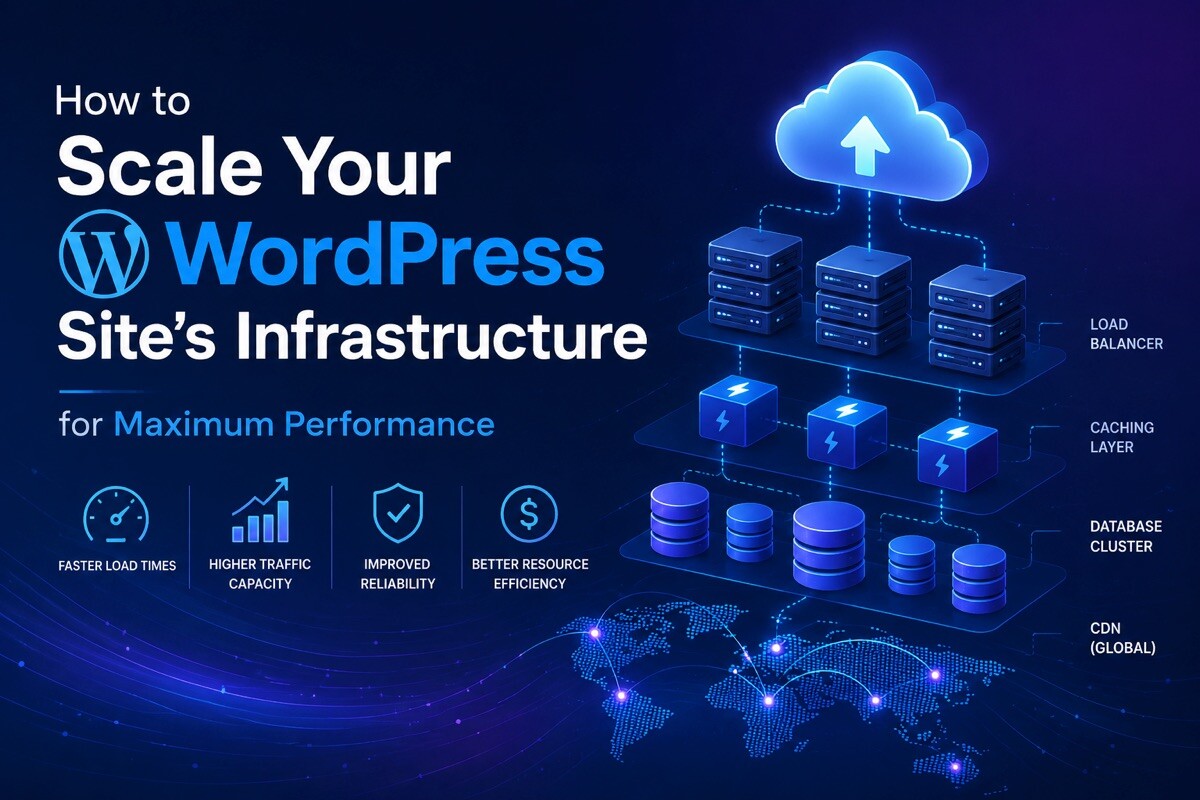
How to Scale Your WordPress Site’s Infrastructure for Maximum Performance

If you’re running a WordPress site that’s getting serious traffic, you’ve probably invested in caching plugins, optimized images, and a solid hosting plan. But there’s a critical layer many site owners overlook: the underlying network infrastructure that delivers your content. When your WordPress site starts handling thousands of concurrent visitors, simple caching alone won’t cut it. You need a robust infrastructure that can distribute requests efficiently, handle traffic spikes, and keep your site running fast from every corner of the globe.
This article walks through the often-misunderstood relationship between your WordPress site’s network infrastructure and its performance. Understanding how IP addresses, server routing, and traffic distribution work together will help you make smarter decisions about scaling your site the right way.
Key Takeaways
- Proper network infrastructure is essential for WordPress sites handling high traffic volumes
- IP addresses play a crucial role in traffic distribution, security, and global content delivery
- Combining infrastructure optimization with caching tools creates a powerful performance stack
- Multiple dedicated IPs can improve your site’s reputation and reduce blacklist risk
- Scaling infrastructure is often more cost-effective than throwing more server resources at the problem
The Performance Problem Beyond Caching
WordPress caching is fantastic at reducing database queries and serving static assets faster. But caching can’t solve every performance bottleneck. When your site experiences traffic surges, a single server’s capacity becomes the limiting factor. Your caching plugin might be serving pages in milliseconds, but if your server can’t handle the number of incoming connections, visitors still experience slowdowns.
This is where infrastructure comes in. Your hosting provider assigns IP addresses to your servers, and those addresses determine how traffic reaches your site. If you’re sharing a server or IP with dozens of other sites, you inherit their reputation problems. If one neighbor site gets blacklisted for spam, your emails might land in junk folders too.
Understanding Your Site’s IP Architecture
Every website lives at an IP address. For small sites, that’s usually a shared IP, meaning you coexist with hundreds of other domains on the same block. This saves your host money, but it creates shared risk. Your site’s email deliverability, security profile, and performance can all be affected by what other sites are doing.
As your WordPress site grows, having dedicated IPs becomes valuable. A dedicated IP gives you full control over your reputation and makes it easier to implement SSL certificates, run email campaigns, and even operate multiple subdomains if needed. You’re no longer competing for connection resources with other tenants on the same server.
But dedicated IPs are just the starting point. Strategic IP allocation across multiple servers or data centers lets you distribute traffic geographically. When you want to scale beyond a single server, you need to think about where those servers live and how traffic gets routed between them.

Traffic Distribution and Geographic Redundancy
High-traffic WordPress sites often use multiple servers spread across different geographic locations. This approach serves several purposes: it reduces latency for visitors in different regions, provides failover protection if one server goes down, and allows you to handle traffic spikes by distributing the load.
To make this setup work efficiently, you need multiple IP addresses. Each server or location needs its own address, and your DNS configuration routes visitors to the nearest or most available server. This isn’t just about having more servers; it’s about having the right infrastructure to use them effectively.
Some teams choose to buy IP addresses from dedicated providers to gain flexibility in their infrastructure setup. Rather than being locked into your hosting provider’s limited IP allocation, purchasing additional addresses lets you configure your network exactly how your site needs it. This is especially useful if you’re building a custom infrastructure, moving between providers, or implementing advanced routing strategies.
The key advantage here is control. When you own the IP addresses your site uses, you decide how they’re distributed, which servers they’re assigned to, and how traffic flows through your network. Your hosting provider can’t limit your options or charge premium rates for additional addresses.
IP Reputation and Email Deliverability
Here’s something many WordPress site owners don’t realize: your IP address affects email deliverability. If you send transactional emails, newsletters, or password reset messages from your WordPress site, those emails are evaluated partly based on the sending IP’s reputation.
ISPs and email providers maintain blacklists of IPs known for spam or abuse. If you’re on a shared IP and your neighbor starts spamming, your legitimate emails get caught in the crossfire. Shared IPs have higher abuse risks because one bad actor can damage the reputation for everyone on that block.
A dedicated IP starts with a clean reputation, assuming your site uses it responsibly. Over time, if you send email responsibly and maintain good list hygiene, your IP’s reputation improves. This results in better inbox placement and fewer false positives in spam filters.
For WordPress sites that rely on email marketing, user notifications, or customer communication, this is significant. A 2-3% improvement in inbox placement might seem small until you calculate the impact across thousands of emails annually.
Combining Infrastructure Optimization with Caching
Here’s the reality: caching and infrastructure optimization work best together. A high-performance caching setup on a well-optimized infrastructure is far more effective than either alone.
When you use a caching plugin like WP Fastest Cache alongside proper infrastructure, your pages load faster from the cache, and traffic surges distribute efficiently across your servers. The cache reduces server strain, while the infrastructure ensures requests reach the right server quickly.
If you only focus on caching without proper infrastructure, you eventually hit a ceiling. All your optimization work happens on limited server resources. Conversely, great infrastructure without caching means higher server costs and unnecessary load.
The best approach combines both: optimize your site’s performance with a robust caching solution, then ensure your underlying infrastructure can handle your traffic sustainably.

Cost Considerations and ROI
Upgrading your infrastructure isn’t cheap. Dedicated IPs, additional servers, and geographic distribution add up. But the ROI often justifies the investment for growing sites.
Consider the revenue impact of slow performance. Studies consistently show that every 100 milliseconds of delay costs e-commerce sites 1% of conversions. For SaaS platforms, slow performance directly impacts customer satisfaction and churn. If your WordPress site generates revenue, performance isn’t just nice to have, it’s a business requirement.
When you add up the cost of lost customers, poor user experience, and frustrated visitors, investing in proper infrastructure becomes the cheaper option. A 30% improvement in page load time might increase conversions by 5-10%, which quickly pays for infrastructure improvements.
The key is scaling thoughtfully. You don’t need enterprise infrastructure from day one. Start with a high-quality caching setup and dedicated hosting. As your traffic grows, add geographic redundancy, multiple servers, and optimized IP allocation. Each layer of improvement builds on the last.
Security Benefits of Proper IP Management
Your IP address is part of your security posture. When attackers target your site, IP-based blocking is one defense strategy. If you’re on a shared IP, blocking that address impacts every site on it. Hosting providers are reluctant to block shared IPs for this reason, making shared infrastructure a bigger target.
With dedicated or multi-server infrastructure, you gain flexibility in security responses. You can implement IP whitelisting, geographic blocking, and rate limiting more effectively. Your infrastructure team can respond to attacks without affecting other sites.
DDoS protection also works better with diverse IP allocation. Distributing traffic across multiple IPs and servers makes your site a harder target. Attackers trying to overwhelm a single IP affect only one piece of your infrastructure, while others continue serving traffic.
Getting Started with Infrastructure Improvements
Start by evaluating what you currently have. Is your site on a shared or dedicated IP? How many servers are you using? Where are your servers located relative to your audience?
From there, prioritize improvements based on your traffic patterns and revenue impact. If you’re experiencing traffic spikes, geographic distribution of servers should be high priority. If email deliverability is hurting your business, a dedicated IP is worth the investment.
Many hosting providers offer managed solutions that handle much of this for you. Larger teams might manage infrastructure independently, which gives more control but requires more expertise.
Frequently Asked Questions
Q: Do I really need a dedicated IP if I have good caching?
A: Caching and dedicated IPs serve different purposes. Caching speeds up page delivery, while a dedicated IP improves reputation, email deliverability, and security. For growing WordPress sites, both are valuable. You don’t need a dedicated IP if your site is small and traffic is light, but it becomes important once you’re sending email regularly or concerned about reputation.
Q: How many IP addresses does a WordPress site actually need?
A: A small site operates fine on one shared IP. As you grow, one dedicated IP is a good next step. If you’re running multiple servers across regions, each server should have its own IP. Large sites might maintain 5-20+ IPs depending on their architecture and traffic distribution strategy.
Q: Can I move my WordPress site between servers without losing my IP address?
A: If you own the IP address (rather than your host assigning it), you can move it with you. If it’s provided by your host, it typically stays with that host. This is another reason some teams choose to purchase their own IPs – it gives them portability and independence from any single provider.
Q: How does geographic IP distribution improve performance?
A: When servers are spread across different regions with different IPs, visitors connect to the nearest server. This reduces latency because data travels less distance. It also distributes load, so one server isn’t handling traffic from users on the opposite side of the world.
Q: What’s the difference between buying IPs and having my host provide them?
A: Host-provided IPs come with your hosting and are managed by them. Purchased IPs give you ownership and portability. Purchased IPs offer flexibility if you’re building custom infrastructure or moving between providers, though they’re more expensive and require more technical management.
Q: Should I worry about shared IP blacklisting?
A: It’s worth considering, especially if you send email regularly. Shared IPs have higher risk because one bad actor affects everyone. If your site sends legitimate email and you’re concerned about deliverability, a dedicated IP is a reasonable investment.
Final Thoughts
Your WordPress site’s performance isn’t determined by caching alone. The infrastructure underneath matters just as much. As your site grows, thinking strategically about IP allocation, server distribution, and network architecture becomes necessary.
A well-optimized caching setup combined with thoughtfully planned infrastructure is the formula for WordPress sites that stay fast even as traffic grows. Neither caching nor infrastructure is sufficient alone. Work on both, and you’ll have a site that delivers great performance to every visitor, every single time.