Understanding the Shift: How Cloudflare Turnstile Differs from Traditional CAPTCHA

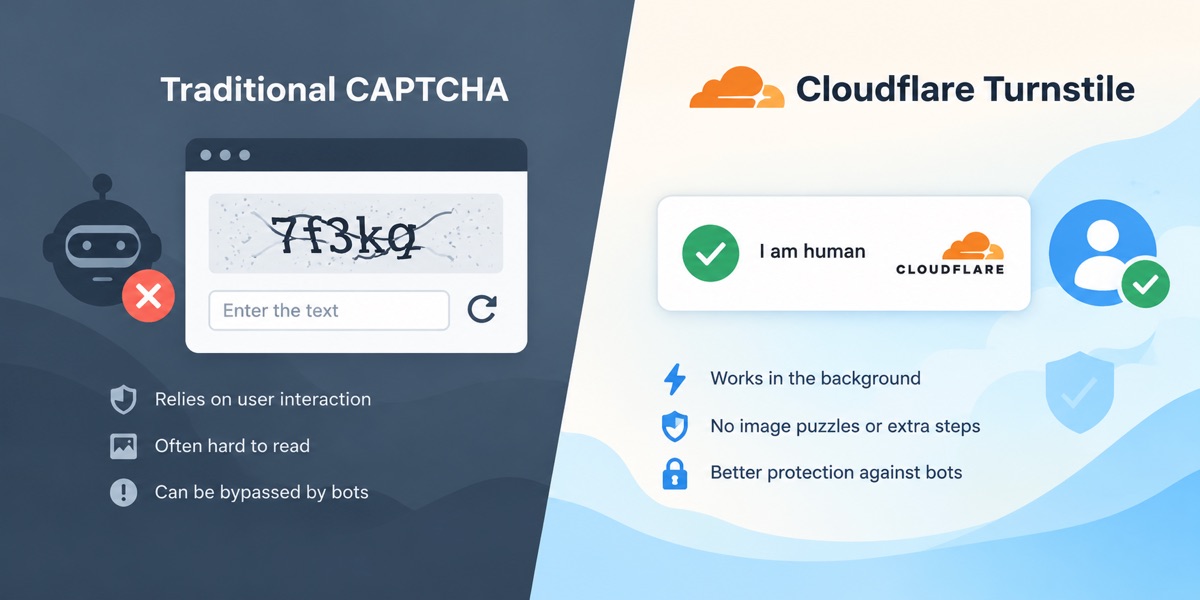
Unlike traditional CAPTCHA, Cloudflare Turnstile uses background checks and other verification methods to check visitors, which may not require them to solve visual or audio puzzles.
The classic visual or audio challenge has been the tried-and-tested way to repel automated traffic for years. Everyone in the development and Web user community knows about the misspelled alphanumeric strings, the audio clips that had static, and the 3×3 grid that asks visitors to point to a crosswalk, traffic light, or fire hydrant. These interactive puzzles were created to distinguish between humans and computers, but in the age of machine learning, most of the defense is eliminated, and modern pipelines in computer vision also reduce the experience and conversion.
Cloudflare came up with an alternative solution to the inefficiencies: a new way to block bots. Cloudflare Turnstile is basically a non-interactive challenge system, which checks the authenticity of the visitors without imposing a challenge to complete the puzzle in order to proceed. Cloudflare Turnstile is actually a non-interactive challenge system that checks the authenticity of visitors without the need for the completion of the puzzle. The tool marks a radical change from traditional security challenges by eliminating cognitive examination on humans and moving to telemetry-based client analysis.
How Cloudflare Turnstile Evaluates Visitor Authenticity
Cloudflare Turnstile evaluates visitor authenticity using browser signals and other verification methods, often without requiring users to solve a visual puzzle
Embedded in a turnstile containing a page, the script performs a series of simple JavaScript evaluations in a client-side sandbox. The verification script checks low-level environmental signals to ensure a request comes from a typical runtime environment, rather than asking the visitor to interpret the fuzzy images. These evaluations include:
- Browser Environment Consistency: Checking for discrepancies between the Document Object Model (DOM), screen dimensions, rendering context, and API support—all common in headless browser binaries.
- Hardware and API Telemetry: Using a cryptographic or computational micro-challenge to measure the fidelity of the browser engine’s execution, without impacting devices.
- Cryptographic Device Attestation: Apple & Android Private Access Tokens (PATs) With PATs, trusted platforms can cryptographically certify the authenticity of the device through the operating system without sending out the ID of the device or personal information about the user.
After these background checks, the client gets an ephemeral validation token to be sent together with the target form payload. This token is then validated by the server using the API endpoint, which is done with minimal human intervention.
Automated QA Testing and Public Data Collection Workflows
For some web pages that are protected by Turnstile, interactions sometimes have to be automated, including for integration tests, performance benchmarking, building records of publicly available datasets, and other engineering tasks.
A typical enterprise environment would have a quality assurance group that would often be deployed on staging and deployment pipelines to perform end-to-end regression tests using automated tests. For user checkout flows, form submission, or publicly available inquiry forms protected by non-interactive challenges, synthetic test scripts may become stuck during the test.
Similarly, data engineers collecting open indices of the law, price catalogs, or market research data are often stuck in verification bottlenecks that block the ingestion of data pipelines.
| Operational Dimension | Traditional CAPTCHA Frameworks | Cloudflare Turnstile Architecture |
| User Interaction | Explicit interaction (puzzles, audio playback) | Non-interactive background telemetry |
| Verification Logic | Image classification / pattern recognition | Browser environmental integrity & PAT attestation |
| Accessibility Impact | High barrier for screen readers & visual impairments | High compliance via silent execution |
| Latency Overhead | 10 to 30 seconds on average per manual attempt | Typically under 1 to 2 seconds for script resolution |
Engineering workflows often have a special challenge-solving API to ensure predictable test runs and continuous public aggregation feeds. These test environments allow platforms like CapMonster Cloud to manage parameters of challenges and respond to them with a valid token directly to an automated browser driver. Today, any solving service can report an impressive rate of resolution when the test circumstances remain constant; however, the chances of real completion always remain variable with continuous development of the solving scripts, local network conditions, and parameter changes during runtime.
Technical Distinctions for Web Developers
From an implementation perspective, adopting non-interactive challenge architecture provides distinct advantages over older, image-heavy frameworks:
- Accessibility Compliance: Web applications are not blocked by accessibility issues associated with screen readers like they have been in the past, as true users should not have the same need to identify interactive images.
- Reduced Page Abandonment: Minimizing friction at submission endpoints prevents conversion drops caused by repetitive, failed visual puzzles.
- Data Privacy Focus: Typical challenge services tend to link user cookies from various third-party domains to assign trust scores. On the other hand, modern challenge services are meant to test trust and don’t keep tabs on the general browsing history online.
These structural differences help developers, site architects, and test engineers optimize public-facing forms and also provide predictability of how integration suites work internally throughout deployments.
Integration Checklist Before Publishing
Ensure the following deployment criteria are met:
- Check that the article is linked straight from the site’s homepage or main category landing page to preserve the efficiency of the crawl depth.
- Verify that the anchor text links correctly to the target resource and does not have any redirect steps.
- Confirm that all examples of form integration comply with sandbox/staging environment boundaries.

