
Why AI-Generated Video Needs a WordPress Staging Gate

Generating a video and publishing a video are two different jobs.
The first job can finish with an MP4 that looks convincing on a laptop. The second requires a page owner to know what the clip claims, where it came from, how it behaves on a phone, whether it has an accessible alternative, who approved it and how to remove it if something is wrong.
Those questions are easy to postpone when an AI-generated draft arrives in the WordPress media workflow. The clip feels nearly finished, so it gets treated like an ordinary upload. The unresolved work then appears on the live page: an inaccurate visual, a poor poster frame, an unexplained autoplay decision or a file nobody can trace back to an approved brief.
A staging site should stop that sequence. Not because staging makes the video correct, but because it gives editorial and technical owners a shared place to prove that the asset is ready.
Gate One: Approve the Meaning Before the Media
The first check should happen before anyone adjusts embeds or cache settings. What does the video communicate?
A generated scene can imply more than the written copy around it. It may show a product feature that does not exist, a location the company does not use or a person who appears to be a customer. A smooth visual can make an invented detail feel authoritative.
For that reason, the staging record needs a one-sentence purpose and a factual boundary. For example:
This clip is a visual concept for the landing-page theme. It is not a product demonstration and must not show readable interface text.
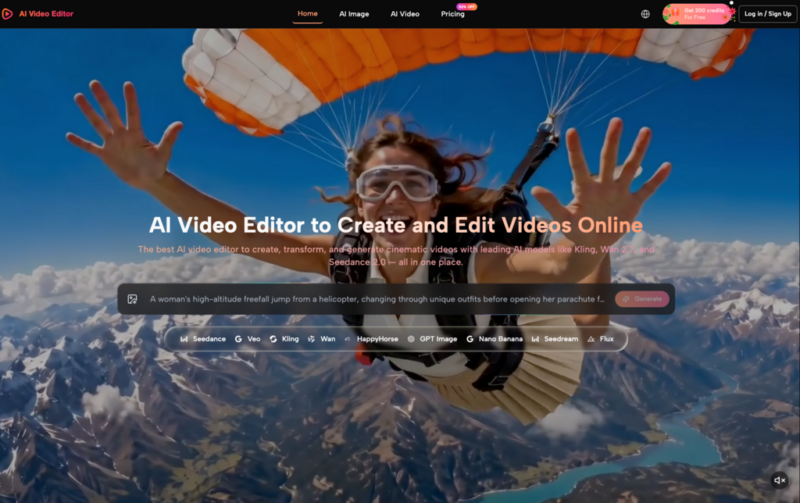
Teams that Edit Videos Online may create several drafts from prompts or source images before selecting one. The editorial owner should see the chosen source, prompt and output together. Otherwise, they are approving the appearance of the final clip without seeing what the workflow was asked to preserve or avoid.
This gate has three possible outcomes: approve the meaning, request a constrained revision or reject the concept. Moving a rejected idea into WordPress “just to see how it looks” weakens the boundary between experimentation and publishing.
Gate Two: Package the Asset for Handoff
An MP4 by itself is not a production handoff. The developer or site editor also needs to know which file is current and which supporting assets are approved.
Create a small asset manifest containing:
- final video filename and version;
- source brief and approval date;
- intended page and placement;
- poster image;
- transcript or text alternative;
- caption file if required;
- expected playback behaviour;
- owner who can answer content questions;
- versions that must not be published.
When a Video Editor AI is part of the workflow, retain the relevant prompt, mode and settings in the internal record. They do not need to appear on the public page. They do need to remain available if the team later discovers that a visual detail came from the generation rather than the source material.
Use stable names. homepage-product-concept-approved-2026-07.mp4 is easier to govern than final-video-new-3.mp4. The manifest should also identify the original high-quality file, even if WordPress receives a web-ready derivative.
Gate Three: Test Page Behaviour, Not Just Playback
A clip playing successfully in the media preview proves very little about the page.
On staging, check the whole experience. Does the video reserve enough space before loading, or does the surrounding layout move? Is the poster frame legible in light and dark page sections? Can a visitor understand the section without playing it? Does the page still make sense when motion is unavailable or unwanted?
The content owner and implementer should agree on several choices:
- autoplay or user-initiated playback;
- muted or audible start;
- controls visible or hidden;
- loop or single play;
- inline playback on mobile;
- poster frame and fallback content;
- captions, transcript or nearby explanatory copy.
These are product decisions, not decorative settings. A silent background loop and a narrated support video serve different purposes. Copying the same configuration between them can create an inaccessible or frustrating result.
Test at narrow and wide widths. Watch for controls covering important visual details, poster crops that change the meaning, and tap targets that sit too close to other buttons. The goal is not to simulate every device. It is to catch obvious publishing failures while the page is still private.
Gate Four: Measure the Staging Page
The creative team cannot determine page performance by looking at the exported resolution. A short clip may still be implemented poorly, while a larger source may be handled well by the delivery setup.
Performance should therefore be checked on the actual staging page, with the selected embed or delivery method in place. Compare the page before and after the video implementation. Record the test conditions and investigate any material change rather than relying on a claim that a file is “optimised”.
This is where the article deliberately stops short of prescribing one hosting or lazy-loading method. Those subjects already have detailed treatment. The staging gate is about ownership: somebody must run the measurement, preserve the result and decide whether the implementation passes.
If it fails, the team should know whether the fix belongs to the media asset, the player, the page layout or the broader site configuration. Regenerating the creative is not a substitute for diagnosing the implementation.
Gate Five: Name the Owner and the Rollback
Publishing approval needs a person, not a channel message that says “looks good”. Record who approved the content and who approved the implementation.
Then define the rollback. Keep the previous page state, know which component contains the video and identify the trigger for removal. A factual complaint, broken playback, unexpected layout shift or inaccessible controls should not start a search for the person who remembers how the page was built.
After publication, perform a short live check from outside the logged-in WordPress session. Confirm that the correct asset, poster, controls and fallback are visible. Staging reduces risk; it does not guarantee that production behaves identically.
An AI-generated clip is ready for WordPress only when the team can explain its meaning, trace its source, operate its page and reverse the change. That is what the staging gate adds: a controlled path from an interesting file to an accountable publishing decision.
