How to Translate Your Videos Into Global Languages: Best Tools for 2026

Getting your videos in front of global audiences used to mean hiring translators, booking voice actors, and coordinating expensive re-recording sessions. Today, AI video translation has transformed localization from a months-long production process into something you can accomplish in hours. Modern tools deliver 95-98% translation accuracy with natural-sounding voices and convincing lip-sync, making professional localization accessible to teams of any size at a fraction of traditional costs.
The challenge isn’t whether to translate anymore. It’s choosing the right tool for your specific workflow. Some platforms excel at dubbed videos with natural lip-sync. Others prioritize subtitle accuracy and team collaboration. A few handle everything but do nothing exceptionally well. Your choice depends on what matters most to your content: brand voice preservation, speed, accuracy, language breadth, or production quality.
Key Takeaways
- AI video translation now reaches 95-98% accuracy on major language pairs, with costs of $2-20 per minute compared to $50-200 per minute for traditional studio dubbing
- The best tools split into three categories: avatar-based platforms, standalone dubbing services, and subtitle-focused workflows
- Lip-sync quality, voice cloning, and language coverage vary significantly across platforms, making platform fit more important than headline features
- Enterprise teams prioritize workflow controls and security; creators prioritize ease of use and affordability
- Selecting the wrong tool means either embarrassing output that damages brand perception or overpaying for unused features
Why Video Translation Matters Now
Video is the dominant content format across every platform, from YouTube to TikTok to corporate intranets. But video is also stubborn. A talking-head sales pitch recorded in English stays locked to English audiences unless you solve the localization problem. Support teams that update product documentation in video form have to rebuild those videos when the product changes. Training departments building course libraries hit scaling walls when every update means re-recording in multiple languages.
AI video translation collapses these bottlenecks. You upload a video once. The tool transcribes the source audio, translates it, generates a new voice track in the target language, syncs the lip movements to the new audio, and gives you a production-ready export. The process that used to take weeks now happens overnight. What used to cost thousands per language now costs dollars per minute.
The quality bar has risen dramatically. Two years ago, AI-dubbed videos sounded robotic, lip-sync looked broken, and translated text lost all the nuance of the original. By 2026, leading platforms now preserve speaker emotion, clone original voice characteristics accurately, and produce lip-sync that holds up on real footage. The question is no longer whether the technology works. It’s which platform works best for your specific content and team.
The Three Types of Video Translation Tools
Understanding what you need is the first step to choosing the right tool. Video translation tools fall into three distinct categories, each optimized for different workflows.
Avatar and Video Creation Platforms combine translation with synthetic video generation. These tools let you build videos from scripts, create digital presenters, and translate everything in one environment. They’re strongest when you’re building new content rather than translating existing videos. For teams producing training, demos, or launch content in multiple languages from the ground up, this approach eliminates handoff between tools and keeps workflows streamlined.
Standalone Dubbing and Voice Services focus purely on audio translation and lip-sync. You upload a finished video, select target languages, and get back a dubbed version with natural-sounding voices. These tools excel when your video is already complete and you just need multilingual versions. They’re typically cheaper per minute than all-in-one platforms, but you don’t get editing tools, subtitle generation, or broader production features built in.
Subtitle and Transcription Tools prioritize accuracy and collaboration over dubbing. They transcribe your audio, translate the text, let teams review and edit translations, and generate captions. Some also offer AI dubbing as an optional add-on. These are strongest for teams that care more about accessibility and subtitle accuracy than replacing the original audio completely. They’re also better if you’re managing large content libraries where team review and approval workflows matter more than production speed.
Best Video Translation Tools for 2026
Synthesia: Best for Avatar-Led Business Localization
If you need the best possible quality and you’re translating videos in a business context, Synthesia is the clear choice. The lip-sync is the most convincing, the voice cloning is excellent, and the platform is built for teams that need to translate at scale. The platform stands out because it handles two distinct workflows: building videos from scripts with AI avatars, and translating finished videos with preserved speaker voices.
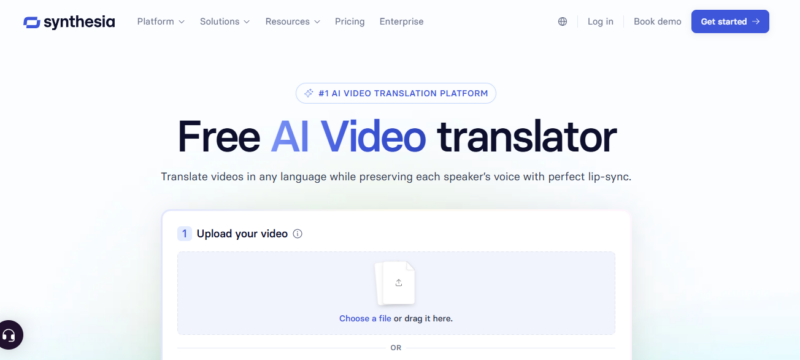
Synthesia turns a single uploaded video into production-ready, dubbed versions in 140+ languages, preserving each speaker’s own voice with natural lip-sync. The process is straightforward: upload your video, select target languages, and the system handles transcription, translation, voice cloning, and lip-sync adjustment all at once. Lip sync quality on Synthesia avatars is among the best for synthetic content, and the platform is positioned at enterprise buyers in training, L&D, and corporate communications, with workflow controls and security certifications suited to institutional review.
For teams building training content, product demos, or corporate communications, Synthesia’s combination of avatar creation and video translation makes it uniquely valuable. You can create new videos with avatars in your source language, then instantly translate the entire thing into 140+ languages without re-recording. The voice cloning feature preserves the original speaker’s emotional tone and delivery patterns, which matters more than most teams expect.
Best for: Corporate training teams, L&D departments, product marketing teams, anyone building multilingual content from scripts. Pricing starts at $18/month when billed annually ($29/month for monthly billing), with enterprise plans available for teams.
Vozo AI: Best for Creators and Small Teams
Vozo is an AI video translator with dubbing and lip sync, built for creators, businesses, and localization teams that need more than basic word-for-word translation. It can create natural sounds and help you clean your own voice as well. The platform supports 165 languages with proprietary LipREAL technology that matches lip movements to audio and VoiceREAL voice cloning that preserves the original speaker’s identity. The pricing scales with your needs, starting at $15/month for the Standard plan.
Best for: YouTube creators, small marketing teams, anyone who needs reliable dubbing and lip-sync without enterprise pricing. The platform is especially useful for teams managing multilingual content libraries where editing control matters.

Happy Scribe: Best for Transcription and Subtitle Workflows
If your priority is subtitle accuracy and collaborative review workflows, Happy Scribe excels at subtitle generation, transcription accuracy, and collaborative localization workflows. For teams that care about editing control and multilingual subtitles as much as voice translation, it’s one of the strongest platforms available. The platform offers a free tier for testing, with paid options that include optional human review and full enterprise workflows.
Happy Scribe’s strength is in team collaboration. You can transcribe a video, translate captions into multiple languages, build glossaries to enforce consistent terminology, and route translations through human review. The platform generates subtitles alongside any AI dubbing, giving your team complete control over every language version.
Best for: Media teams, podcast producers, educators, businesses that need highly accurate subtitles and collaborative editing workflows. Use Happy Scribe if translation accuracy and team review matter more than speed.
Rask AI: Best for Localization Teams at Scale
Rask AI supports 130+ languages and long-form videos up to 2 hours, and can be accessed both in-app and via API. Rask is best understood as a localization-first tool. The platform is designed to handle large content libraries, multiple speakers, and workflows that repeat across dozens of videos. The API integration means you can build Rask into automated content pipelines rather than processing videos manually.
Rask is less polished than some competitors on individual video quality, but stronger if you’re managing thousands of videos and need consistency across a large library. The platform handles speaker identification, so multi-speaker videos translate better than on some alternatives.
Best for: Localization teams handling large content libraries, education platforms with repeating content, API-first workflows where automation matters more than per-video polish.
ElevenLabs: Best When Voice Quality Matters Most
ElevenLabs built its reputation on voice cloning quality, and that expertise shows in their dubbing product. Voice reproduction is among the best available, capturing subtle emotional tones and delivery patterns that other platforms flatten. The platform isn’t a full video translation solution, but if the audio quality is your priority and you’re willing to handle video timing separately, ElevenLabs produces the most emotionally expressive dubbed voices available.
ElevenLabs works best paired with a separate video editor. You export the translated audio from ElevenLabs and sync it in your existing editing tool. This workflow takes more work but delivers superior voice quality when emotional delivery is critical to your content’s impact.
Best for: Productions where voice quality and emotional authenticity are paramount. Use ElevenLabs if you have the workflow flexibility to handle audio and video synchronization separately.
Choosing the Right Video Translation Tool
Choosing between tools comes down to answering a few specific questions about your workflow and content. The right choice depends on what matters most in your production pipeline and how these tools fit into your broader video strategy and collaboration workflows.
What are you translating? Avatar-led training content benefits from Synthesia’s platform integration. Screen-recorded tutorials benefit from tools that handle precise transcript editing and re-timing. Talking-head videos benefit from tools that prioritize voice quality and lip-sync. Marketing videos with music and motion graphics benefit from broader editing features. The type of content determines the tool, not vice versa.
How much editing control do you need? If you’re translating product demos where exact timing matters, subtitle-focused tools like Happy Scribe give you frame-by-frame control. If you’re translating marketing videos where slight timing shifts don’t matter, faster dubbing tools work fine. If you’re building new content, avatar platforms like Synthesia let you script in English and publish in 140 languages without re-shooting.
What’s your budget and volume? If you’re translating one or two videos per month, the per-minute cost of a specialized tool might be lower than monthly subscription cost. If you’re translating dozens monthly, a monthly subscription at a fixed cost makes more sense. Factor in team time as well. A tool that saves your team 5 hours per video pays for itself quickly at team-level wages.
Do you need team collaboration? Enterprise platforms with review workflows, approval stages, and glossary management cost more but eliminate back-and-forth on translated text. Solo creators doing one-off translations rarely need these features. Teams managing localized content libraries almost always benefit from them. Your team’s existing workflows and tools should guide this decision, so factor in how translation fits into your broader video production resources.
The gap between platforms has narrowed on headline features but widened on execution quality and workflow fit. A tool that produces beautiful output for YouTube creators might frustrate an enterprise team managing thousands of training videos. The best choice is the one that fits your specific workflow, not the loudest marketing claim. For teams building comprehensive video production resources, translation integration with your existing tools makes a measurable difference in workflow efficiency.
FAQ
Q: Is AI-dubbed video quality good enough for professional use?
A: It depends on your use case and audience expectations. AI translation now reaches 90 to 98% accuracy on clear audio, at a fraction of the $50 to $150 per minute traditional studio dubbing runs. Marketing videos, training content, and product demos all see strong results. If emotional authenticity is critical or your audience will scrutinize every detail, human-voice dubbing paired with AI translation is still your best option.
Q: How long does video translation actually take?
A: Upload to export typically takes 5 minutes to an hour depending on video length and platform. A 10-minute video usually exports within 15-30 minutes. Longer videos take proportionally longer, but most platforms process videos in the background while you work on something else.
Q: Can I translate videos I don’t own?
A: Check the terms. Most platforms allow translation if you have permission from the copyright holder. If you’re translating promotional videos for a brand, client content, or educational material, make sure you have rights to translate and re-publish before uploading.
Q: What’s the difference between dubbing and subtitles?
A: Subtitles translate the spoken dialogue into text overlays on the screen. Dubbing replaces the original audio with a new voice track in the target language. Dubbing is better for viewer engagement and brand presence. Subtitles are better for accessibility and cost efficiency. Some tools offer both simultaneously.
Q: Do I need to edit translations after export?
A: Most professional output requires at least a quick review. Look for sync issues between audio and mouth movements, translation accuracy on brand terms and product names, and overall audio quality. Many platforms let you make minor adjustments before final export, which is faster than re-dubbing.
Q: Which tool handles multiple speakers best?
A: Rask AI and Synthesia both handle multiple speakers reliably. They identify individual speakers and apply voice cloning separately to each person, which keeps voice consistency across the video. Single-speaker videos translate more naturally than multi-speaker ones on any platform.