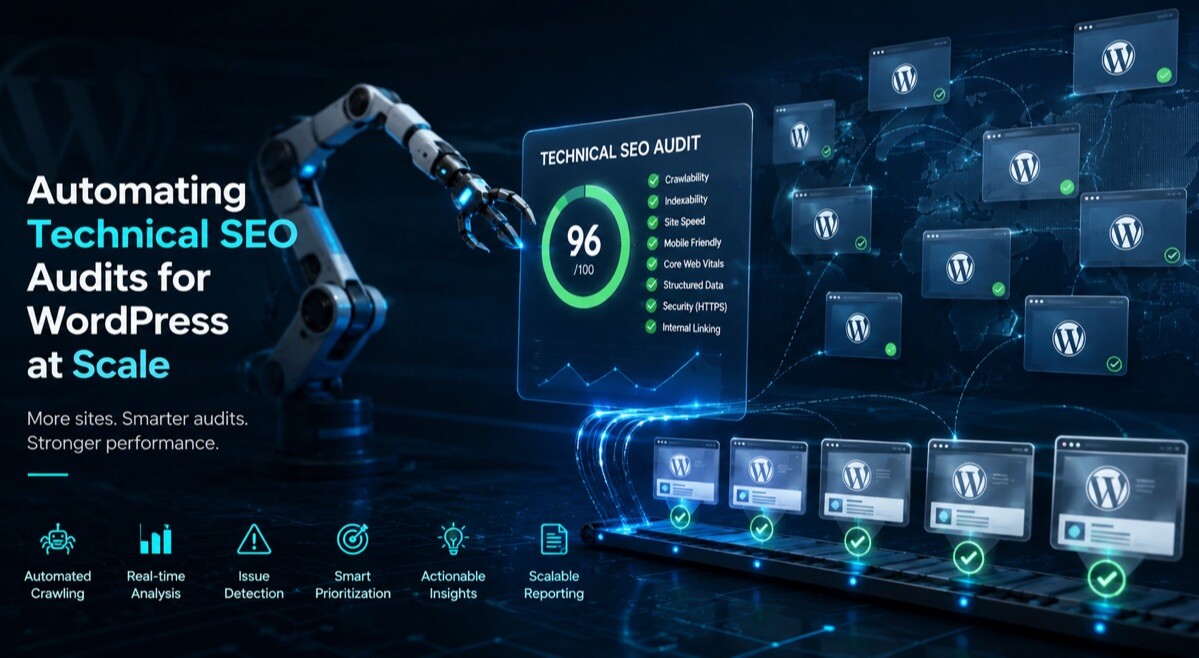
Beyond Caching: Automating Technical SEO Audits for WordPress at Scale

WordPress runs more than forty percent of websites. That adds up to millions. Each site has pages, posts, images, and plugins. Each one also carries technical problems that drag down search performance.
Caching plugins handle one thing. They make pages load faster. That is helpful. But they leave broken links untouched. They ignore missing meta descriptions. They do nothing about duplicate content. Page speed scores? Not their job. JavaScript rendering? Forget about it.
Technical SEO audits uncover these gaps. Running them manually across a large WordPress site takes forever. Automation changes that completely.
Contents
- Why WordPress Sites Need Regular Technical Audits
- What a Comprehensive SEO Audit Actually Includes
- How Automation Changes the Audit Game
- Key Technical Metrics You Cannot Ignore
- Setting Up Automated Crawling Workflows
- Frequently Asked Questions
- Final Takeaway
Why WordPress Sites Need Regular Technical Audits
WordPress sites change constantly. New posts go live. Plugins update. Themes get swapped. Each change introduces potential issues.
A plugin update can wipe out your meta tags. Switch themes and your pages might slow to a crawl. Skip alt text on images and accessibility takes a hit.
These issues pile up slowly. Rankings drop. Visitors get annoyed. Traffic and sales slip away without anyone noticing right away. Regular audits spot problems sooner. Before performance suffers. Before fixes get complicated.
What a Comprehensive SEO Audit Includes
A proper technical audit goes beyond checking if pages load. It examines dozens of factors that search engines consider.
Here is what a thorough audit covers:
- HTTP status codes (finding broken pages)
- Meta tag presence and quality
- Internal link structure and distribution
- Duplicate content detection
- Page speed metrics
- Mobile responsiveness
- JavaScript rendering issues
- Image optimization status
- Heading tag hierarchy
- Schema markup validation
Search engines consider every one of these factors when ranking pages. Overlooking any of them means missing chances to improve.
Manual audits check these across a handful of pages. Automated crawlers check them across thousands.
How Automation Transforms the Audit Process
Manual audits work for small sites. Five pages. Ten pages. Maybe twenty. Beyond that, the effort becomes overwhelming.
Crawling APIs change this completely. They send automated bots through your entire site. Each page gets checked against a comprehensive set of criteria.
The process runs without constant supervision. You set it up once. The system keeps checking. Reports arrive regularly without anyone lifting a finger. Automation also ensures consistency. Human auditors miss things. They get tired. They overlook certain pages. Automated crawlers check every page the same way every time.
An on-page SEO API like DataForSEO’s crawls websites and audits pages against dozens of technical SEO metrics. It handles the heavy lifting so you focus on fixing issues rather than finding them.
Here is how manual and automated audits compare across key factors:
| Factor | Manual Audit | Automated API Audit |
| Pages checked per hour | 5-10 | Thousands |
| Consistency | Varies by auditor | Identical every time |
| JavaScript rendering | Difficult to test | Built-in support |
| Historical tracking | Rarely done | Automatic |
| Cost per page | High (time-based) | Pennies |
| Reporting frequency | Periodic | Continuous or scheduled |
The difference is not subtle. Automation makes comprehensive audits practical for any site size.
Key Technical Metrics You Cannot Ignore
Some metrics matter more than others. Here are the ones that impact rankings most directly:
- HTTP Status Codes: Broken pages drain link value. They annoy visitors. Search engines punish sites with excessive errors. Crawlers catch every 404, 301, and 500 response across your entire site.
- Meta Tags: Titles and descriptions affect click-through rates. Missing or duplicate tags throw off search engines. Automated scans flag pages without proper metadata. Typical problems: titles under 30 or over 60 characters, descriptions outside the 70-160 range.
- Internal Linking: Internal links pass authority throughout your site. Pages without enough incoming links stay hidden. Crawlers map your whole link network and find orphaned pages. Good audits check that every page gets at least one internal link from your content.
- Page Speed: Slower pages rank worse. They convert poorly. Google’s Core Web Vitals measure real visitor experience. Automated audits pull Lighthouse scores to surface performance problems.
- Duplicate Content: Duplicate pages fight each other for rankings. They dilute authority and confuse crawlers. Automated tools spot identical or near-identical content across your site.
- JavaScript Rendering: Modern WordPress sites lean hard on JavaScript. Search engines need to render this content properly. Basic HTML checks miss issues here. Crawlers with JavaScript rendering catch what simple scans overlook. The OnPage API gives you different levels: Basic HTML, Enable JavaScript, or full Browser Rendering for React or Angular sites.
- Heading Structure: Heading hierarchy affects both SEO and accessibility. Each page needs one H1 tag. Headings should follow a logical order without skipping from H1 to H3 without an H2 in between.
- Image Optimization: Images missing alt text hurt accessibility and rankings. Automated scans count missing alt attributes page by page. The overall audit score shows your average alt text coverage across the whole site.
Setting Up Automated Crawling Workflows
Your setup determines how valuable your audits become. Here is a workflow that actually works.
Start by defining what you need. Auditing a fresh site? Monitoring ongoing health? Checking after a big update? Each use case calls for different crawler settings.
Tune the crawler to fit your site. Set page limits. Pick which sections to scan or skip. Adjust speed so your server does not get overwhelmed. Most APIs include a crawl_delay parameter to control request pacing.
Run audits on a schedule. Weekly for frequently updated sites. Monthly for smaller or quieter ones. Use the data to decide what to fix first. A dashboard that surfaces the worst problems saves time. Focus on impact, not just a giant laundry list.
Common automated audit workflows include:
- Weekly full-site crawls generating comprehensive reports
- Daily checks for new pages and posts
- Automated alerts when critical issues appear
- Monthly trend reports tracking technical health over time
Some APIs send pingbacks when a crawl wraps up. Force_stop endpoints let you kill expensive crawls if something goes sideways mid-process.
Frequently Asked Questions
Site owners ask the same questions when they start automating audits. Here are the answers.
How often should I run technical audits on my WordPress site?
Weekly for active sites that change often. Monthly for smaller or quieter ones. Daily checks for critical updates like new pages or posts.
Can automated crawlers handle JavaScript-heavy WordPress sites?
Yes. DataForSEO OnPage and similar APIs offer execution levels. Basic HTML. Enable JavaScript. Enable Browser Rendering for React or Angular apps.
How can I prevent a crawler from overwhelming my server?
Use max_crawl_pages, crawl_delay, and respect_sitemap. Most APIs let you control speed and limit which sections get scanned.
What are the most common issues found during WordPress audits?
Missing or duplicate meta tags. Pages blocked by noindex. Broken internal links. Thin content under 300 words. Slow page speed scores top the list.
Can I pause or stop a crawl that is taking too long?
Yes. Many APIs have a Force Stop endpoint. It kills the process immediately so you do not waste money on unnecessary tasks.
Final Takeaway
Technical SEO audits maintain WordPress site health. They catch problems before rankings take a hit. They help you maintain visibility across thousands of pages.
Manual audits do not scale. Automation through crawling APIs makes comprehensive monitoring possible for any site size.
The tools exist. The data is accessible. The only question is whether you start using them or let technical debt accumulate until it becomes a problem.

