A Practical Audio Prototyping Workflow for WordPress Creators and Small Teams

A WordPress publisher may need original audio for a podcast opening, a course lesson, a product walkthrough, or a short campaign video. The problem usually appears late in production, when the page is nearly ready but the soundtrack is still a vague note in the project plan.
Using an ai song generator at the prototype stage can make that audio requirement concrete before a team spends time polishing the wrong direction. The useful goal is a testable reference track with a clear purpose, predictable handoff, and manageable file footprint—not an instant promise of a finished master.
Begin With the Page Experience
Audio should be defined by the experience it supports. A forty-second product clip needs an immediate opening and room for narration. A course introduction may need a calm identity that remains consistent across lessons. A podcast bumper must be recognizable without delaying the episode. Writing these constraints first produces a better musical brief than choosing a genre in isolation.
The page itself also sets practical limits. Autoplay is rarely a good default, large uncompressed media can slow delivery, and background music that masks speech harms accessibility. A prototype should therefore be evaluated inside the actual content flow, not only through headphones as a standalone track.
Build the Prototype in Three Passes
- Write a Functional Audio Brief
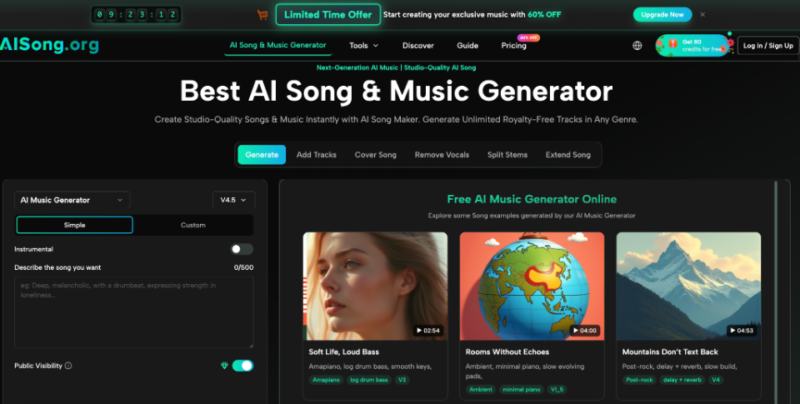
Describe where the track appears, what happens immediately before and after it, and which element must remain dominant. Add a mood, a rough energy curve, and any vocal or instrumental preference that affects the use case. AI Song provides a Simple Mode for describing an idea and a Custom Mode for entering lyrics, plus visible controls for styles, moods, voices, and tempos. Select only the controls that clarify the page requirement; excessive adjectives often create a less coherent test. Include the approximate edit length and note whether the track must loop, fade, or end cleanly, because those requirements affect how an editor will judge the first version.
- Generate Variants Around One Decision
Create a few versions that test the same question rather than changing every parameter at once. For a tutorial intro, compare two energy levels while keeping the instrumentation and structure stable. For a campaign clip, compare vocal and instrumental treatments with the same emotional direction. The platform’s Regenerate option can produce another interpretation while preserving the basic setup, making it easier to identify which change actually improves the fit. Record the decision beside each version so a later reviewer does not have to infer the experiment from the sound alone or repeat the same comparison unnecessarily.
- Prepare a Lean Editorial Handoff
Choose the strongest draft, then give the editor the track, the intended start and end points, and a short note about narration or transitions. Keep source prompts and discarded versions outside the public media library unless they serve a real purpose. When an export is ready for the site, compress or convert it appropriately, add accurate metadata, and test it on a representative mobile connection. The creative tool solves only the first part of the delivery problem. Check the page with and without audio as well, since the core message should remain understandable for visitors who cannot or prefer not to listen.
Treat Generated Files as Site Assets
Good media-library habits prevent prototypes from becoming permanent clutter. Use descriptive filenames, maintain one approved version, and document licensing terms with the project records. If a revised edit is uploaded, confirm that pages and reusable blocks point to the current asset rather than leaving multiple near-identical files in production.
Format choice should follow the next step. MP3 is convenient for review and many web uses, while WAV preserves more information for editing but is much larger. AI Song lists both download formats on its plans, so the team should verify the account’s available export options before promising a specific handoff. Publishing teams should still create a web-appropriate derivative instead of placing an unnecessarily large studio file on a page.
Keep Revision Outside the Page Builder
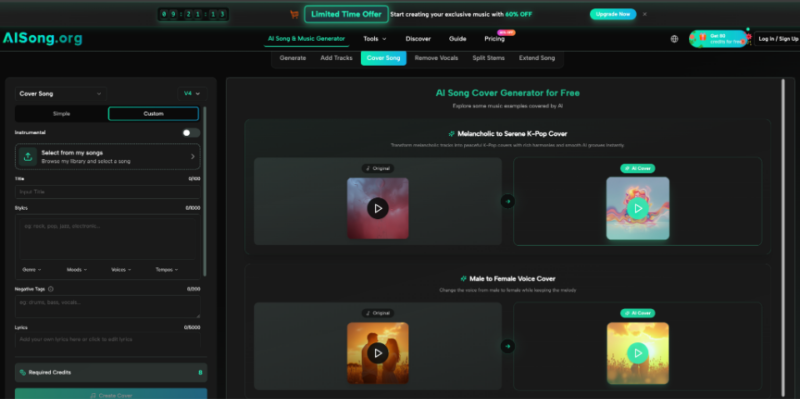
An ai song draft can move into a wider production loop after the concept is approved. The platform includes follow-up tools such as vocal removal, stem splitting, track addition, and song extension. A course team might separate vocals from an early concept to test a cleaner instrumental bed, while a video editor might extend a section before making the final cut. Those steps belong in the audio workflow, not inside repeated page-builder uploads.
Create a simple approval gate: concept accepted, edit completed, web file prepared, page placement tested. This prevents stakeholders from debating composition, mixing, compression, and layout at the same time. It also limits avoidable rework when the song changes after a page has already been optimized and cached.
Fast Pages Still Need Deliberate Sound
Audio generation can accelerate the moment when a team first hears an idea, but it does not remove the need for performance-minded publishing. The page context, the listening environment, the export format, and the revision path all shape whether the asset helps or harms the experience.
The strongest workflow keeps those decisions in order: define the function, test a small set of interpretations, approve one direction, and prepare a lean web asset. That discipline lets original sound add identity to a WordPress project without becoming another source of weight, confusion, or maintenance.
