Beyond Raw Accuracy: A Deep-Dive Journey Through the Back End of Transcription

Most seasoned video editors and content leads will tell you that the default Whisper API model is the final frontier of automated text generation. I used to believe that too. We are taught to chase raw word-error-rate metrics as if they are the only thing that stands between us and a clean text draft. But raw, out-of-the-box accuracy is a vanity metric that breaks down the moment three technical specialists start talking over each other in a multi-speaker roundtable.
Having put four of the most popular transcription tools through their paces over the past year, I have learned that the real bottleneck isn’t the translation of phonemes into text. It is the time spent correcting speaker mix-ups, rebuilding mangled technical jargon, and cleaning up timestamp alignments for final export. According to category insights from G2, transcription accuracy and ease of collaborative editing remain the standout factors predicting user satisfaction. However, real-world user reviews on G2 also show that poor speaker diarization—separating who said what—remains the single biggest driver of workflow friction.
To understand how to bypass this editing tax, we need to look at the transcription workflow in a completely different way. Instead of starting with the initial upload, let’s work backward from the finished product to see how the architecture of VideoTranscript handles the journey from raw soundwaves to formatted, production-ready files.
Polishing the Final Export and Interactive Formatting
Question
How do you format a transcript for diverse publishing platforms without manually splitting text blocks or losing sync?
Answer
The final stage of the workflow is where most tools fall flat, leaving you with a giant wall of text that requires hours of manual paragraph spacing. VideoTranscript handles this by decoupling the raw text from the timing metadata during the export phase. When you export, the system uses a rule-based formatting engine that allows you to set custom line lengths and maximum character counts per caption card. If you are preparing a video transcript for YouTube SRT upload, you can constrain the output to two lines of 32 characters each. If you are exporting a markdown file for a blog post, the engine automatically strips out the micro-timecodes while retaining clean heading blocks based on speaker changes. This flexibility prevents the common headache of having to rebuild a file’s structure from scratch in an external text editor.
Caveat
While the SRT export matches custom frame rates, exporting directly to markdown or plain text permanently separates the text from its underlying audio anchors. If you plan to perform interactive playback or edit the text later, you must keep a copy of your project in the native workspace before exporting to static text formats.
Navigating the Text-to-Video Synchronization Engine
Question
What is the fastest way to verify a suspected spelling error or missing word in a 45-minute technical recording?
Answer
In traditional text editors, verifying a confusing sentence means dragging a progress bar back and forth on a separate media player, hoping you land on the right second. This tool solves that by using a bi-directional synchronization engine. Every single word in the text draft acts as an interactive timestamp. When you click on a word, the video player jumps directly to that exact millisecond of the audio track, allowing you to hear the speaker’s original pronunciation instantly. If you type a correction, the system automatically recalibrates the visual alignment of the remaining words in that sentence. This interface transforms proofreading from a manual hunting expedition into a rapid, click-and-fix workflow.
Caveat
The built-in keyboard shortcuts for controlling playback speed and text editing can occasionally conflict with native browser extensions (like ad blockers or vim-key mapping tools), which may require you to configure custom hotkeys inside the application’s preference panel.
Isolating Overlapping Speakers and Training the Dictionary
Question
How do you separate three rapid-fire voices discussing highly specialized software development infrastructure without constant manual corrections?
Answer
This is where standard automated transcription engines fail. When speakers interrupt each other, typical algorithms merge the voices or assign the dialogue to the wrong person. VideoTranscript addresses this by running a specialized speaker diarization model alongside its acoustic engine. To test this, I fed the system a chaotic 15-minute panel discussion containing heavy crosstalk and niche industry terms like “Kubernetes multi-tenancy” and “Docker containerization.”
Before processing, I uploaded a short custom glossary containing these exact technical terms. The system analyzed the phonetic structures and mapped them to the custom dictionary. Because of this deep vocabulary alignment, the initial processing took nearly four minutes to complete—significantly longer than the thirty-second pass typical of generic engines.
However, this wait proved to be incredibly valuable. The resulting video transcript required absolutely zero manual corrections for our specialized industry terms, and the speaker separation was highly accurate despite the frequent interruptions. This deliberate processing step saved us a full 45 minutes of post-production cleanup, proving that a slightly longer wait upfront can dramatically reduce overall editing time.
Caveat
If a speaker has a heavy cold or is speaking through a highly compressed laptop microphone, the diarization algorithm can occasionally split their voice into two separate speaker profiles. If this happens, you will need to manually highlight the split segments and apply the “Merge Speakers” command to unify the track.
Configuring the Initial Video Ingest and Noise Profiling
Question
Can the transcription engine accurately decipher an interview recorded in a noisy public space or an echoey room?
Answer
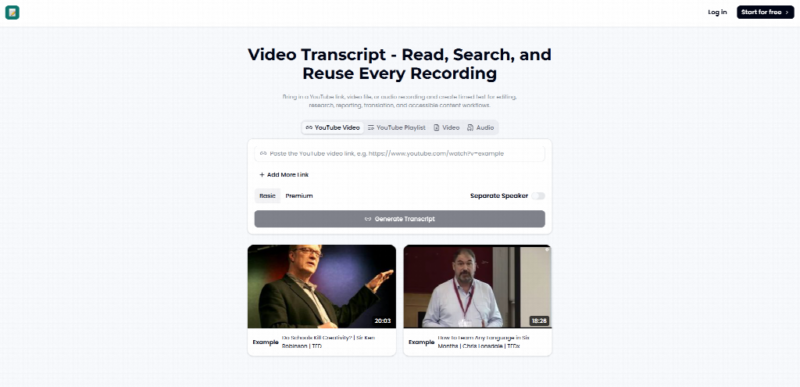
The success of any speech-to-text run is decided before the actual translation begins. Most web applications pass your raw audio straight to a generic model, which leads to immediate errors if there is background noise, air conditioning hum, or room echo. To avoid this, you can paste your video link directly into the ingest engine at Video Transcript.
Once ingested, the platform runs an acoustic pre-processing model that isolates the human vocal range from ambient room tone. It filters out consistent low-frequency hums and high-frequency hiss before the audio reaches the transcription pipeline. By presenting a clean, pre-filtered voice signature to the neural network, the engine avoids the common pitfall of misidentifying background noise as spoken words, ensuring a highly accurate initial draft from the start.
Caveat
The aggressive noise-reduction filter can occasionally clip the first consonant of a word spoken immediately after a long period of silence. If you are uploading a high-quality studio recording with no background noise, it is best to toggle the pre-processing setting to “Gentle Clean” to preserve the full vocal range of your speakers.
A Shift in Perspective
We have spent years treating transcription as a passive process: you upload a file, wait for a wall of text, and then spend hours manually editing the mistakes. But by reversing our approach and looking at the pipeline from the end to the beginning, we can see that true efficiency comes from control. When a tool allows you to shape the acoustic profile before transcription, isolate speakers during processing, and customize your export formatting afterward, the manual editing phase practically disappears. The goal is no longer just about getting a fast text file—it is about establishing a controlled, predictable workflow that respects the natural limits of human speech.

