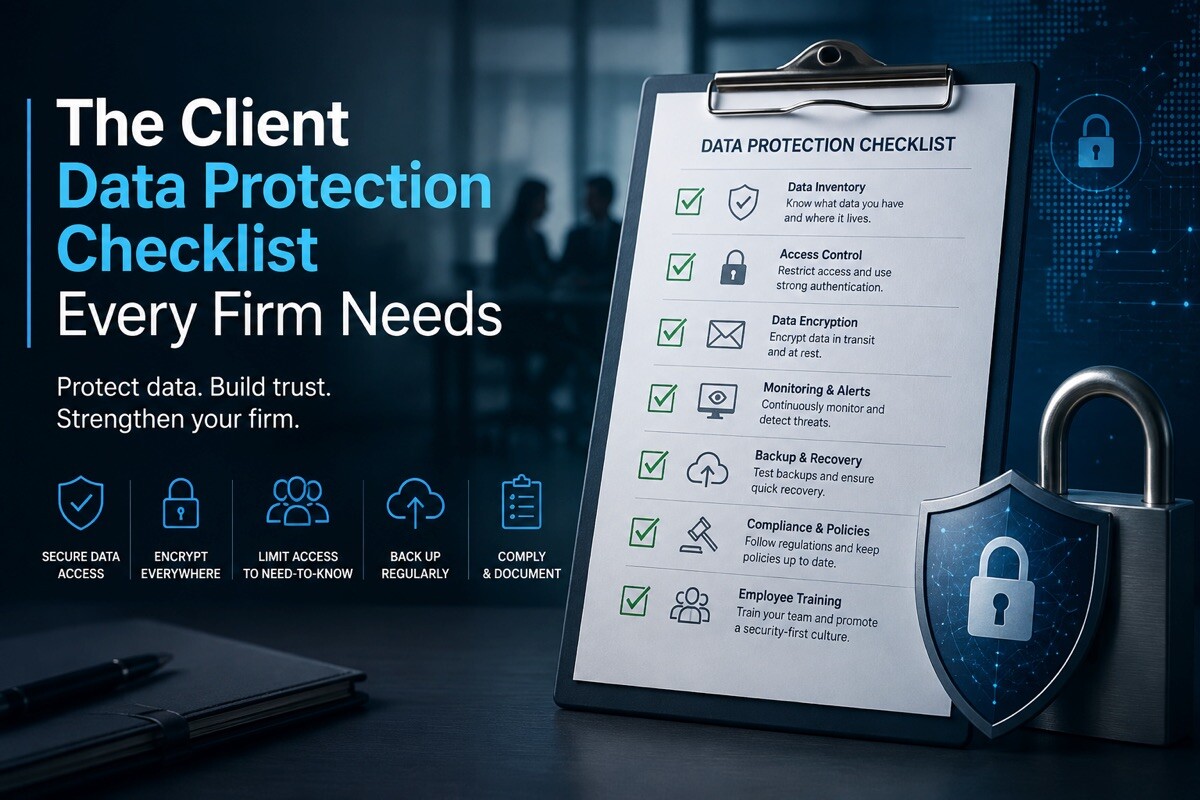
The Client Data Protection Checklist Every Firm Needs

Client data protection is one of those jobs every firm is sure it has covered, right until the morning it obviously doesn’t. Truth is, you are holding far more sensitive client data than you’d think. And legally, every bit of it is your responsibility – from your CRM to the hosting behind your own website.
So we will help you figure this out. You will get a client data protection checklist you can genuinely work through, plus an honest look at what a leak actually costs you and a rundown of the rules you are measured against. Big firm or two people at a kitchen table, the basics don’t really change.
What Is Really at Stake When Client Data Leaks
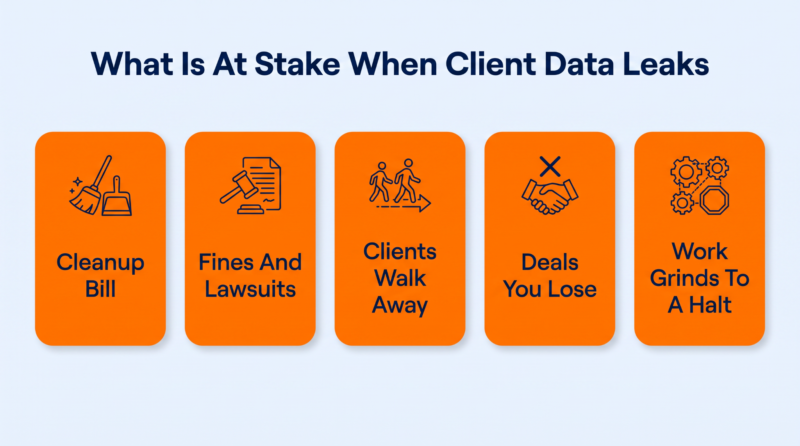
Let’s start with why any of this is worth your time. A breach doesn’t hand you one tidy invoice; it hands you several, and most turn up months after the dust settles. With attacks on ordinary businesses getting bolder every year, this is really the argument for taking client data protection seriously.
1. The Cleanup Bill Hits First
The second you spot a breach, the spending kicks off. You are suddenly paying investigators to piece together what happened and notify everyone affected, usually with lawyers on the clock too.
For clients, the consequences can go beyond inconvenience, particularly when exposed records create a risk of identity theft. IBM pegs the average breach at $4.4 million globally and $10.22 million in the US in 2025, most of it cleanup rather than ransom.
2. Then Come the Fines and the Lawsuits
Once the dust settles, the regulators and the clients both come knocking. Depending on what leaked and where your clients are, you are looking at privacy-law penalties as well as civil claims from the people whose data got out. For a small firm, one bad case can wipe out more than a year’s profit all on its own.
3. Clients Leave, and Rarely Say Why
This is the quiet one, and it hurts the most. Hardly anyone bothers to send an angry email after a breach. They just go cold, let the contract run out, and take their business to a firm that didn’t lose their data. You often won’t even spot it happening until the renewals simply stop coming in.
4. The Deals You Never Even Hear About
It isn’t only your current clients who slip away, either. A breach that hits the news shows up in every pitch you make afterward. A prospect runs a quick search and crosses you off before you ever get the meeting. Those are deals you will never even know you lost.
5. The Work Simply Grinds to a Halt
And while all of that unfolds, the actual work just stops. Systems come offline, files get locked or held as evidence, and your team spends days firefighting instead of doing anything billable. When your whole business is selling its time, those lost days are money you can’t invoice and won’t get back.
The Client Data Protection Checklist: 12 Items Every Firm Needs

Right, this is the part you can actually do something with. It is the checklist we would hand any firm for safeguarding customer data: 12 items that don’t step on each other, each fixing a gap the others miss. Go down these robust data protection strategies, and be honest about what you have really done versus what you keep meaning to.
| Checklist Item | The One-Line Version | Status |
| Take stock of your client data | Know exactly what you hold and where |
|
| Collect less, keep it briefly | Less data means a smaller target |
|
| Encrypt at rest and in transit | A stolen copy should be useless |
|
| Least access, then MFA | One password should never be enough |
|
| Hold vendors to your standard | Their weak spot becomes yours |
|
| Keep backups you have tested | Prove you can actually restore |
|
| Patch and update early | Close known holes before attackers do |
|
| Train your team | People are the most-targeted way in |
|
| Be transparent with clients | Say what you collect and why |
|
| Log and review data access | Know who touched what, and when |
|
| Write a breach plan | Decide the response before you need it |
|
| Destroy data you don’t need | Unrecoverable, on every single copy |
|
1. Take Stock of Every Piece of Client Data You Hold
It is hard to guard something you have forgotten you even have. Most firms keep client data in more spots than they would expect, from old email threads to the CRM and a dozen unaudited SaaS tools. A data inventory is just a map of what you have got, where it is kept, and how sensitive each bit is. It also gives you a clearer picture of where you need to protect data most carefully.
- List every system, app, and inbox where any client data actually ends up.
- Tag each type by how sensitive it is, from public to confidential, and flag any sensitive information that needs tighter controls.
- Note who owns each data set and which outside vendor stores it for you.
- Refresh this inventory on a set schedule, since systems creep in constantly.
2. Collect Less, and Keep It for Less Time
Every extra field you ask for is one more thing that can leak later. Honestly, the safest data is what you never collected or wiped once you stopped needing it. Firms hoard personal information out of habit long after it is useful.
- Cut every optional field from your intake forms that you rarely use, particularly fields containing personally identifiable information you do not genuinely need.
- Set a retention limit for each data type as a tested starting point.
- Delete or anonymize client records once the work is genuinely and fully finished.
- Question new data requests by asking what you actually need it for.
3. Encrypt Client Data at Rest and in Transit
Encryption is one of the most robust data security measures that transforms your sensitive data so a stolen copy is useless junk without the key. You want it working in two spots – at rest on your disks and in transit as it travels between browser and server. The in-transit side is the quick win, since an SSL certificate and forcing HTTPS site-wide cover most of it.
- Turn on full-disk or database encryption everywhere that client data gets stored.
- Install an SSL certificate and redirect all traffic to HTTPS by default.
- Encrypt every laptop and mobile device, plus any removable drive that leaves the office.
- Store encryption keys separately from the data they are meant to protect.
4. Give People the Least Access They Need, Then Add MFA
Nobody on your team needs the keys to everything, and acting as they do is how one phished login becomes a company-wide disaster. Access controls help protect sensitive data by ensuring people reach only what their job actually requires, nothing more. Multi-factor authentication adds a second lock, so a swiped password alone won’t get anyone in.
That second lock matters more than it sounds, because stolen credentials are the single most common way in, behind 22% of breaches in 2025.
- Map each role and restrict access to the exact data and systems it truly needs.
- Require MFA on every account that can reach client data, no exceptions.
- Remove or limit access the same day someone changes roles or leaves the firm entirely.
- Review who holds admin rights on a regular, scheduled basis you can keep.
5. Hold Your Vendors to the Same Customer Data Security Standard You Set
Your client data is only as safe as the sloppiest tool you hand it to. Every service you plug in is another door into that data – analytics platforms, lead generation tools, CRM, email host. Those systems may be essential to everyday business operations, but they also expand the number of places where client information can be exposed. And if one gets breached, clients won’t blame the vendor. They will blame you. Their security is now yours.
- Keep a current list of every single vendor that touches your client data.
- Check each vendor’s security posture and compliance certifications before you sign anything.
- Sign data-processing agreements that clearly spell out their data handling.
- Drop or replace any vendor that cannot answer basic security questions clearly.
6. Keep Backups You Have Actually Tested
Backups are a major part of the wider data protection solutions. And a backup you have never actually restored is just a promise on paper, not a safety net. Even with robust security measures in place, firms need tested backups for the situations where prevention fails.
Loads of firms only discover their backups are useless, either corrupt or encrypted right along with everything else, at the exact moment they are begging for them. The only real proof is restoring from one, not just making it and crossing your fingers.
- Follow a 3-2-1 approach as a starting point, then adjust to your risk.
- Always keep at least one backup copy fully offline or in immutable storage.
- Run a real restore on a schedule, not just when disaster strikes.
- Back up every critical client system, not only the obvious critical data.
7. Patch and Update Before Attackers Get the Chance
Most breaches aren’t some brilliant zero-day nobody saw coming. They stroll through a known hole that had a patch out for months.
Every plugin you didn’t update or app you let slip is a published invitation, since attackers scan the whole internet for exactly those gaps. Updates are dull, but they are most of your defense. And on a WordPress site in particular, that is really about hardening the site and its plugins before someone else finds the one you forgot.
- Turn on automatic updates for every tool and plugin that safely supports them.
- Track which systems cannot auto-update, then patch those manually on a schedule.
- Remove any plugin or app you no longer actively use at all.
- Subscribe to security advisories for the core tools your firm relies on.
8. Turn Your Team Into a Human Firewall
The cleverest security setup on earth can be undone by one person clicking one bad link. That is no dig at your team – it is just where attackers aim because it keeps working.
Your people are your biggest exposure and, when they are trained right, your sharpest early warning for anything that smells off. And the data agrees. Roughly 60% of breaches still involve a human element, which is exactly where a bit of employee training does the most good.
- Run short and realistic phishing drills so your people learn the real warning signs.
- Make reporting any suspicious message a simple one-click, no-blame habit for everyone.
- Teach staff to verify payment or data requests through a second channel.
- Refresh the training regularly, since attacker tactics change faster than policies do.
9. Be Straight With Clients About Data Collection Practices
Being open about data management practices isn’t only a compliance obligation – it genuinely builds trust. More and more, clients want to know what you are collecting and why, plus who else can access it.
Keeping up with data protection trends also means paying attention to changing expectations. Firms that tell them straight, before anyone even has to ask, come off as a safe pair of hands. Vague and hidden privacy terms do the opposite. Usually the natural place to make this clear is the proposal or agreement you send a new client, before any data ever changes hands.
- Write your privacy notice in plain language, not dense legal boilerplate at all.
- Ask for clear, specific consent before collecting anything beyond the basic essentials, especially sensitive categories such as biometric data.
- Give clients an easy way to see, correct, or delete the data collected.
- Tell clients promptly and honestly if their data is ever actually exposed.
10. Log Who Touches Client Data, and Review It
No defense is airtight, so you also want a running record of who did what, and when. Access logs capture every time someone opens or exports client data, which turns a silent breach into something you can actually catch early. Skip them, and you will usually hear about an incident from the attacker instead… or from the news.
- Turn on access logging for every single system that stores client data.
- Set alerts for unusual activity, like bulk downloads or access at strange hours.
- Review your logs on a regular cadence, not only after something clearly breaks.
- Keep your logs tamper-proof so an intruder cannot erase their own tracks.
Trouble is, someone needs to monitor access logs for unusual activity and investigate anything that does not fit normal work patterns. Most firms turn logging on and then never look again until it is far too late, because no busy team can eyeball a firehose of access events across a dozen systems all day. The real attacks just get lost in all that activity, looking almost exactly like ordinary activity.
This is the gap a modern detection setup is built to close. Newer managed services pair AI agents with human analysts, automating the monitoring while a person keeps the judgment calls. CyberProof’s agentic SOC approach shows the idea: its agents comb your access logs, flag anything matching attacker behavior, then pass only real concerns to a person.
The idea isn’t to replace your people. It is to make the logs you already collect something you can actually keep an eye on. Real threats float up fast – a human signs off before anything drastic happens, and for a small team, that is often the only realistic way to watch access without burning everyone out.
11. Write Your Data Breach Plan Before You Ever Need It
Nobody makes good decisions mid-breach, with the screens down and everyone talking over each other. That is the whole reason to write the plan now: a short guide naming who is in charge and who gets told in what order the second data is exposed. Firms that have one recover faster and skip the expensive, panicky mistakes.
- Name who leads the whole response and who is allowed to speak publicly.
- Write out each legal and technical step, then your notification duties, in order.
- Know the breach-notification deadlines for every region your clients are actually based in.
- Rehearse the whole plan at least once so it is not purely theoretical.
12. Destroy Data You No Longer Need, the Right Way
Dragging a file to the trash isn’t the same as destroying it. Those old records you have long forgotten are pure liability, since they can still be stolen and dumped online years after they were of any use. Real disposal means the data is gone for good, on every copy and backup.
Physical security matters too, particularly for laptops, removable drives, paper files, and other devices that can leave the office.
- Set clear retention limits, then securely wipe the data once they expire.
- Use tools that overwrite or shred files properly, not just delete them.
- Wipe every old device completely before you ever sell or recycle it.
- Include your backups and archives in any deletion, not just the live systems.
This one is especially serious for anyone who collects deeply sensitive consumer data and then hangs onto it for years. High-stakes legal work is the obvious example. Building a single case means gathering a mountain of intimate detail. Long after that case wraps, all of it is still there… and still dangerous if no one clears it out.
Let’s consider this wrongful death lawyer. To do that work, they gather autopsy findings and full medical histories, plus financial data and painfully private family details. Years after a settlement, those files tend to just linger on a server. If they leak then, the damage is as brutal as on day one, only the data helps no one now.
For a firm like that, disposal isn’t housekeeping you get to eventually. It is a real layer for protecting customer data. The habit is to retire closed-case data on a schedule, wipe it properly from every copy, and check the backups got cleared too. Whatever you don’t keep simply can’t be stolen.
The Data Protection Laws You Are Judged Against: GDPR, CCPA, and HIPAA
Good habits are one thing, but customer data protection is also the law, and the fine print matters more than most firms like to admit. Three names come up over and over. So here’s what each data protection regulation really asks of you and how to work out which ones you are actually on the hook for.
What Each One Actually Demands
General Data Protection Regulation (GDPR) covers the personal data of anyone in the EU, and it sets a high bar. You need a lawful reason to process data, and you have to honor requests like access or erasure within about a month. Serious breaches get reported within 72 hours. Fines climb to €20 million or 4% of global annual turnover, whichever stings more.
CCPA, now beefed up by the CPRA, applies to for-profit businesses handling California residents’ data above certain thresholds. It gives people the right to see what is collected and to delete it, plus opt out of having it sold. Penalties run $2,663 per unintentional violation and $7,988 per intentional one, on top of damages after a breach.
HIPAA applies if you handle protected health information in the US, whether you are the provider or a vendor working for one. It wants documented safeguards and prompt breach notices, plus signed business-associate agreements with vendors. Penalties scale with fault, from about $141 a record to roughly $2.1 million per violation category a year.
How to Tell Which Ones Apply to You
What matters isn’t where your firm is based – it is whose data you hold. Serve one person in the EU and GDPR applies, even from across the world. Handle enough Californians’ data, and CCPA kicks in. Touch US health information in any form, and you are probably under HIPAA. Many firms answer to two or three at once.
| Regulation | Who It Covers | What It Requires | Top Penalty |
| GDPR | Anyone in the EU whose data you process | Lawful basis, data-subject rights, 72-hour breach reports | €20M or 4% of global turnover |
| CCPA / CPRA | California residents, above set thresholds | Rights to know, delete, and opt out of sale | $7,988 per intentional violation |
| HIPAA | US protected health information | Safeguards, breach notice, business-associate agreements | ~$2.1M per category, per year |
Conclusion
If one thing sticks from all this, make it this: client data protection is a habit you keep, not a project you finish. There is no finish line. The firms that stay out of trouble revisit this checklist again and again, because the data they hold and the tools they run keep changing, and so do the rules.
At WP Fastest Cache, what we care about most is the WordPress site your firm runs on, which is itself holding client data. Our caching plugin creates static cache files and serves cached pages to reduce PHP execution and database queries, while features such as cache exclusions, preload, browser caching, and cache controls give site owners more control over what gets stored and served.
If you run a WordPress site and want to improve its speed while keeping your caching setup under control, get started today.